SM20 Series
User Manual
32
It is recommended to refrain from using a metal belt clip, case, or accessory.
Do not wear an accessory keeping 0.5 cm or shorter from the back part of the
device or one that does not meet the radiation safety and protection standards
of Ministry of Science, ICT and Future Planning.
3.5 NFC
3.5.1 Setting the NFC Feature
Activating the NFC Feature
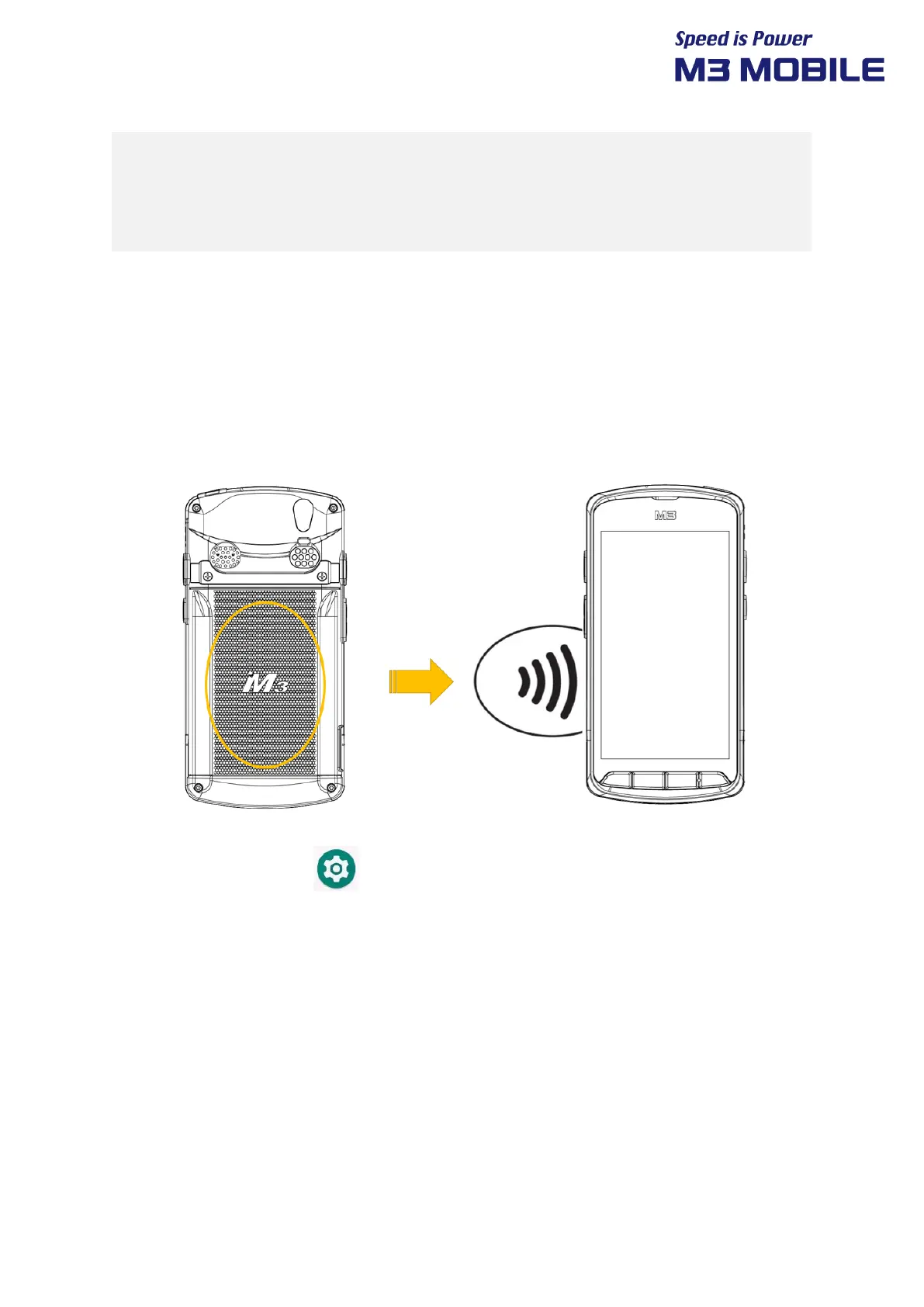
There is an NFC antenna next to the speaker behind the SM20 device, so please orient it and tag
it.
Swipe the bottom Click Settings Connected devices Connection preferences
NFC On


 To Next Page
 Loading...