SM20 Series
User Manual
31
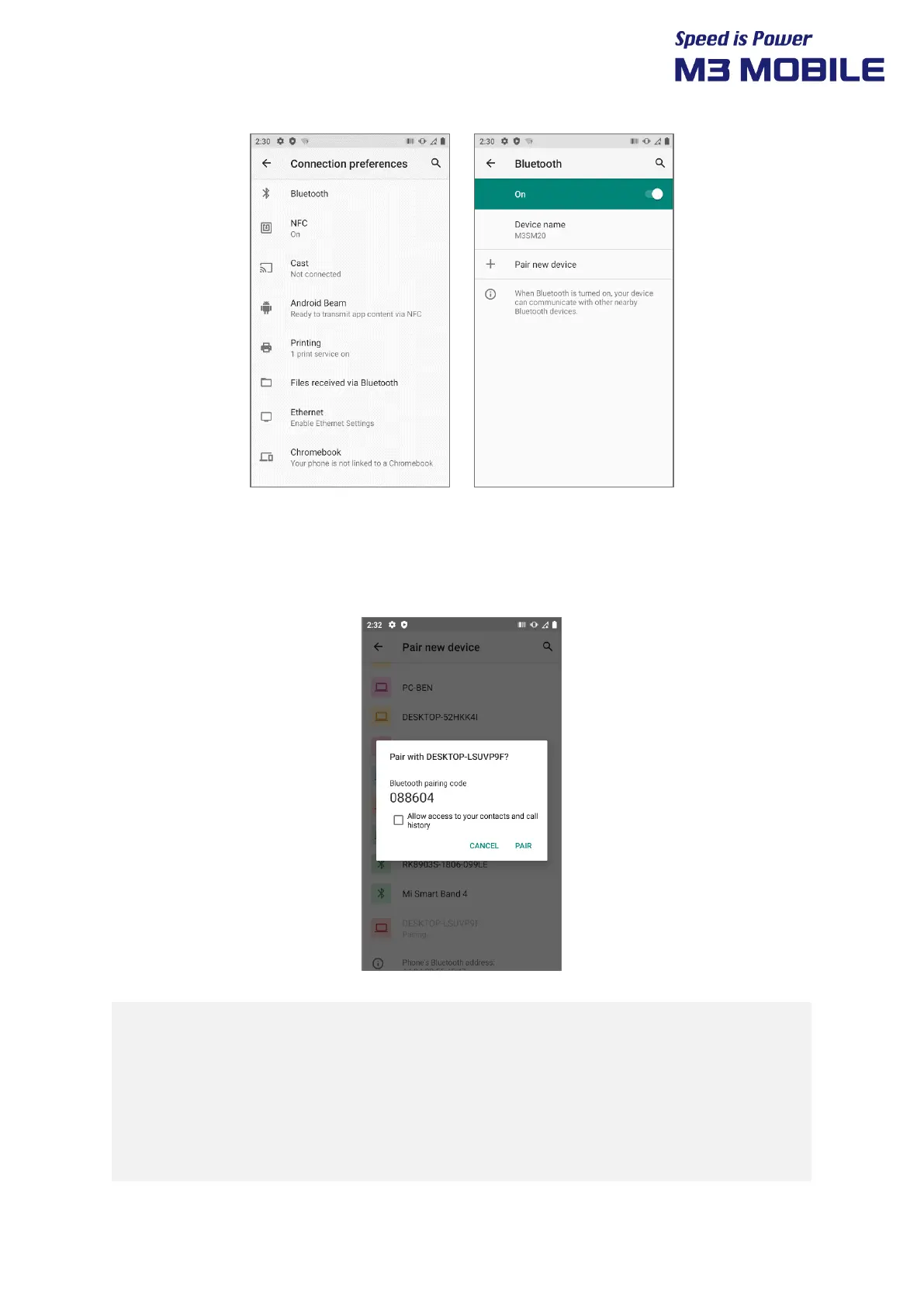
3.4.2 Connecting Using Bluetooth
List of devices available to connect to is displayed
If the “Bluetooth pairing request” screen is displayed, enter PIN code of the Bluetooth device to
complete access to the device.
!
Guide on distance between the device and user
The device is tested in general conditions wherein the device is 0.5 cm apart
from a user.
To meet the radiation safety and protection standards of the Ministry of
Science, ICT and Future Planning, the device and the antenna should be 0.5 cm
or more from a user regardless of the antenna use.


 To Next Page
 Loading...