SM20 Series
User Manual
28
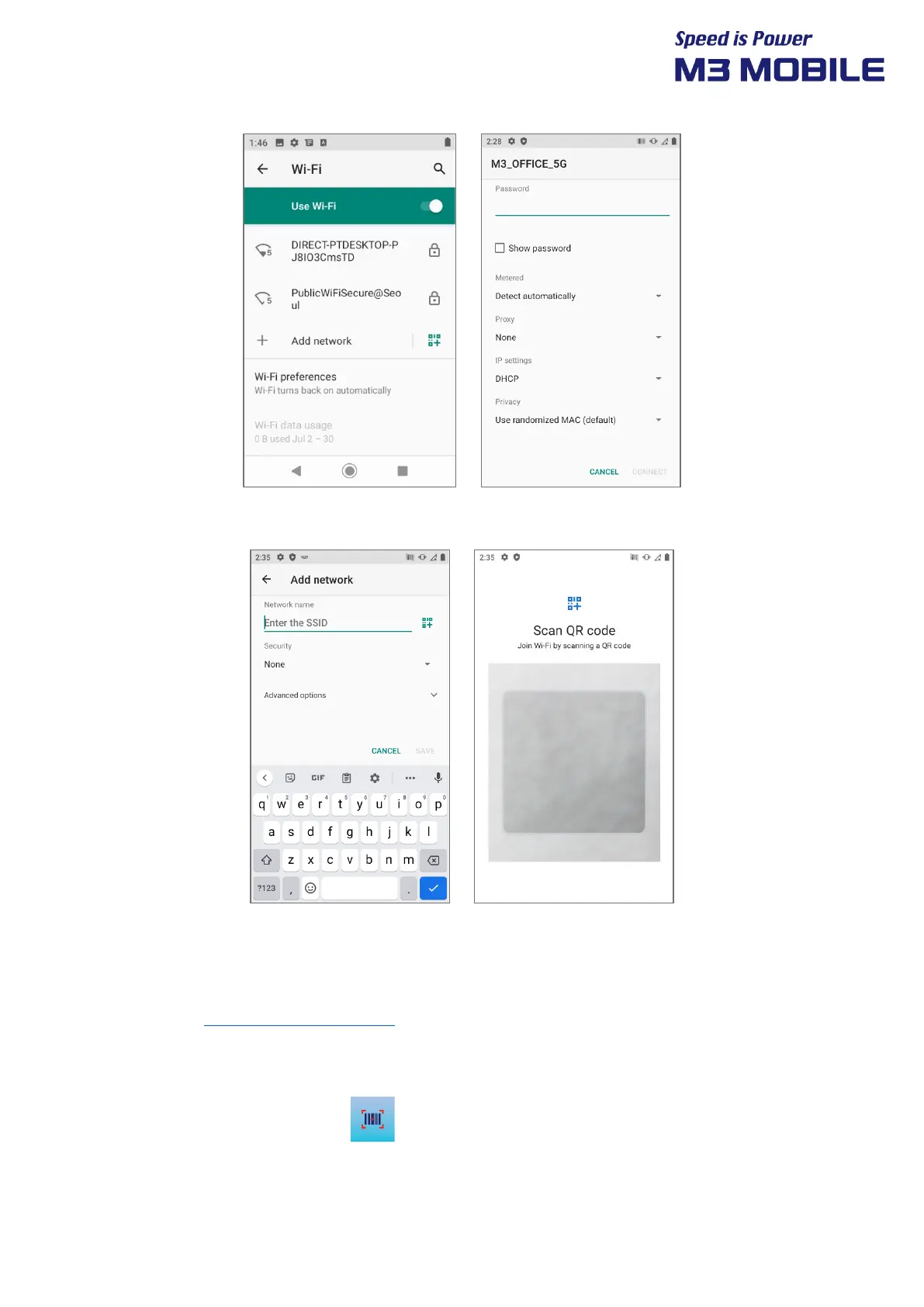
3. You can also create a QR code to share your network and connect other devices through the
shared QR code without entering your Wi-Fi password.
3.3 Scanner
M3 SM20 provides 1D/2D or Long-range scanner as an option. For detailed information on
available options, please contact the local distributor or refer to our Web site.
(Homepage: http://www.m3mobile.net
).
3.3.1 How to Use Scanner
M3 Mobile provides the program( ) needed to use a scanner by default.
It is the keyboard wedge program that sends barcode data.


 To Next Page
 Loading...