SM20 Series
User Manual
26
Charge this device – This mode is only for charging a device. Data cannot be sent.
File Transfer – Send files to another device.
PTP – Send photos or files.
MIDI – Use as Musical Instruments App.
2. PC recognizes the device and automatically installs driver.
3. Once the driver is completely installed, file is transferred through Explorer.
If the device does not connect with a PC, check the following:
Check if the USB cable is properly connected between the device and PC.
Check if LCD screen of the device is turned on.
Check above and connect them again.
3 Using the Application Screen
3.1 Phone Function
M3 SM20 supports the 2G (GSM), 3G (UMTS, HSPA+) and 4G (LTE) networks.
3.1.1 Basics
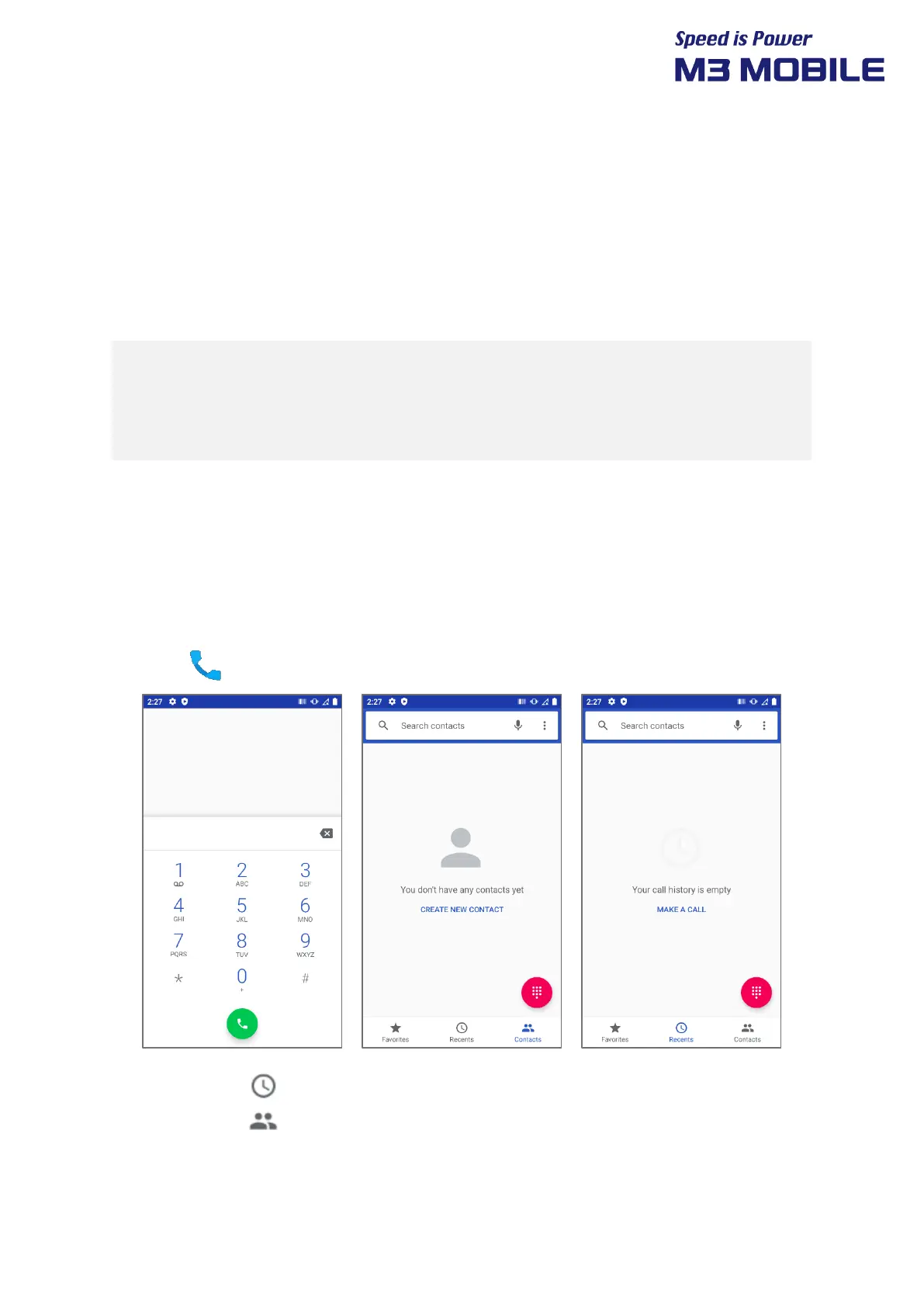
Press the icon to use the Phone menu.
Press the ( ) icon to see the recent call history.
Press the ( ) icon to see the contacts.
Press the Create new contact to add a contact.


 To Next Page
 Loading...