SM20 Series
User Manual
27
Before making a call or transferring data through network, make sure that the
phone function is available.
3.2 Wi-Fi
3.2.1 Setting the Wi-Fi Feature
Activating the Wi-Fi feature
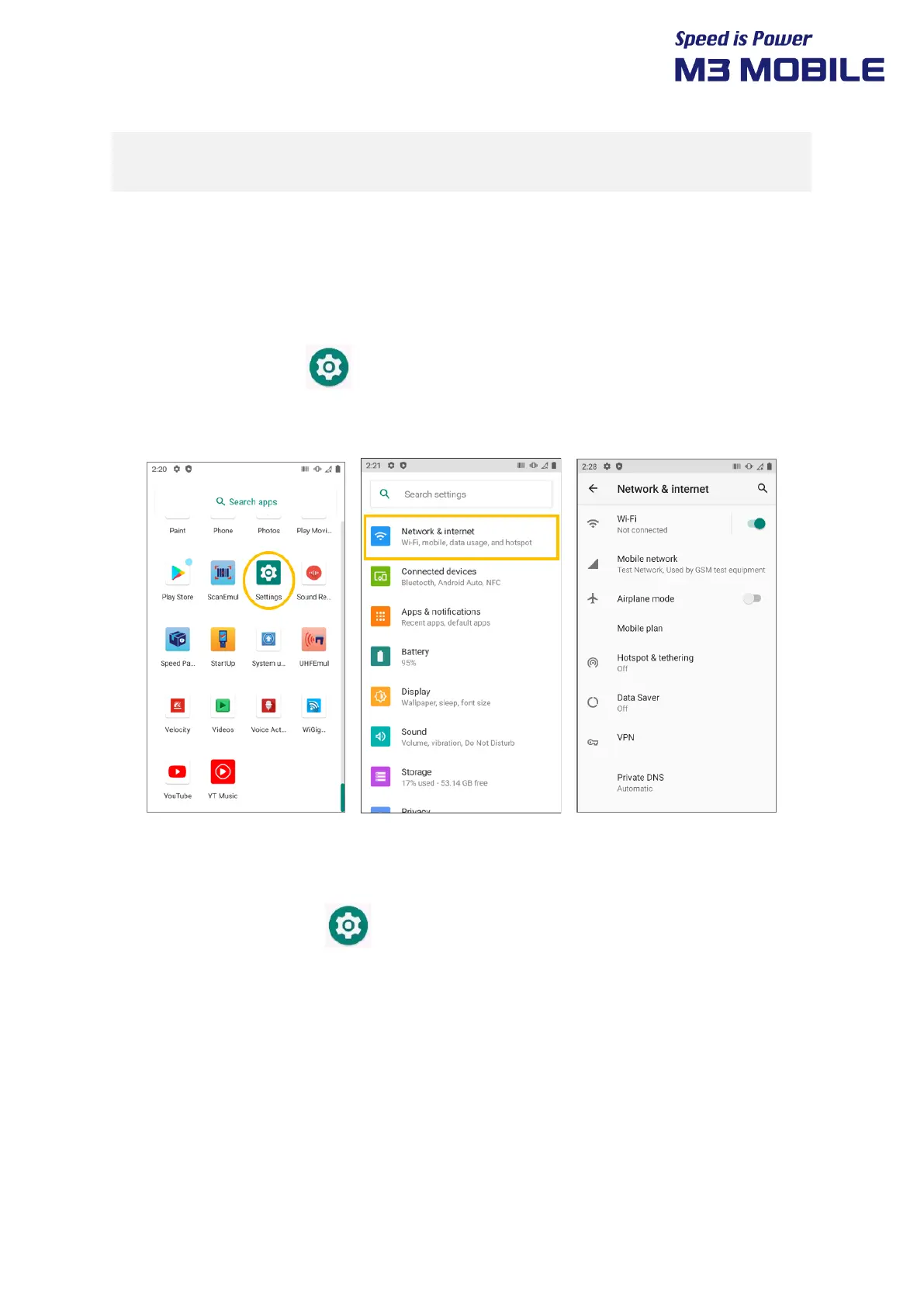
Swipe the bottom Click Settings and set the WLAN menu to ON/OFF to activate or
deactivate the Wi-Fi feature.
Connecting to a Wi-Fi network
To connect to an AP, perform the following procedure:
1. Select “Wi-Fi” menu of the Settings icon.
2. In the list, select an AP name to access. If necessary, enter password to complete the access.


 To Next Page
 Loading...