Advanced usage
35
4.1.2 OS Update
To improve the performance and quality of the product, M3 Mobile can release later
version of OS than the one that are currently installed on your device.
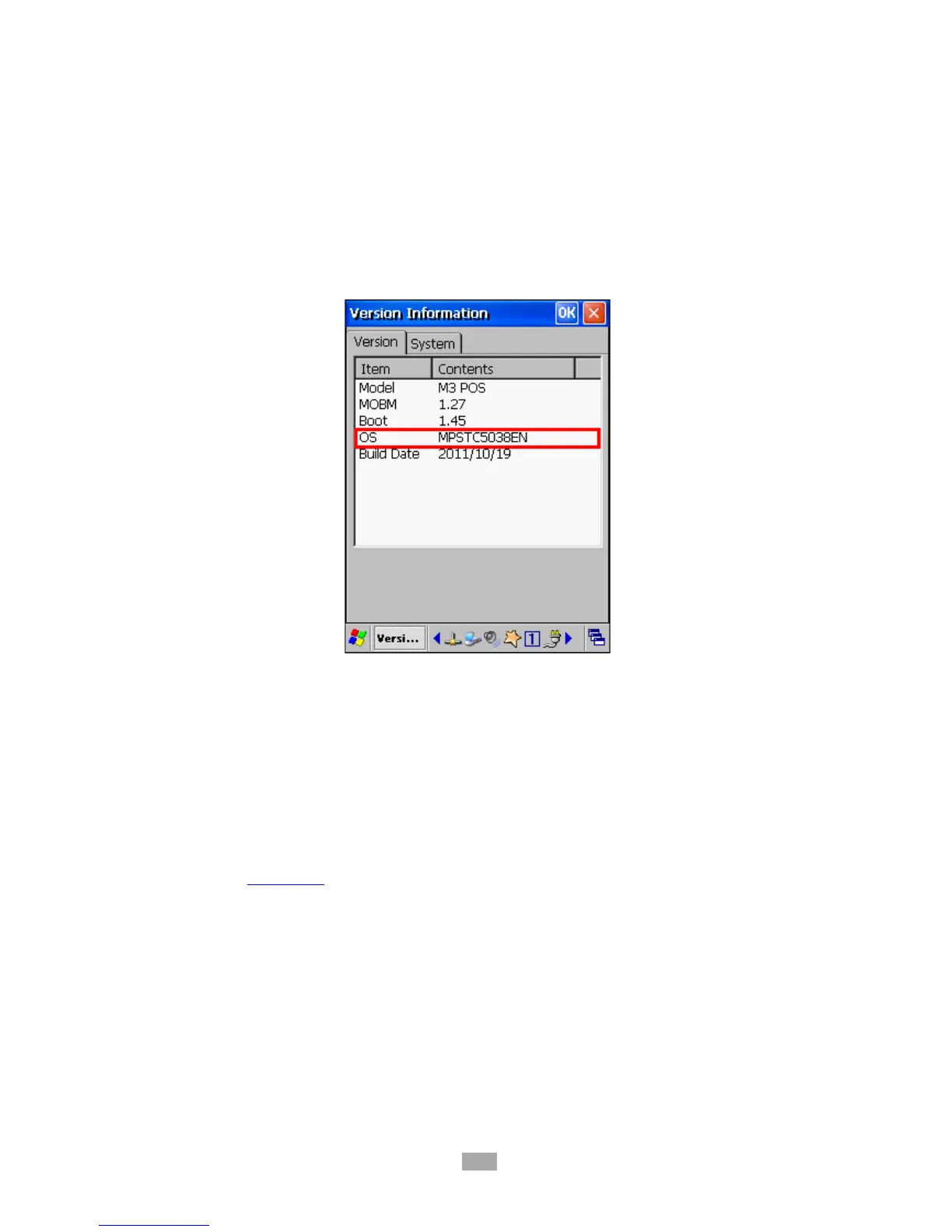
To check OS version of your device, please go to
Start
Version and check OS Version.
The latest officially version of OS can be checked on M3 Mobile support webpage.
M3 POS provides 2 ways of updating the OS:
i. Using SD (2GB or less)
ii. Using cradle with USB connection
For detailed description of OS update method, please refer to M3 FAQ document ‘OS’
section. FAQ Download
4.1.3 Key customization
M3 POS provides freedom to user with key customization.
Key customization can be done in 3 ways:



 To Next Page