EasyManua.ls Logo

M5Stack M5StickC - Page 14

M5Stack M5StickC
16 pages
Print Icon
To Next Page IconTo Next Page
To Previous Page IconTo Previous Page
Loading...
1
4
4
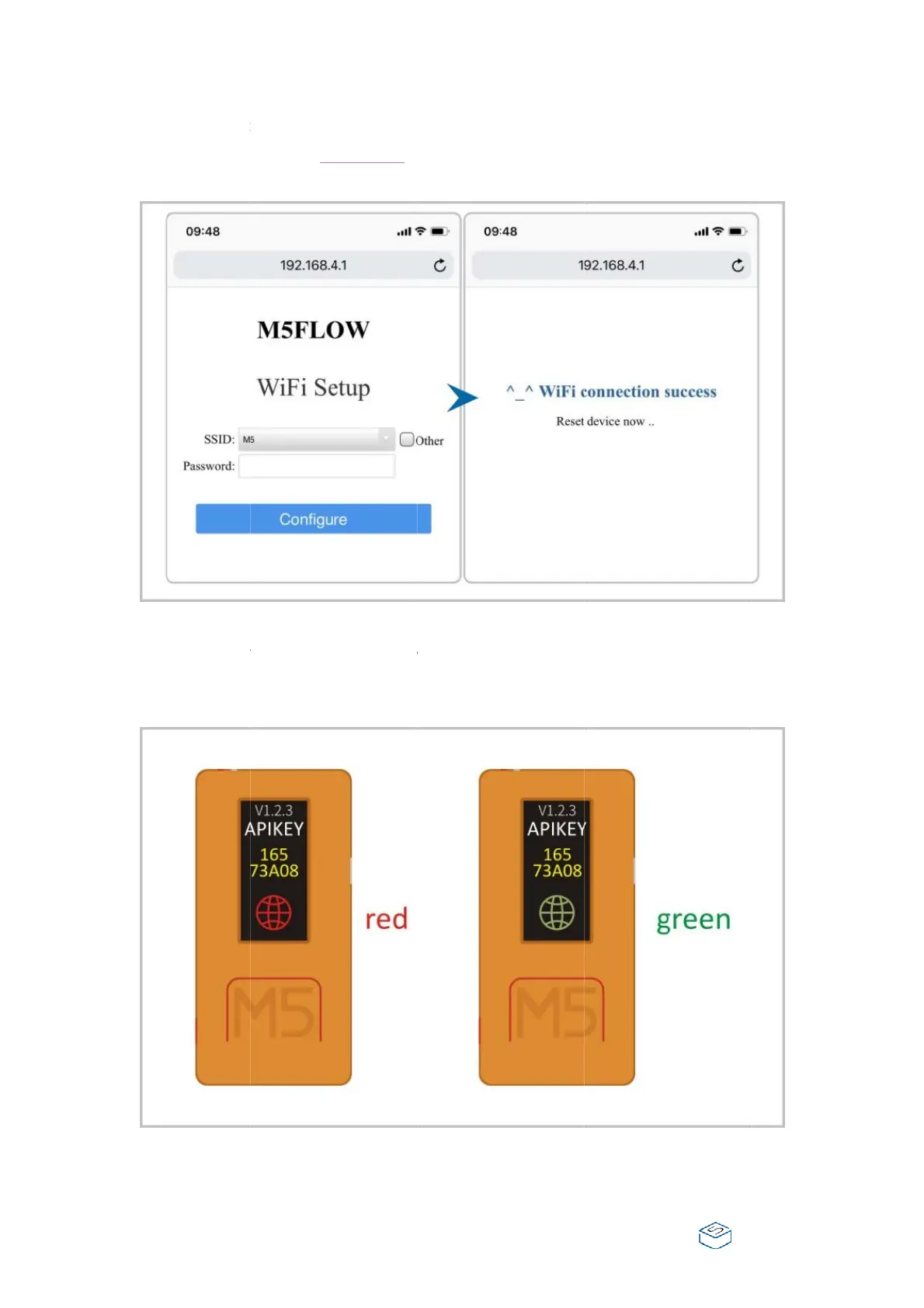
When i
t
visit thi
s
Wi-Fi a
n
After fi
n
enter in
t
Green,
m
show th
t
is connect
e
s
address 1
9
n
d type in t
h
n
ish the Wi-
t
o web pro
g
m
eans it is
c
e API key
w
e
d, use the
9
2.168.4.1. I
h
e passwor
d
Fi configur
a
g
ram mod
e
c
onnected t
w
hich is use
d
browser on
n the Wi-Fi
d
.
a
tion, M5St
i
e
. When the
o the UIFlo
w
d
to pair up
your conn
e
configurati
i
ckC will re
b
global ico
n
w
cloud. Th
your devic
e
e
cted termi
n
on page, c
h
b
oot, and a
u
n
on the scr
e
e display o
n
e
to the pr
o
n
al device t
o
h
oose your
l
u
tomaticall
y
e
en turned
n
the scree
n
o
gram page
o
l
ocal
y
n
will
.

Other manuals for M5Stack M5StickC

Related product manuals