EasyManua.ls Logo

M5Stack M5StickC - 5.3 EXAMPLE

M5Stack M5StickC
16 pages
Print Icon
To Next Page IconTo Next Page
To Previous Page IconTo Previous Page
Loading...
1
5
5
I
n
5
5
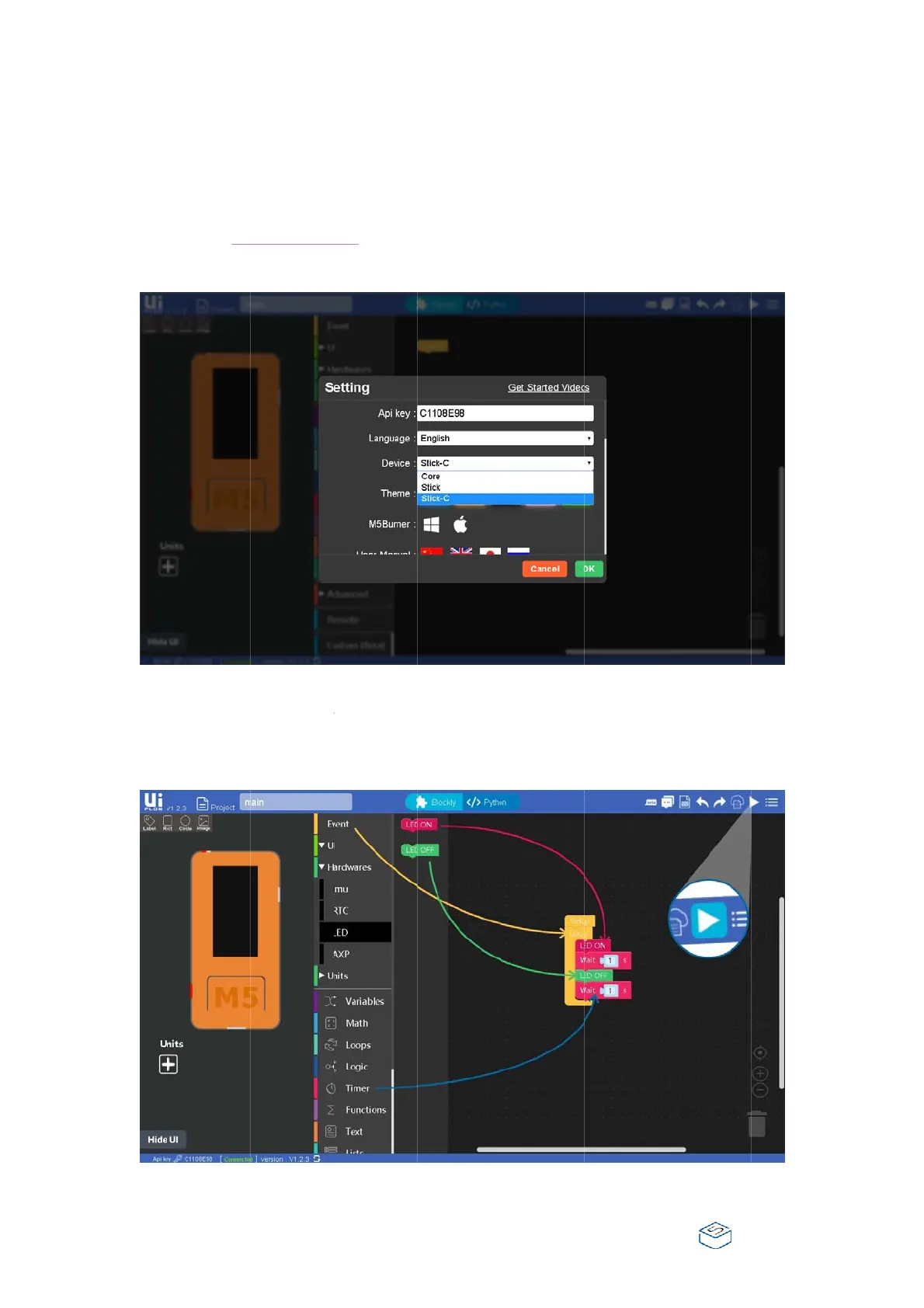
.3. EX
A
n
this part,
a
Visit UI
hit Sett
OK, an
d
Find bl
o
and att
a
Find ou
t
inside i
n
A
MPL
E
a
demo cod
e
Flow Web
I
ing, and t
y
d
hold on u
o
ck ‘Loop’
a
ch it unde
r
t
to Hardw
a
n
to the pro
g
E
e
about ho
w
I
DE, and e
n
y
pe in the
A
ntil it spec
i
(infinite
r
neath Setu
p
a
res -> LED
g
ram area,
a
w
to light u
p
n
ter into t
h
A
PI key int
o
i
fies Conne
inside ‘E
v
p
.
in the mid
d
a
nd attach i
p
an LED wi
h
e program
o
the dialo
g
cted.
v
ent’, dra
g
d
le area, cli
c
t inside Lo
o
ll be demo
n
area, navi
g
box. Cho
o
g
it onto th
e
c
k LED, dra
g
o
p
n
strated :
gate to Se
t
o
se Stick-C
e
program
a
g
the block
t
ting,
,
hit
a
rea

Other manuals for M5Stack M5StickC

Related product manuals