MA 4Port Node
Data
Transport
Safety
instructions
Safety and
environmet
Quickstart
Connect
Quickstart
ON / OFF
Maintenance
Conformity
36
Display
The MA 4Port Node display will only show the most important settings. For configuring a node, you have to use a
grandMA console or the „onPC“ software.
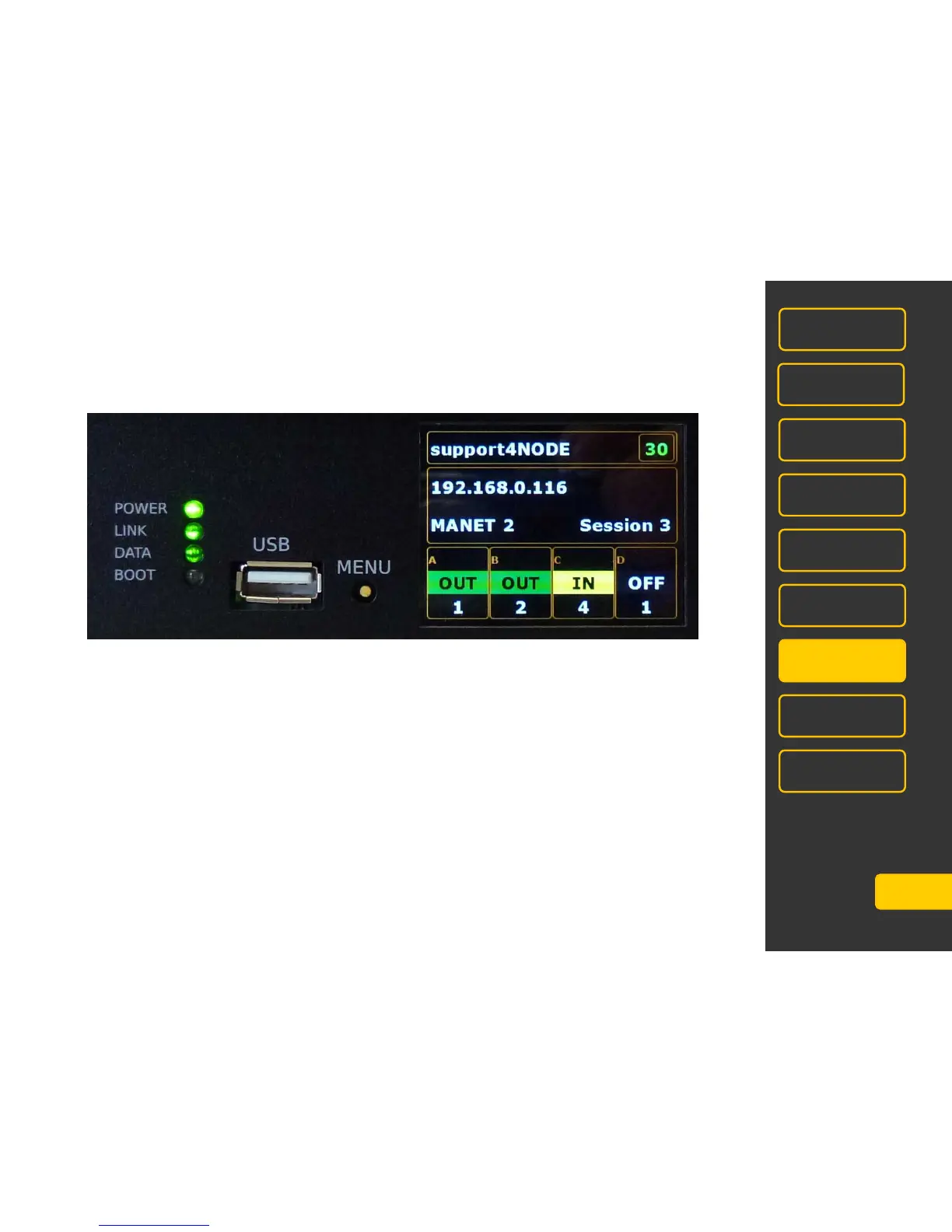
after switching the device on, the display will show this menu:
Name of MA4Port Nodes e.g. support4Node
DMX Output e.g. 30 = frequency of DMX-output in Hz; max. 30Hz possible
IP – Address e.g..192.168.0.116
Mode MANET2 or ARTNET
Number of Session e.g. Session 3 - MA 4PORT Node is part of session 3
e.g. Session 0 = no session
e.g. Session 3 + areas OUT grey highlighted = no active session
Configuration of DMX-Ports (A, B, C,D) In – this port receives DMX
OUT – this port sends DMX
Flashing frequency of the green area corresponds to the
refresh quote between MA 4Port Node and PC/console
OFF – this port is off
Univers Univers number of respective ports 1 - 256



 To Next Page