MA 4Port Node
Data
Transport
Safety
instructions
Safety and
environmet
Quickstart
Connect
Quickstart
ON / OFF
Maintenance
Conformity
37
Display
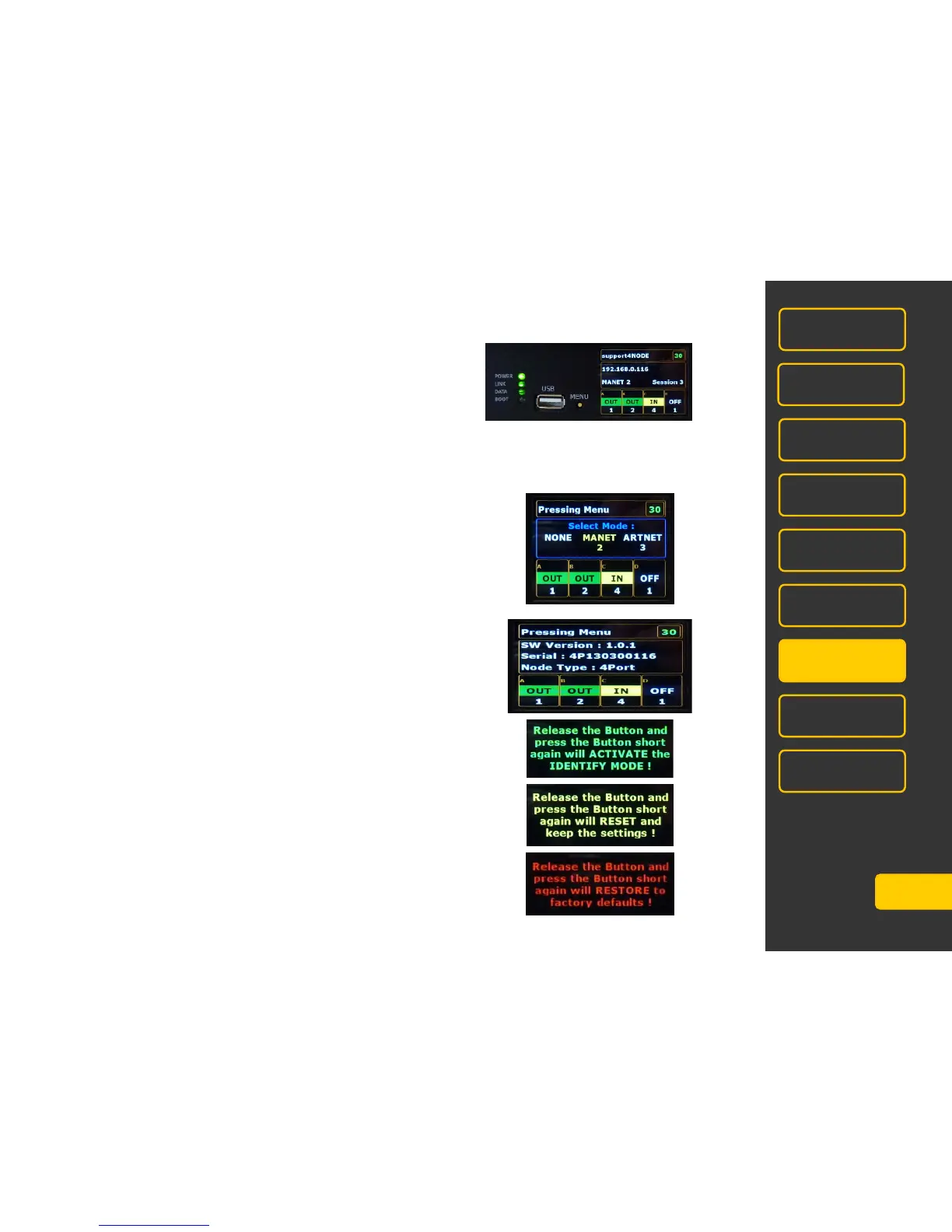
After switching on this menu is displayed:
Hold button MENU as long until the desired menu appears. Release the button when in a menu adjustment is to
be made. To change the setting, press the button briefly, the new setting is color-coded. After a short time display
returns to the above menu.
Select Mode:
Use the MENU-button to select NONE, MANET 2 or ARTNET.
Info Mode: no settings possible
Identify Mode: identifies this MA 4Port Node by flashing the respective
configuration line in the console/onPC
(not implemented in version V2.8)
Reset Mode: the MA 4Port Node will be reseted, all settings will remain.
Restore Mode: the MA 4Port Node will be reseted to Factory Default
NOTE: after reset customize IP -number.



 To Next Page