MA 4Port Node
Data
Transport
Safety
instructions
Safety and
environmet
Quickstart
Connect
Quickstart
ON / OFF
Maintenance
Conformity
38
Update without session
Hinweis. Do not use so-called Type U3 USB-sticks (with two physically drives on a single USB-stick) for
firmware-update.
create an USB-stick with STICKMAKER – programm and installation programm 4port_v1.x.y.imgz. (free of
charge download from MA-web site)
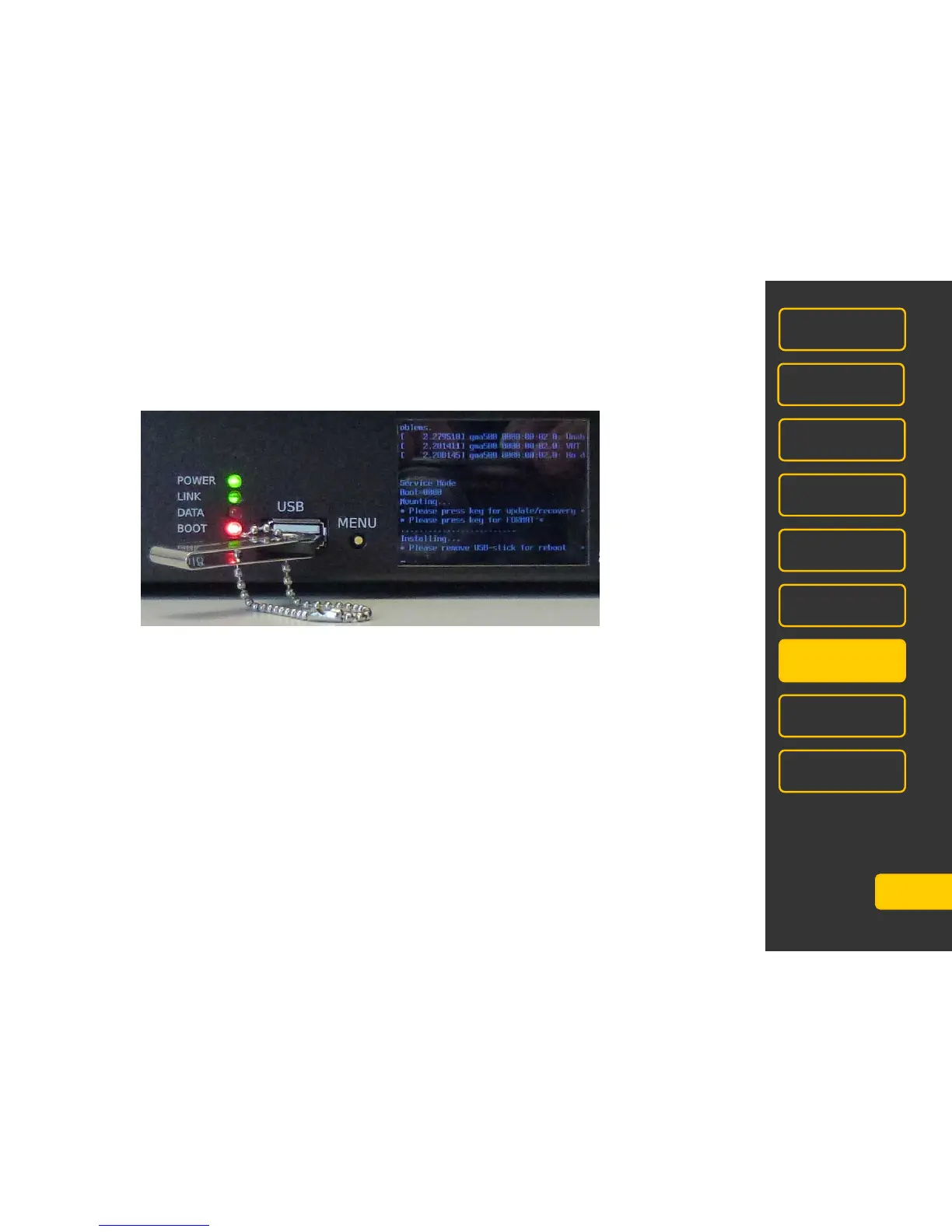
connect USB-stick.
switch on MA 4Port, short afterthere following instruction appears:
„Please press key for update/recovery”
press button MENU now.
Now following instruction appears
„Please press key for FORMAT”.
Simultaneously for an few seconds a loading bar starts.
- When the button MENU is pressed within this few seconds, the MA 4Port Node will be reseted. And
after automatc reboot the IP address is set to 192.168.0.xxx (xxx means the last three digits of serial
number of the unit)
- When the button MENU is not pressed within this few seconds, the MA 4Port Node will be updated – all
settings remain.
After instruction „Please remove USB stick for reboot” please remove the stick, MA 4Port Node starts booting
automatically.



 To Next Page