- 15 -
Note:
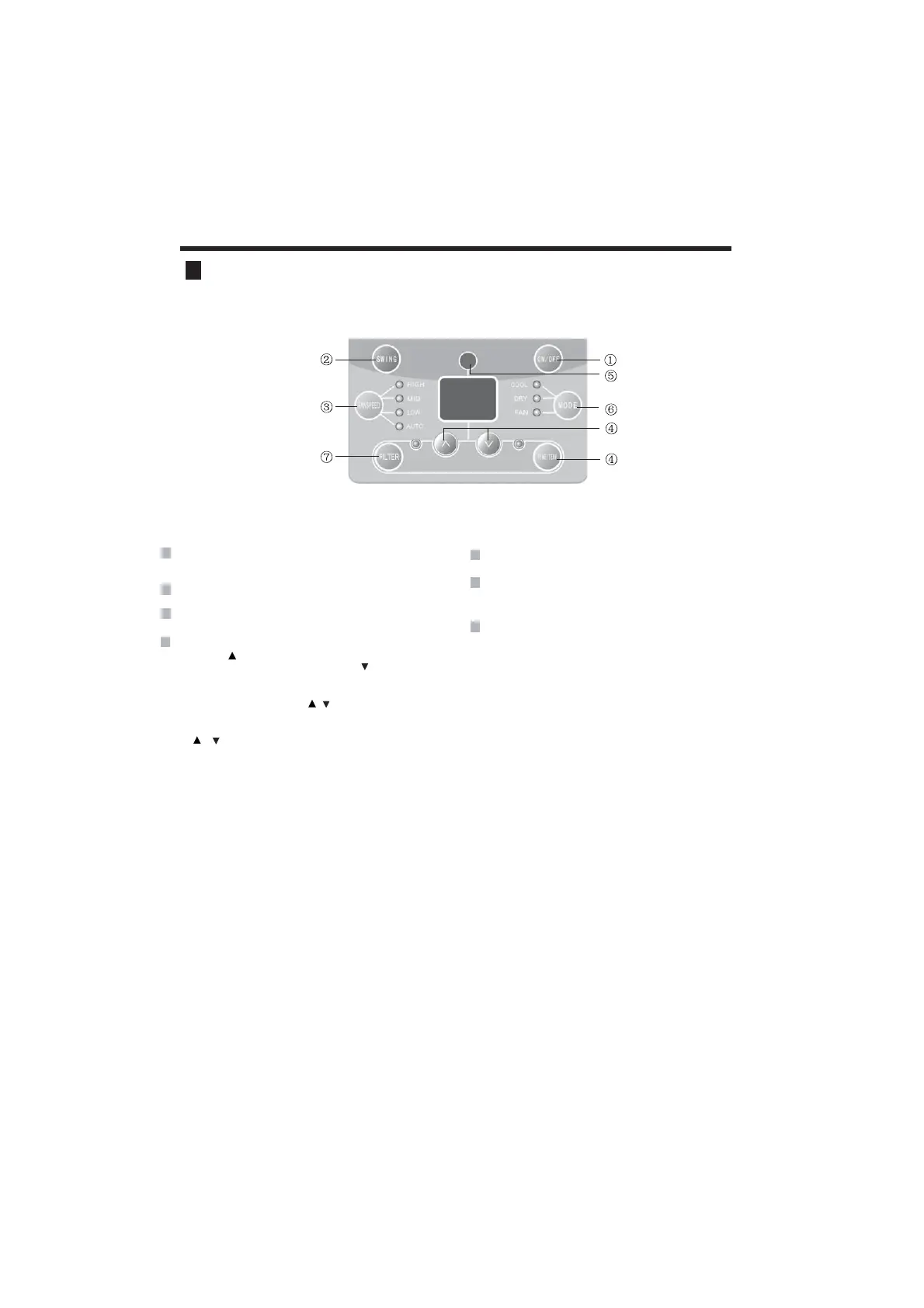
Remote control panel
1
POWER BUTTON
Operation starts when pressing this button, and stops
w hen pre
ssi
ng
this button again.
2
FAN SPEED BUTTON
Select the fan speed HIGH, MID, LOW and AUTO in sequence.
3
Timer can be set by pressing / button. Timer can be
set in 0.5hour increments between 1 and 10 hours, or in
1hour increments for 10 hours or above after each press
on or button.
4
TEMP/TIMER BUTTON
Press the keypad to increase the set (operating)
temperature of the unit.and Press the keypad to
decrease the set (operating) temperature of the unit.
The temperature seting range is from 16~30ć
MODE BUTTON
Select the operation mode, AUTO, COOL, FAN,
DRY (for reverse cycle model)
5
SIGNAL RECEIVER
6
SWING BUTTON
Activate the automatic air swing function.
7
FILTER BUTTON
This feature is a reminder to clean the Air Filter (See
Care and Cleaning) for more efficient FRROLQJoperation
The LED (light) will illuminate after 250 hoursRIRSHUDWLRQ
and the light will go off.
To reset after cleaning the filter, press the)LOWHUEXWWRQ
If the remote controller is lost, open the panel cover and oerate the unit manually.



 To Next Page