56
basic operation
1. Unit start
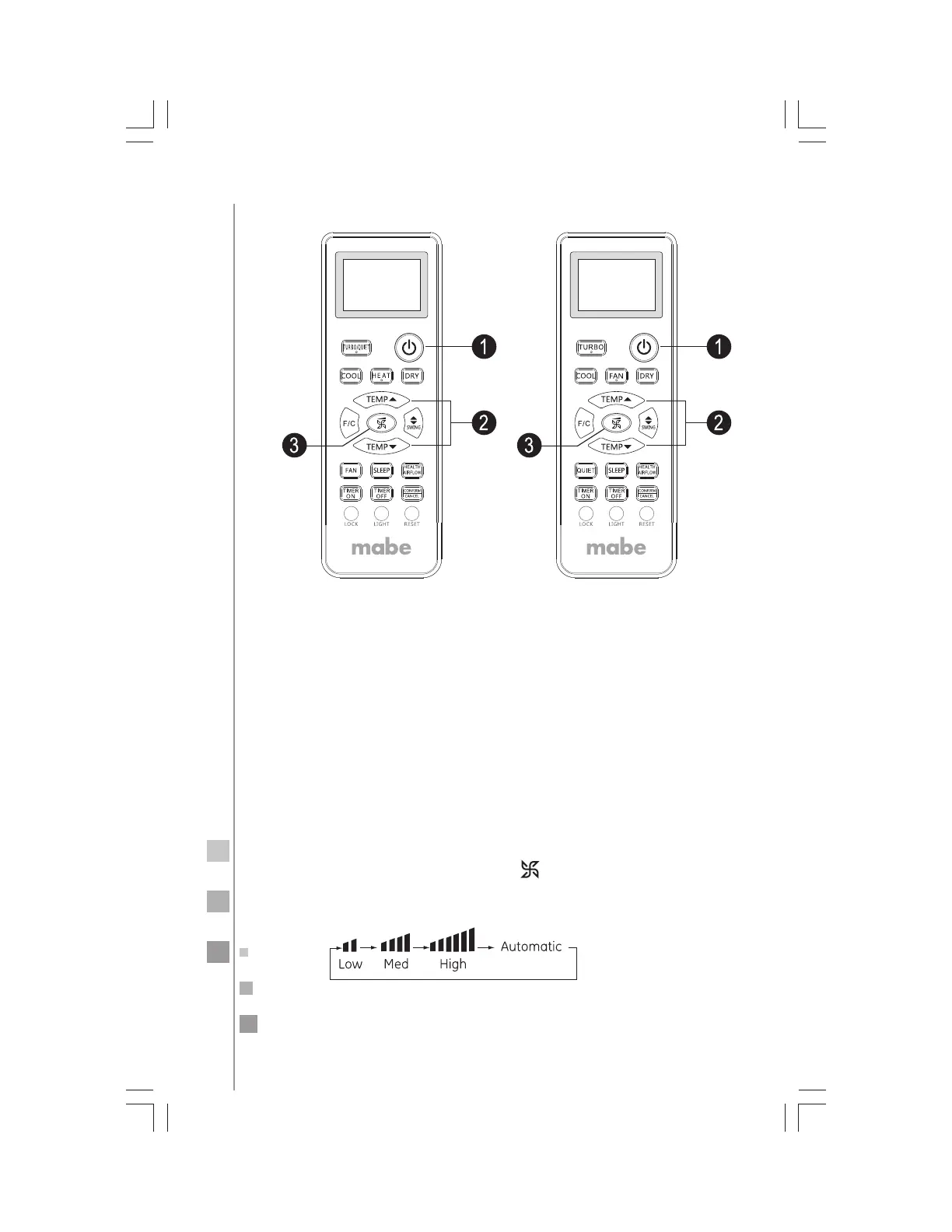
Press ON/OFF on the remote controller, unit starts.
2. Select a temperature setting
Press the TEMP+ or TEMP- button
TEMP+ Every time the button is pressed, the temperature setting
increases 1 °C, if kept depressed, it will increase rapidly.
TEMP- Every time the pad is pressed, the temperature setting de-
creases 1 °C, if kept depressed, it will decrease rapidly.
Select a desired temperature.
3. Fan function
Remote control:
Air conditioner is running under displayed fan speed.
When FAN is set to AUTO, the air conditioner automatically ad-
justs the fan speed according to room temperature.
Each time the FAN SPEED button non is pressed, the fan speed
will change as follows:
Press the FAN pad.



 To Next Page
 Loading...