EasyManua.ls Logo

MAC TOOLS MW13O - Operation; Moving Parts; Safety Equipment

MAC TOOLS MW13O
20 pages
Print Icon
To Next Page IconTo Next Page
To Previous Page IconTo Previous Page
Loading...
SECTION
3
OPERATION
I
1!~3~
~
READSAFETYBLOCKSatbeg1nning
MOVING
PARTS
can
cause
injury.
ARCING
can
damage
switch.
Keep
away
from
pinch
points
such
as
drive
rolls.
Do
not
change
VOLTAGE
switch
position
while
Keep
all
doors,
panels,
covers,
and
guards
closed
welding.
and
securely
in
place.
Arcing
inside
switch
can
damage
contacts,
causing
switch
to
fail.
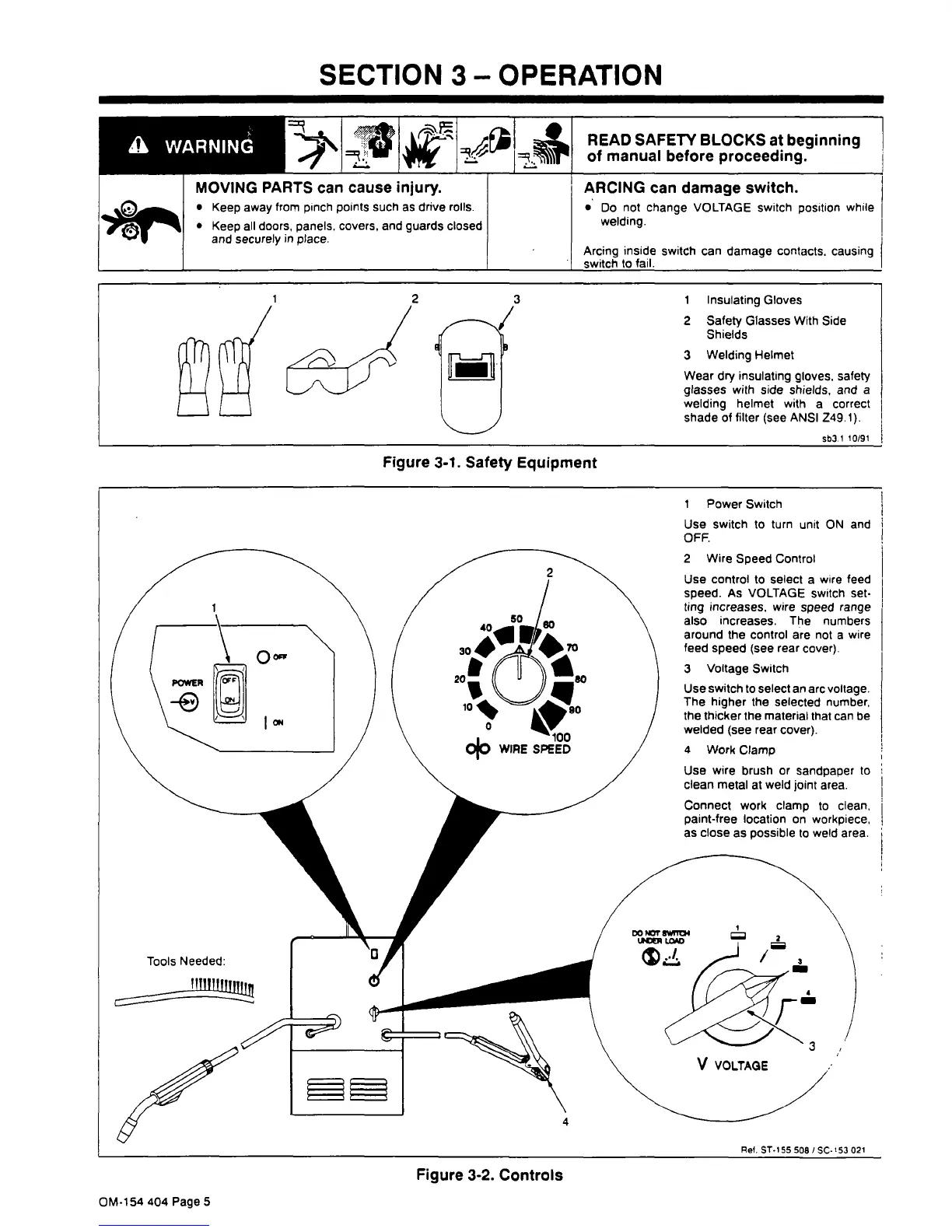
1
Insulating
Gloves
2
Safety
Glasses
With
Side
Shields
3
Welding
Helmet
Wear
dry
insulating
gloves,
safety
glasses
with
side
shields,
and
a
welding
helmet
with
a
correct
shade
of
filter
(see
ANSI
Z49.1).
sb3.1
10/91
Figure
3-1.
Safety
Equipment
1
Power
Switch
Use
Switch
to
turn
unit
ON
and
OFF.
2
Wire
Speed
Control
Use
control
to
select
a
wire
feed
speed.
As
VOLTAGE
switch
set
ting
increases,
wire
speed
range
also
increases.
The
numbers
around
the
control
are
not
a
wire
feed
speed
(see
rear
cover).
3
Voltage
Switch
Use
switch
to
select
an
arc
voltage.
The
higher
the
selected
number,
the
thicker
the
material
that
can
be
welded
(see
rear
cover).
4
Work
Clamp
Use
wire
brush
or
sandpaper
to
clean
metal
at
weld
joint
area.
Tools
Needed:
Connect
work
clamp
to
clean.
paint-free
location
on
workpiece,
as
close
as
possible
to
weld
area.
Figure
3-2.
Controls
Ref.
ST-155
508
/
SC-
53
021
OM-154
404
Page
5

Related product manuals