EasyManua.ls Logo

MAC TOOLS MW13O - Electrical Diagrams

MAC TOOLS MW13O
20 pages
Print Icon
To Next Page IconTo Next Page
To Previous Page IconTo Previous Page
Loading...
PLC
I
OM-154
404
Page
9
SECTION
5
ELECTRICAL
DIAGRAMS
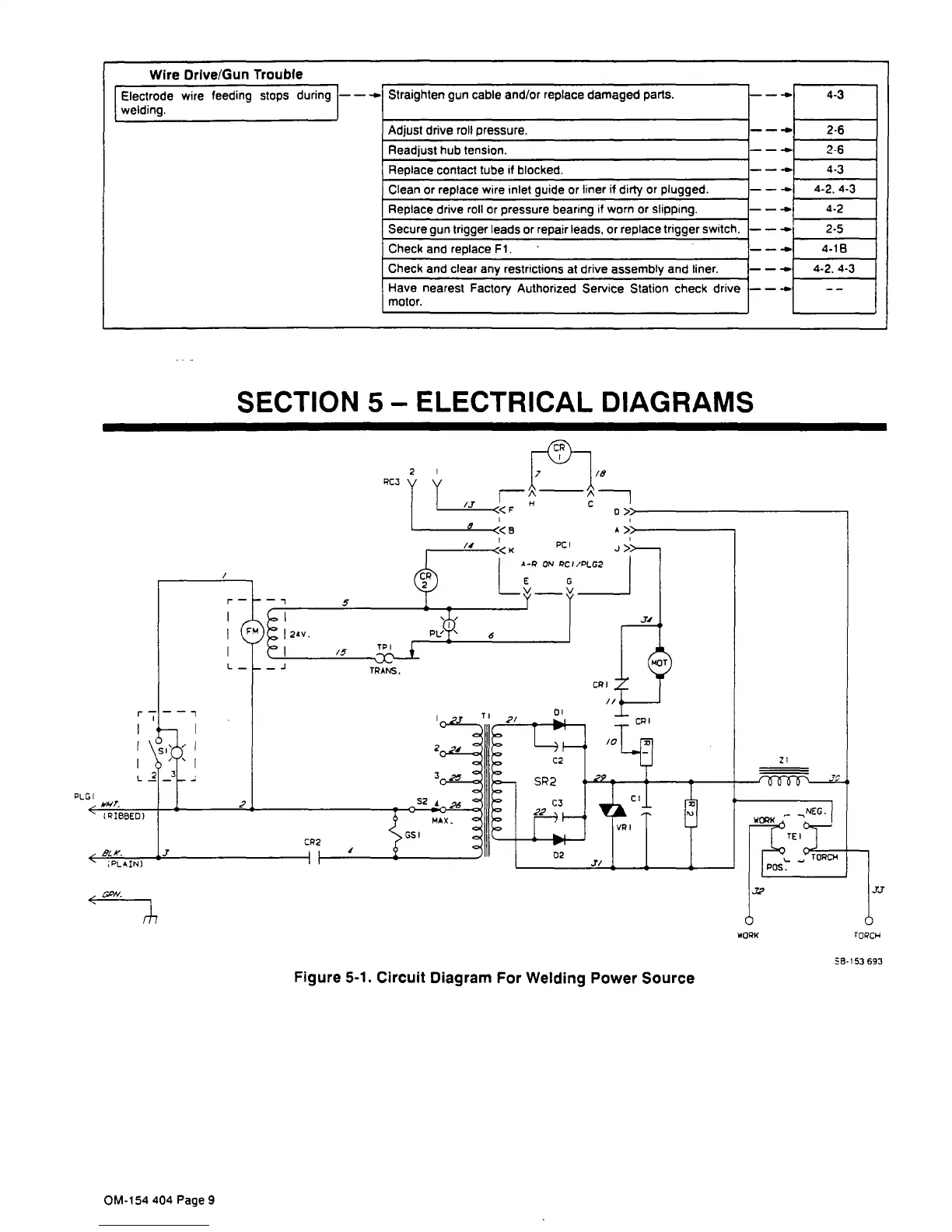
Figure
5-1.
Circuit
Diagram
For
Welding
Power
Source
J-y
TCPCI-4
S5-153
693
Straighten
gun
cable
and/or
replace
damaged
parts.
Adjust
drive
roll
pressure.
Readjust
hub
tension.
Replace
contact
tube
if
blocked.
Wire
Drive/Gun
Trouble
________________________________________________
__________
Electrode
wire
feeding
stops
during
-~
~
4.3
welding.
_____________________________________________________
___________
2-6
2-6

4.3
-~
4-2.4-3
-~
4-2
-~
2-5
-~
4-18
-~
4-2.4-3
--
--
Clean
or
replace
wire
inlet
guide
or
liner
if
dirty
or
plugged.
Replace
drive
roll
or
pressure
bearing
if
worn
or
slipping.
Check
and
replace
Fl.
Secure
gun
trigger
leads
or
repair
leads,
or
replace
trigger
switch
Check
and
clear
any
restrictions
at
drive
assembly
and
liner.
Have
nearest
Factory
Authorized
Service
Station
check
drive
motor.
WOPK

Related product manuals