17
Pairing the keyboard with your Android Smartphones and Tablets
1. After a Bluetooth device(for Android) is selected, for the first time use, pairing is required. Press Fn and
P keys simultaneously to set keyboard in pairing mode, the device LED flashes blue quickly.
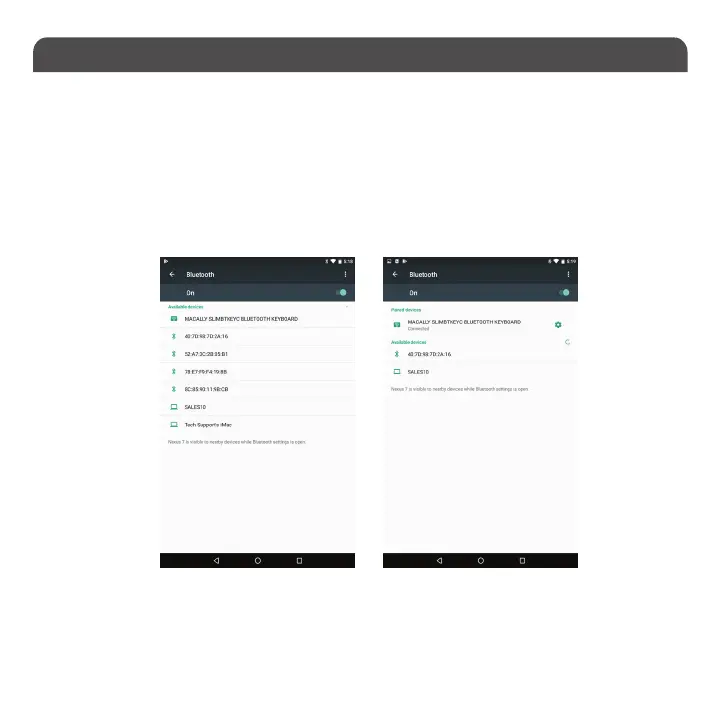
2. In Android device, under “Settings” select Bluetooth. Make sure it is configured to “On” as shown in
the picture.
3. Once you see Macally Bluetooth Keyboard appear, select it and it will automatically pair
to your device.
Please note that if you are using a different Android smartphone or Tablet version, your screen may differ from the above diagrams.


 To Next Page