SP260 2x6 Speaker Processor
26
SP260 2x6 Speaker Processor
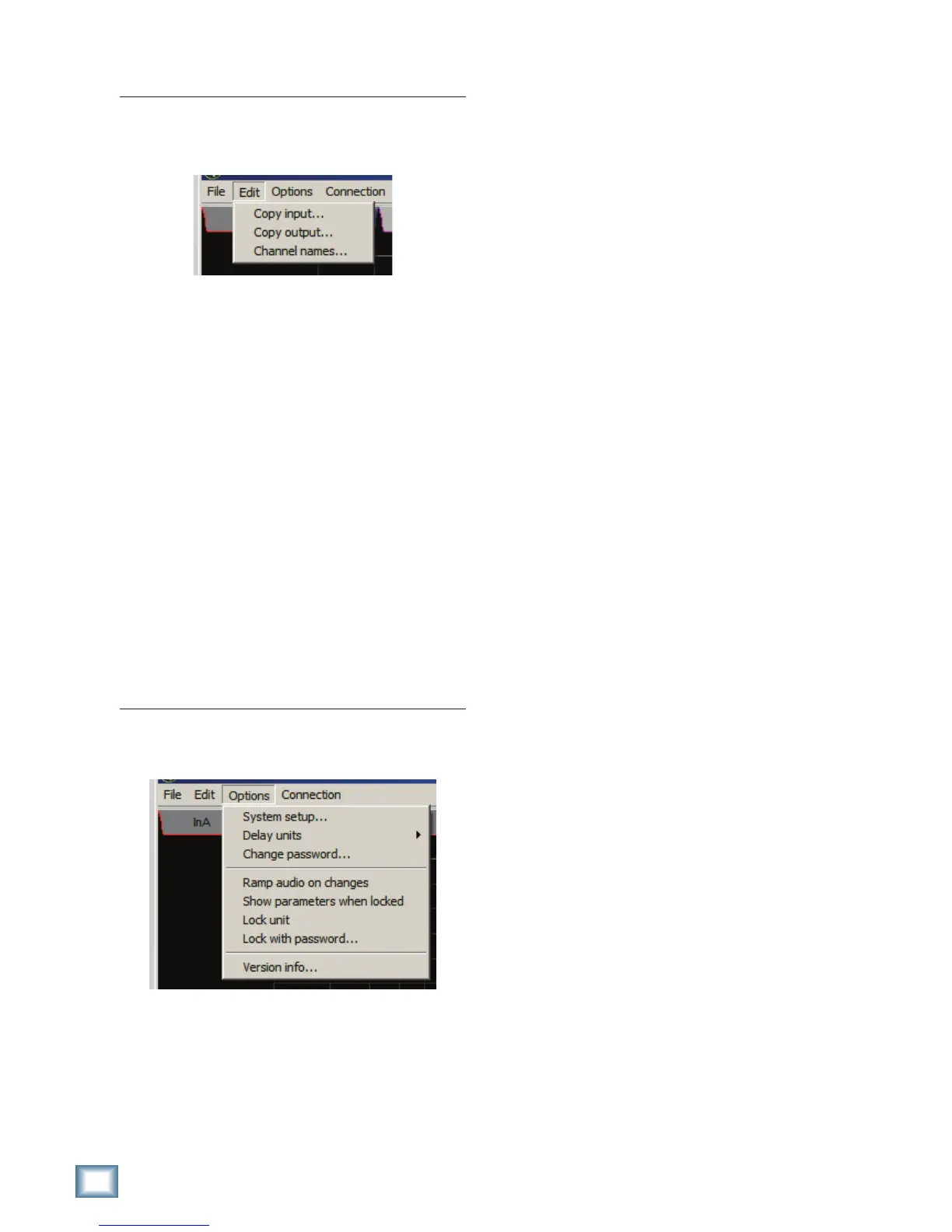
Edit Menu
The edit menu is where you can copy and paste
input/output settings and manage the names of
your output channels.
s #OPYINPUT
Select input source and destination to copy
settings from Input A to Input B or vice versa.
s #OPYOUTPUT
Select an output source and destination to copy
settings from any one output channel to any
other output channel.
s #HANNELNAMES
Output channels can be named to make it easier
for you to keep track of your system channels
when editing via the software and hardware
interfaces. Name them by loudspeaker model,
POSITIONINTHEVENUEORGETCREATIVE)FYOU
figure out how to change the input names, let us
know. On second thought, don’t even try; they’re
!AND"FOREVER7EKNOWTHAT
Options Menu
Talk about options, there are loads of them in here,
including system setup, preferences, password and lock
FUNCTIONALITYANDMORE
s 3YSTEMSETUP
#ONlGUREYOURPROCESSORTOBESTSUITYOUR
loudspeaker setup by choosing from one of the
five options. From there, you can tweak to your
heart’s content to achieve sonic bliss.
s $ELAYUNITS
#HOOSEBETWEENFEETMETERSANDMILLISECONDS
as your preferred unit of measure when adjusting
input and output delays.
s #HANGEPASSWORD
If you want to setup a password so you can lock
your SP260 and prevent intruders from wrecking
your show, you’ve come to the right place.
s 2AMPAUDIOONCHANGES
This is a handy feature when using the software
application to make live adjustments to your
system. Sneezing while your mouse is on an input
level control could send your system into overload.
By activating this feature, parameters will slowly
transition from one setting to another. For
real-time control, you can disable this feature.
Just be careful.
s 3HOWPARAMETERSWHENLOCKED
Disable this feature if you want to be able to
navigate unit settings while it is locked, without
being able to change anything. For total privacy,
activate this feature and your ideal system
settings will be kept a secret.
s ,OCKUNIT
Activate this and the SP260 will be in a
locked state once you disconnect from the
software application. This is handy to prevent
accidental changes to system settings.
s ,OCKWITHPASSWORDx
For the ultimate in protection from accidental
and intentional processor adjustements, click
here. You’ll need to know the current password
of the SP260, which I do not know. The default
password is ‘000000’.
s 6ERSIONINFOx
If you’re curious, or if one of our tech support
guys asks you, you can find information about
your SP260 hardware and software versions here.



 To Next Page