Owner’s Manual
13
Owner’s Manual
Appendix A: Service Information
Poor bass performance
• Checkthepolarityoftheconnectionsbetweenthe
mixerandthesubwoofers.Youmayhaveyour
positiveandnegativeconnectionsreversedatone
endofonecable,causingonesubwoofertobe
out-of-phasewiththeother.
• Poorbassperformancemaybetheresultofbad
ACpower.Seethesectiontitled‘ACPower’on
thepreviouspageforfurtherdetails.
Poor sound
• Isitloudanddistorted?Makesurethatyou’renot
overdrivingastageinthesignalchain.Verifythat
alllevelcontrolsaresetproperly.
• Istheinputconnectorpluggedcompletelyinto
thejack?Besureallconnectionsaresecure.
Noise
• Makesureallconnectionstotheactive
subwoofersaregoodandsound.
• Makesurenoneofthesignalcablesarerouted
nearACcables,powertransformers,orother
EMI-inducingdevices.
• IstherealightdimmerorotherSCR-based
deviceonthesameACcircuitasthesubwoofer?
UseanAClinelterorplugthesubwooferinto
adifferentACcircuit.
Hum
• Trydisconnectingthecableconnectedtothe
inputjack.Ifthenoisedisappears,itcould
bea“groundloop,”ratherthanaproblemwith
thesubwoofer.Trysomeofthefollowing
troubleshootingideas:
• Usebalancedconnectionsthroughoutyoursystem
forthebestnoiserejection.
• Wheneverpossible,plugalltheaudioequipment’s
linecordsintooutletswhichshareacommon
ground.Thedistancebetweentheoutletsandthe
commongroundshouldbeasshortaspossible.
Ifyouthinkyoursubwooferhasaproblem,please
checkoutthefollowingtroubleshootingtipsanddo
yourbesttoconrmtheproblem.VisittheSupport
sectionofourwebsite(www.720trees.com)whereyou
willndlotsofusefulinformationsuchasFAQsand
otherdocumentation.Youmayndtheanswertothe
problemwithouthavingtopartwithyoursubwoofer.
Troubleshooting
No power
• Ourfavoritequestion:Isitpluggedin?Makesure
theACoutletislive[checkwithatesterorlamp].
• Ournextfavoritequestion:Isthepowerswitch
on?Ifnot,tryturningiton.
• Makesurethelinecordissecurelyseatedinthe
linecordsocketandpluggedallthewayintothe
ACoutlet.
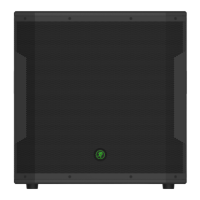
• IstheRunningManlogoonthefrontpanel
illuminated?Ifnot,makesuretheACoutlet
islive.Ifso,referto“Nosound”below.
• TheinternalAClinefusemaybeblown.Thisis
notauserserviceablepart.Ifyoususpectthe
AClinefuseisblown,pleaseseethe"Repair"
sectionnext.
No sound
• Istheinputgainknobfortheinputsource
turnedallthewaydown?Verifythatallthevolume
controlsinthesystemareproperlyadjusted.
Lookatthelevelmetertoensurethatthemixer
isreceivingasignal.
• Isthesignalsourceworking?Makesurethe
connectingcablesareingoodrepairandsecurely
connectedatbothends.Makesuretheoutput
levelcontrolonthemixingconsoleisturnedup
sufcientlytodrivetheinputsofthespeaker.
• Makesurethemixerdoesnothaveamuteonora
processorloopengaged.Ifyoundsomethinglike
this,makesurethelevelisturneddownbefore
disengagingtheoffendingswitch.
• Hasitshutdown?Makesurethereisatleast
sixinchesoffreespacebehindeachsubwoofer.



 To Next Page