2015_03_03 3
6 Start of Operation
- Slowly open the shut-off valves.
- Check that there are no leaks.
Check the following points:
- Are all shut-off valves open?
- Is the meter of the right size?
- Is the heating (heating/cooling) system clear (dirt filters not clogged)?
- Is the temperature sensor installed in the flow sensor correctly sealed to the flow sensor?
- Does the directional arrow on the flow sensor match the actual direction of flow?
- Is a flow volume displayed?
- Is a plausible temperature difference displayed?
When the meter is functioning properly, attach the seals to the temperature sensors and the flow sensor (required
to protect against manipulation).
7 Display
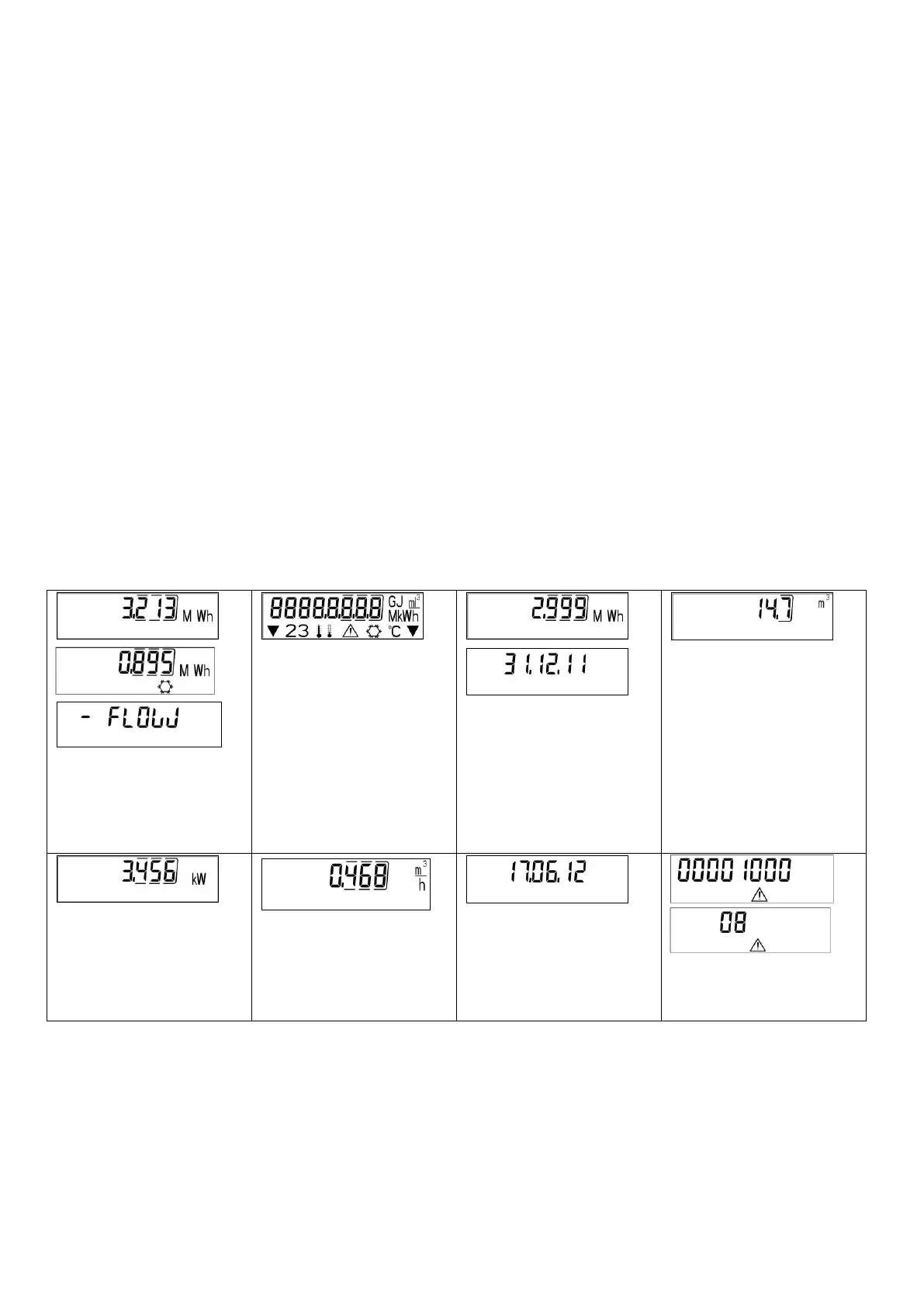
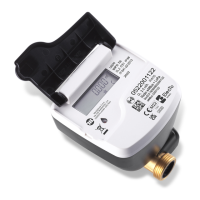
The calculator has a liquid crystal display with 8 digits and special characters. The values that can be shown are
divided into three display loops. All data is retrieved using the push button next to the display. At the start you are
automatically in the main loop (1
st
level). By pressing the push-button longer than
4 seconds you change to the next display loop. Keep the push-button pressed until you reach the desired
information loop. By pressing the push-button briefly you can scan all the information within a loop. After 1 minute
of non-use of the push-button, the display automatically returns to the main loop.
Level 1/Main loop
1) Standard display: total
heat energy; alternating
display: cooling energy (for
heating/cooling meter) and
when negative flow
2) Segment test, all segments
triggered simultaneously
3) Heat energy at last reading
date alternating with last
reading date
1
4) Total flow volume in m³
8) Information message
(alternating binary and
hexadecimal display)



 To Next Page