GB-07
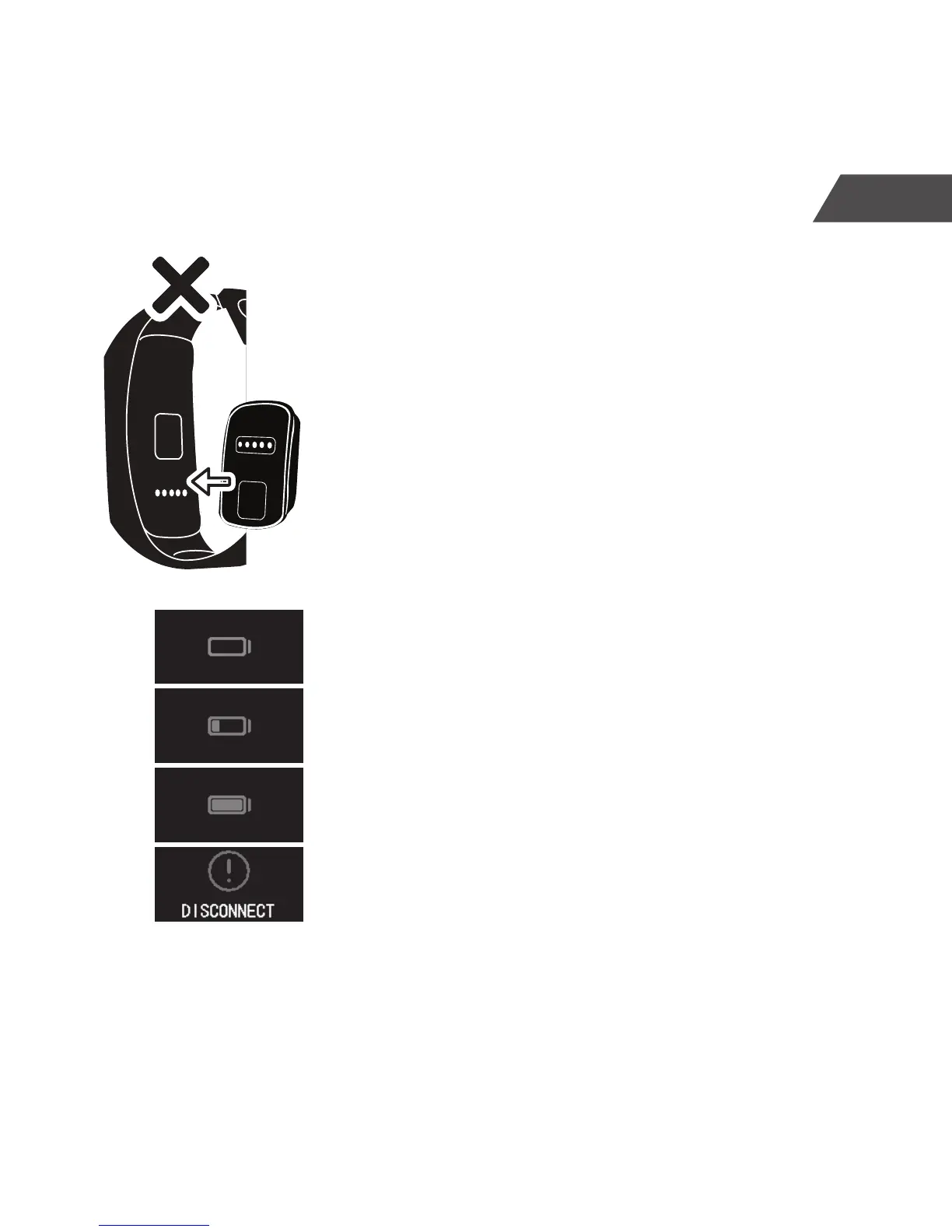
3. The rectangular recess in the magnet connector
must be aligned with the raised opposite on the
underside of the CT-04+ Candy Tech Smart Go
Time.
4. Plug the USB A plug of the cable into a suitable
USB power source. You may use your computer, a
powered USB Hub, or a USB charger.
5. The battery icon starts ashing in the touch screen
display.
6. When the battery is fully charged, the bars in the
battery icon will indicate full charge. All bars are
constantly on.
7. If the charging current is interrupted (cables/
connectors disconnected, or charger unplugged),
the CT-04+ Candy Tech Smart Go Time vibrates
and displays the disconnect alert.


 To Next Page