GB-13
Using the CT-04+ App
The CT-04+ App has four menu pages.
1. The ‘Activity’ page displays exercise data such as heart rate, steps and
distance run, or run calories burned and sleep time.
2. The ‘Goals’ page allows you to set personal training goals with regards to
steps, distance, calories and sleep.
3. On the ‘Reminders’ page you may set up to 6 reminders relating to your
tness and exercise schedule – ‘ACTIVITY SLEEP EAT MEDICINE
WAKE UP REMIND’.
4. The ‘Settings’ page provides the starting point for paring and changing
basics settings of the CT-04+ Candy Tech Smart Go Time. Setups such
as time and date etc. must be done via the CT-04+ App.
Setting-up for rst use
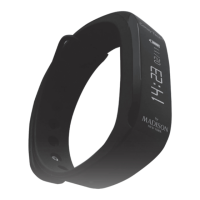
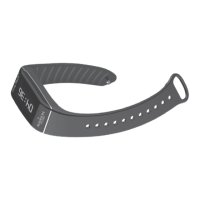
The CT-04+ Candy Tech Smart Go Time displays ‘SET UP’ when it has
no basic setting before rst use. Bring it near your paired mobile device.
The CT-04+ Candy Tech Go will automatically synchronize basic time and
date. You can customize display formats under ‘Advanced Settings’ on the
‘Settings’ page of the CT-04+ App. Refer to the section “Pairing CT-04+ App
and CT-04+ Candy Tech Smart Go Time using Bluetooth®” for information
on how to pair both devices.


 To Next Page