M A E D A Crawler Crane PARTS AND CONTROLS
6/2020 CC1908S-1 Quick operation guide 7
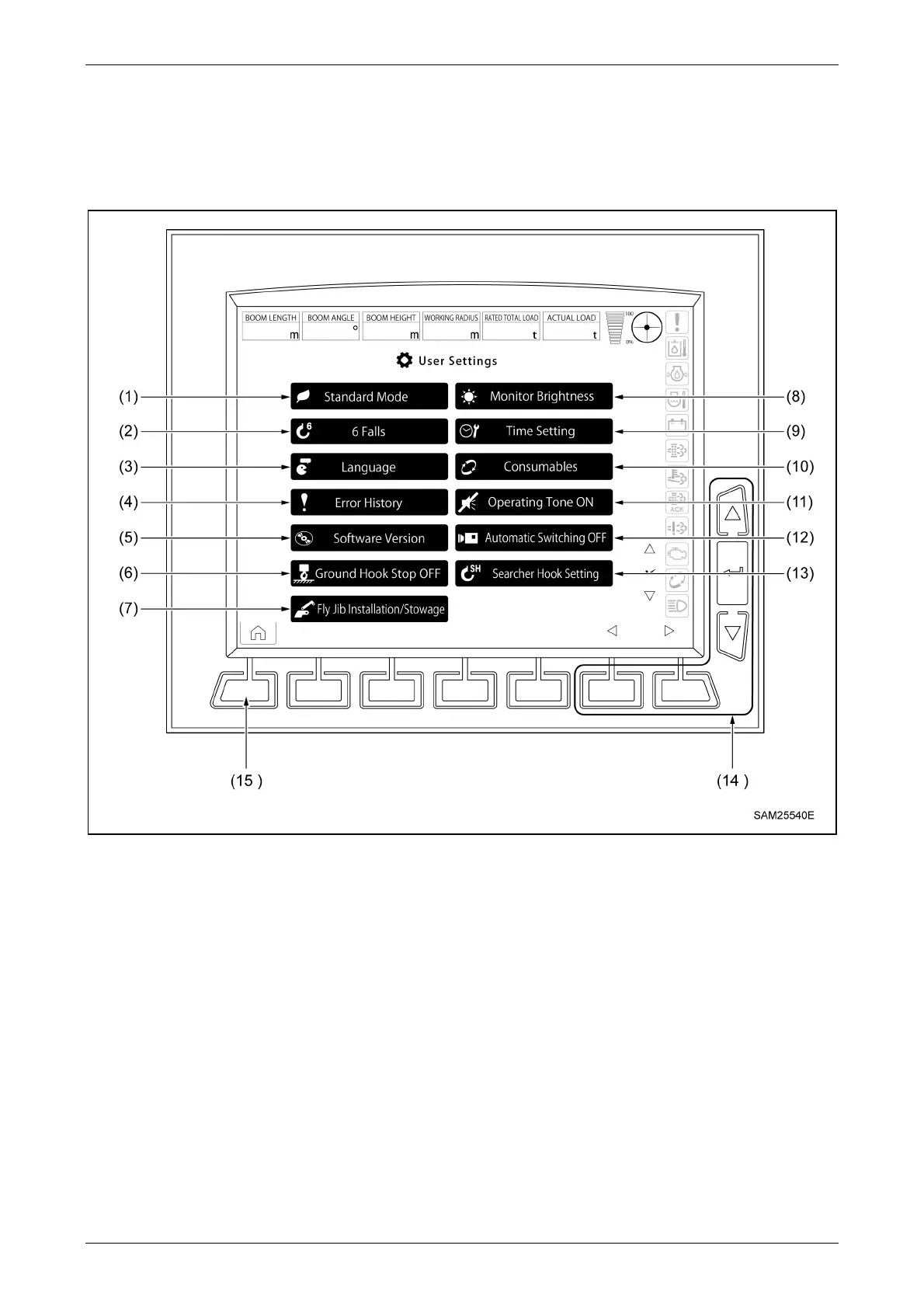
2.5 MONITOR:USER SETTINGS SCREEN
The User Settings screen is displayed by pressing the user setting switch on the home screen.
(1) ECO setting selection
(2) Number of falls selection
(3) Language selection
(4) Error history display
(5) Software version
(6) Hook grounding stop on/off selection
(7) Fly jib installation/stowage
(Only with fly jib mounted)
(8) Monitor brightness adjustment
(9) Time setting
(10) Consumables display
(11) Switch operation tone on/off selection
(12) Multi-assist view automatic switching on/off
(13) Searcher Hook Setting
(Only when searcher hook is mounted)
(14) Pop-up selector switches
(User Settings screen)
(15) Home switch



 To Next Page