OPERATION
STEERING WHEEL
Operating Manual MT 25 / 30 YT 43
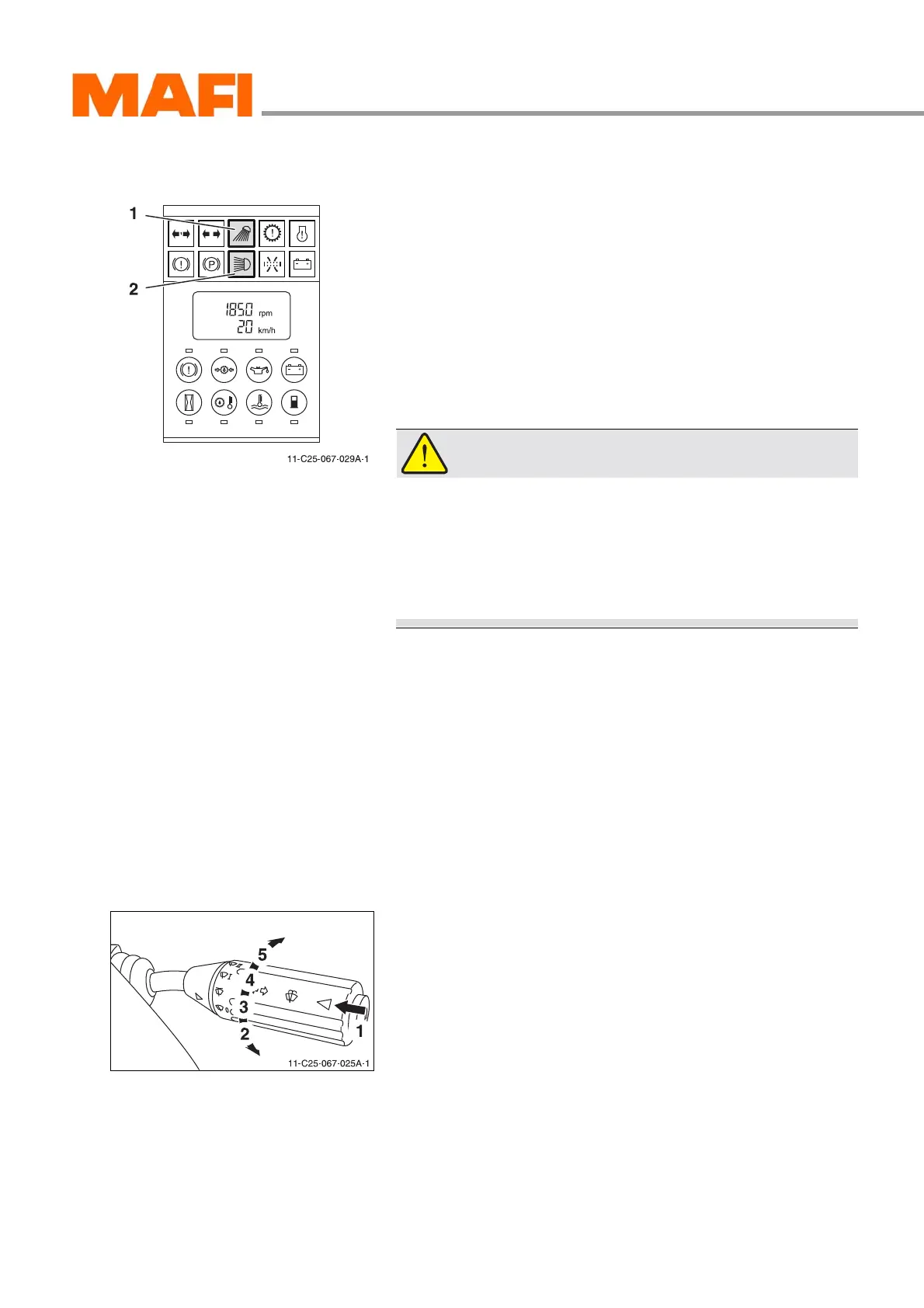
High beam/Dipped beam headlamp
Fig. 22: High/Dipped beam headlamp function indicator
1 Dipped beam
2 High beam headlamp
X
Switch on the headlight (see “Headlight” on page 51).
After switching on the headlight the dipped beam is
switched on.
3 The function indicator lights up on the multi-function
display 1 (green).
WARNING!
Accident hazard!
Accidents may occur when oncoming traffic is dazzled
by a high beam headlamp.
X Always drive with dipped beam when there is oncom-
ing traffic.
X Press the combination switch in the direction of the arrow 2.
3 High beam is switched on. The function indicator lights up
on the multi-function display 2 (blue).
X Press the combination switch again in the direction of the
arrow 2.
3 Dipped beam is switched on.
Front windscreen wiper
Fig. 23: Operation
1 Windscreen washer
2 Windscreen wiper off
3 Intermittent wiper
4 Normal wiping action
5 Fast wiping action
Operation of the front windscreen wiper is done by a rotary
switch.
The rotary switch enables you to switch the front windscreen
wiper to intermittent operation and to two different speeds.
Furthermore, the windscreen washing unit can be used for the
front windscreen.



 To Next Page