OPERATION
OPERATING PANEL FOR AUTOMATIC TRANSMISSION
Operating Manual MT 25 / 30 YT 71
Display in oil level mode
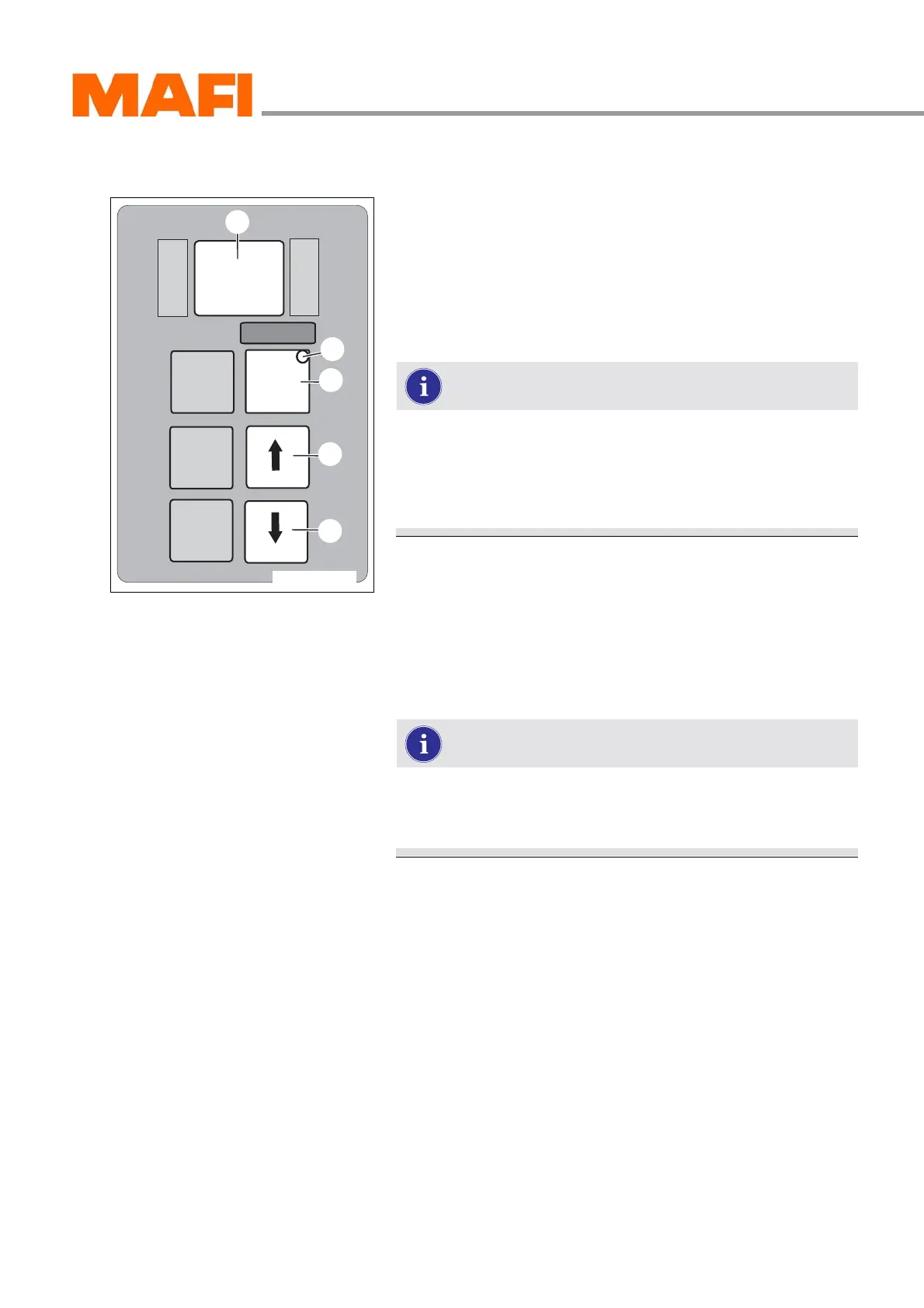
Fig. 61: Operating panel
1 Arrow key down
2 Arrow key up
3 MODE key
4 MODE-ON LED indicator
5 Display
You can visibly read out the oil level mode in the display.
To read out the oil level or the error codes, park the MT
on a level surface, apply the parking brake and shift the
transmission into neutral.
The oil has to be at operating temperature for the oil
level check.
Read oil level
X Press the two arrow keys 1 and 2 once at the same time.
You can read out the oil level or an error message on the oil
measuring in the display 5.
For further information on reading out the oil level from
the “Oil level mode” display, see “Daily checks after
starting the motor” on page 93
M
O
N
I
T
O
R
R
N
D
S
E
L
E
C
T
MODE
11-C25-067-084A-8
3
4
1
2
5



 To Next Page