OPERATION
MULTI-FUNCTION DISPLAY
76 Operating Manual MT 25 / 30 YT
Deviations from the nominal specifications that could damage
the MT are indicated by an LED directly on the button,
see “Indicators on the multi-function display” on page 125.
Selecting the reserve pressure indicator
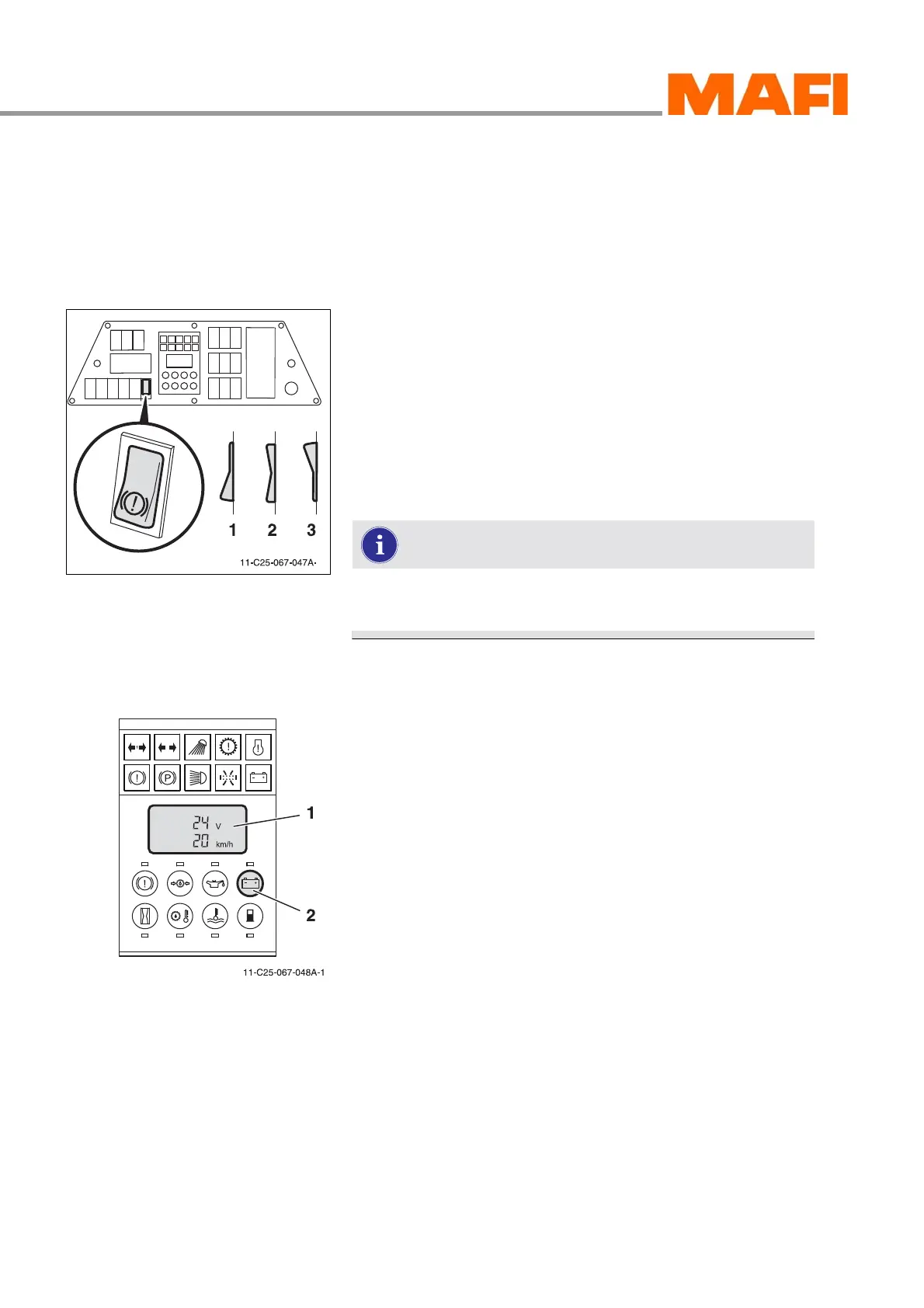
Depending on switch position, the corresponding air reserve
pressure is shown on the display.
Fig. 66: Air reserve pressure switch
1 Air reserve pressure switch, rear axle (circuit 1)
2 Air reserve pressure, front axle (circuit 2)
3 Air reserve pressure, parking brake (circuit 3)
X
Place the switch in the desired position 1, 2 or 3.
3 The corresponding air reserve pressure is shown in the
LCD display.
The selected indicator remains active until you switch
to a new indicator.
On-board voltage indicator
Fig. 67: On-board voltage indicator
1 “On-board voltage” indicator
2 “On-board voltage indicator” button
The on-board voltage indicator shows the current charging
voltage of the vehicle battery. The display indicates the charg-
ing voltage. If the charge falls below the necessary charging
voltage, an LED lights up above the button and a warning sig-
nal sounds, see “Indicators on the multi-function display” on
page 125.
Select on-board voltage indicator
X Press switch 2.
3 The LCD display indicates the charging voltage.
X Press switch 2 again.
3 The LCD display shows the driving speed again.



 To Next Page