OPERATION
STARTING CHECK
94 Operating manual T225 / 230
Reading out oil level at “Oil level mode” display
The transmission is equipped with an oil level sensor. You can
read out the oil level and the oil level sensor errors on the “Oil
level mode” display in the operating panel for the transmission.
X Make sure that the operating temperature between 70 °C
and 90 °C has been reached.
The operating temperature can be read from the engine
coolant temperature indicator in the combination display
instrument.
The operating temperature is reached when the MT has
been driven under load and the engine coolant temperature
indicator on the combination display instrument has
stabilised at the normal operational temperature.
X Park the MT on level ground for the oil level check.
X Shift the transmission into neutral N and apply the parking
brake.
X Let the engine run at idle speed.
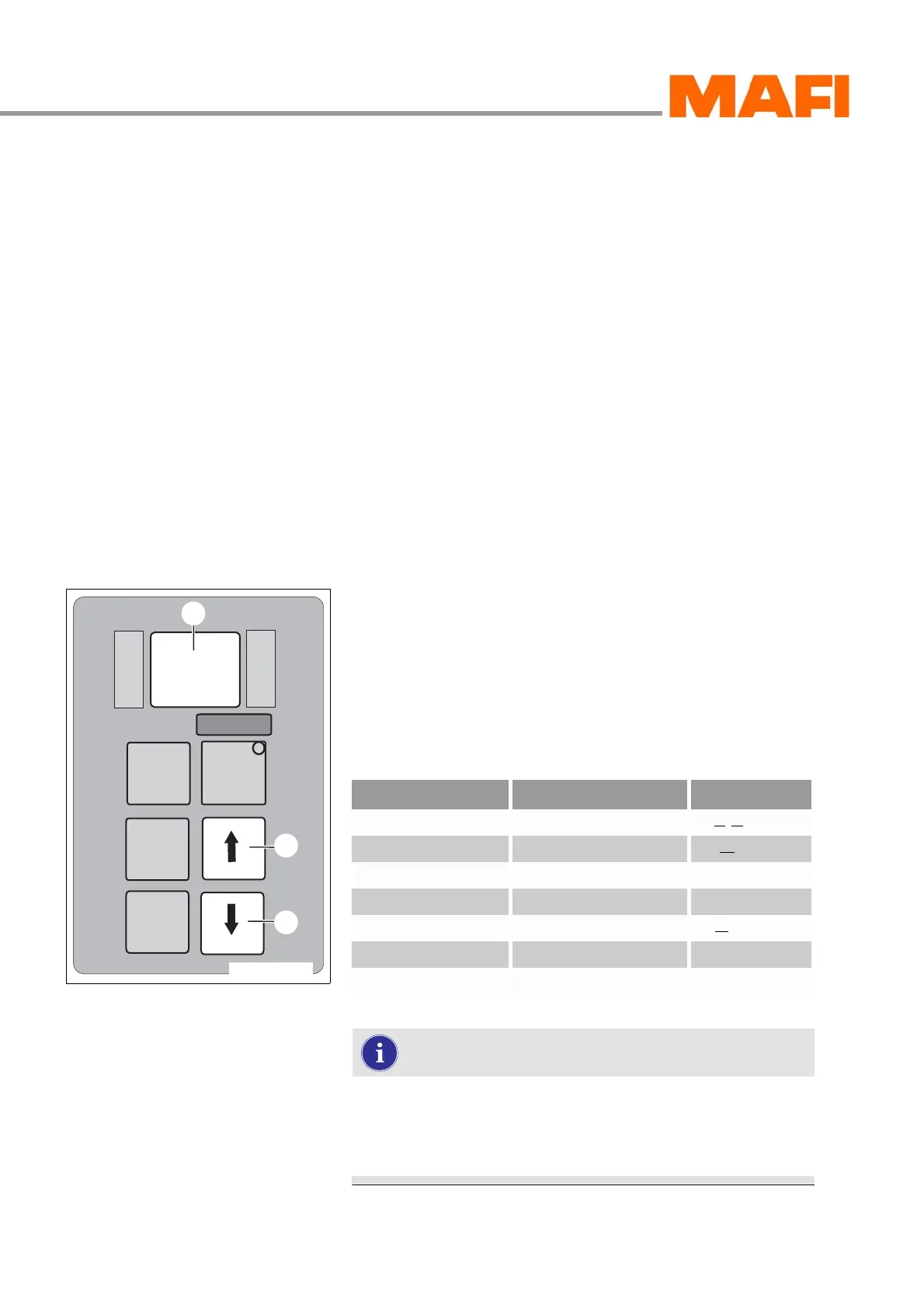
Read oil level
Fig. 93: Operating panel
1 Arrow key down
2 Arrow key up
3 Display “Oil level mode”
X
Press the two arrow keys 1 and 2 once at the same time.
After about two minutes, you can read the oil level in the
display 3.
If one of the above-mentioned conditions for oil level
measurement is not fulfilled, the computer stops the
measuring or the countdown and shows the oil level
sensor error on the display.
M
O
N
I
T
O
R
R
N
D
S
E
L
E
C
T
MODE
11-C25-067-084A-9
1
2
3
Oil level indicator Explanation
oL ok Oil level is OK (Oil Level ok)
oL Lo 1 Oil level 1 litre too little Low = low
oL Lo 2 Oil level 2 litres too little
etc.
oL HI 2 Oil level 2 litres too much High = high
oL HI 3 Oil level 3 litres too much
etc.


 To Next Page