Magellan RoadMate 2000 Screens 4
Magellan RoadMate 2000 Screens
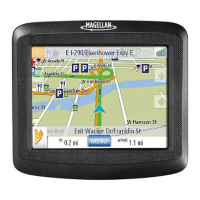
Map Screen
The Map Screen is the most commonly used screen on the Magellan RoadMate. Whether
you are getting directions or just driving around town, the Map screen will give you the
peace of mind of knowing where you are.
Current Street Name Name of street you are
currently on.
When tapped, displays the Locate
screen
Zoom out When tapped, zooms out the map
display.
Destination Icon Provides a visual indication
of your destination.
POI Icon Sample indicated is the icon
for a restaurant.
When tapped, offers you the option
of setting a trip to that POI.
Location Icon Provides visual indication of
your current position.
Next Maneuver Indicates what type of
maneuver you will need to
perform when directed.
When tapped displays your heading
as N, NE, NW, W, etc.
Distance to Next
Maneuver
Displays the computed
distance to your next
maneuver in the unit of
measure chosen.
When tapped repeats the last verbal
instruction.
2
3
4
5
6
7
8
9
10
11
12
13
1
1
2
3
4
5
6
7











 To Next Page