N477 User Manual Page 4
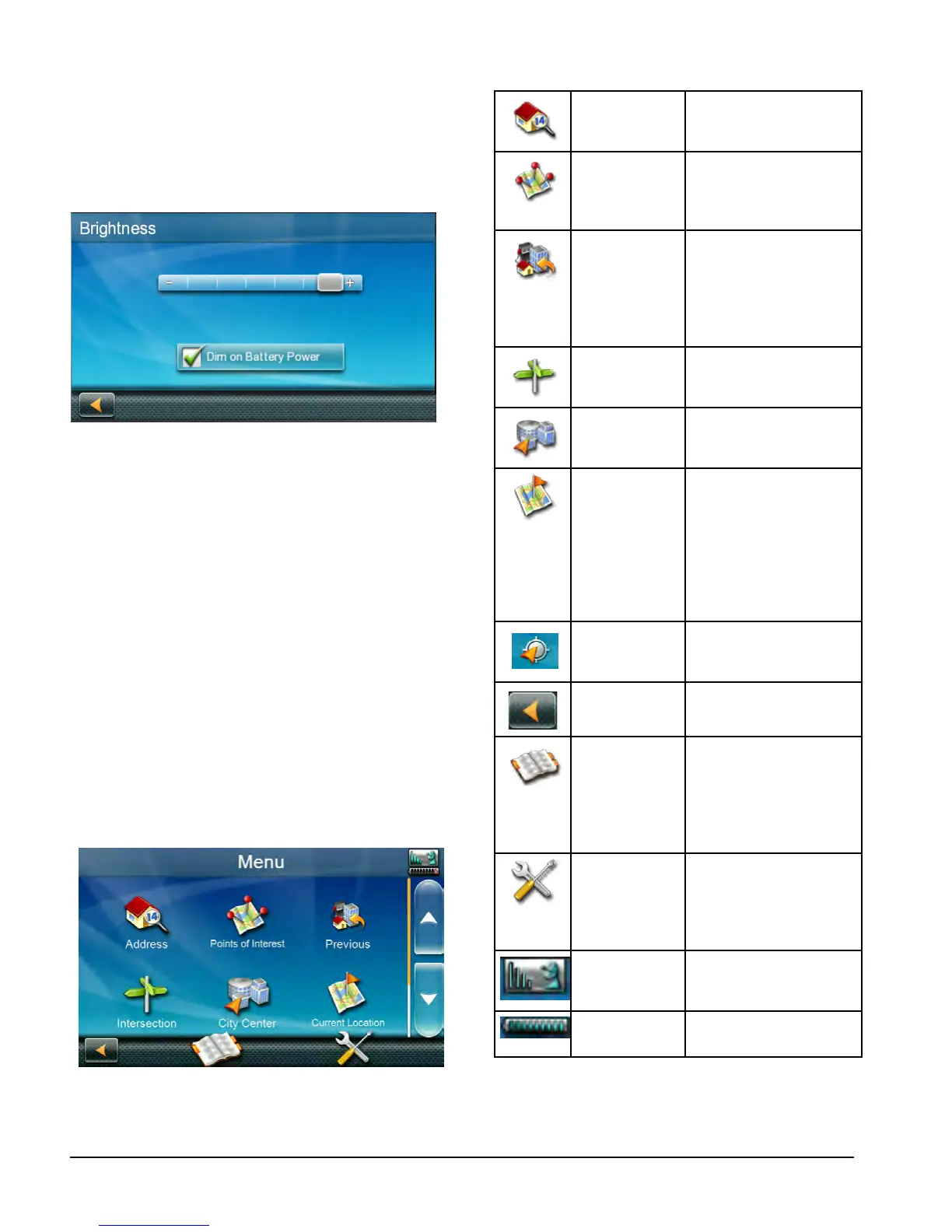
Brightness
Accessing the Brightness Control
1. Access the Main Menu.
2. Tap the Settings icon .
3. Tap Brightness.
4. Tap the ends of the brightness adjust
bar or drag the slider to set the desired
brightness.
Note: On the Brightness Setting screen there
is a “Dim on Battery Power” option. When
checked, the N477 receiver will reduce the
brightness when operating exclusively on
battery power and you have not used the
touch screen for a few seconds. This prolongs
the battery life between charges.
Main Menu
The Main Menu screen is the center for all
available functions of the N477 receiver.
The Main Menu contains large, easy to
access icons for all the major functions.
Accessing the Main Menu
1. From the Map screen tap Menu.
Functions Available from the Main Menu
Address Enter an address as a
destination for your
route.
Points of
Interest
Select a Point of Interest
(POI) from the list of
preloaded locations as
a destination.
Previous List of the most recent
destinations that you
have gone to before
allowing you to quickly
select one to route to
again.
Intersection Create a route to the
intersection of two
streets.
City Center Create a route to the
geographical center of
a city.
Current
Location
Displays information
about your position
including the street
name, names of streets
forward and behind
you as well as the Lat/
Long information for
your position.
Coordinates Allows direct input of
Latitude and Longitude
to create a route.
Back Access the Map screen.
Address Book Access the Address
Book where you
can save addresses
and destinations to
have available when
needed.
Settings Displays the Settings
menu. Lets you
customize the N477
receiver to your
personal needs.
Satellite Status Graphic display of the
strength of satellite
signals being received.
Battery Level Graphic display of the
current battery level.


 To Next Page