N477 User Manual Page 26
9 Settings
With user Settings you can customize the
N477 receiver to better suit your personal
needs and preferences.
Note: Tapping the Back arrow from any of
the Setting screens saves your changes.
Accessing System Settings
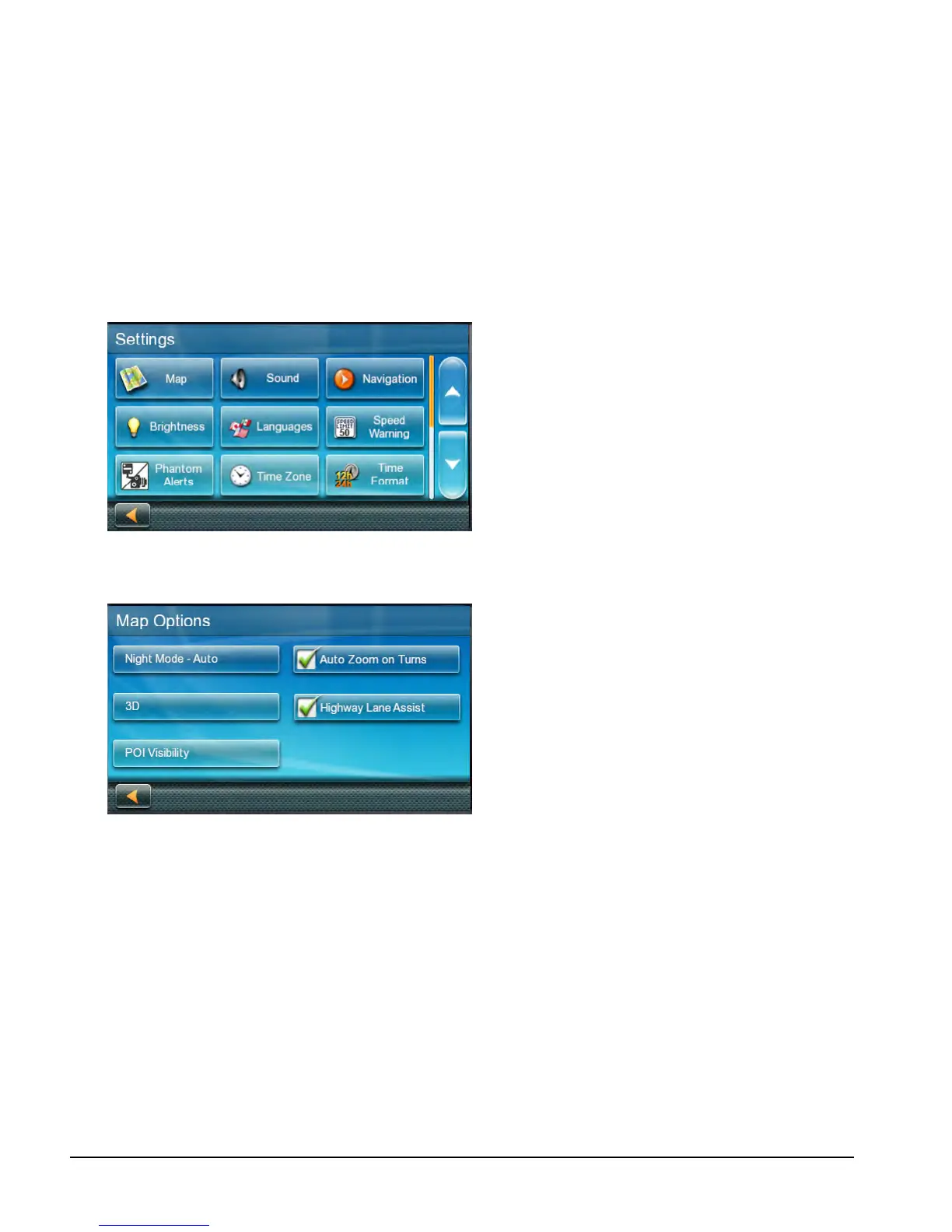
From the Main Menu screen, tap the Settings
icon.
Map Options
Setting Auto Night Map Display
Normally the map is displayed in vivid colors
for daytime use and with dark tints for night
use. You can select whether to always use
daytime colors, night color, or let the N477
receiver switch between them automatically
a few minutes before sunrise and a few
minutes after sunset.
1. From the Settings screen, tap Map.
2. Tap Night Mode to select Automatic for
the timed adjustment, on always or off
always.
Setting Heading Up or North Up in 2D
Mode
Sets how the map is normally displayed; in 3D
mode (perspective view), or 2D (top down
view) in either 2D-Heading Up or 2D-North Up
(2DN).
1. From the Main Menu screen, tap the
Settings icon.
2. Tap Map.
3. Tap 3D, 2D Heading Up or 2D North Up
to toggle between settings.
The selected mode is shown on the button.
Assigning Visible POIs
To avoid cluttering of the map, the POI icons
that are displayed on the map can be turned
on or off.
1. From the Main Menu screen, tap Settings.
2. Tap Map.
3. Tap POI Visibility.
4. Use the POI Selection screen to check
those POIs you want shown and uncheck
those you want hidden.
Setting Auto Zoom on Turns
You can set the map to automatically zoom in
to the lowest level when coming up to a turn.
1. From the Main Menu screen, tap the
Settings icon.
2. Tap Map.
3. Checking Auto Zoom on Turns enables
this function.
Setting Highway Lane Assist
When Highway Lane Assist is checked,
the map will display highway signs as you
approach a highway interchange giving you
visual indication of which lane you want to be
in.
1. From the Main Menu screen, tap the
Settings icon.
2. Tap Map.


 To Next Page