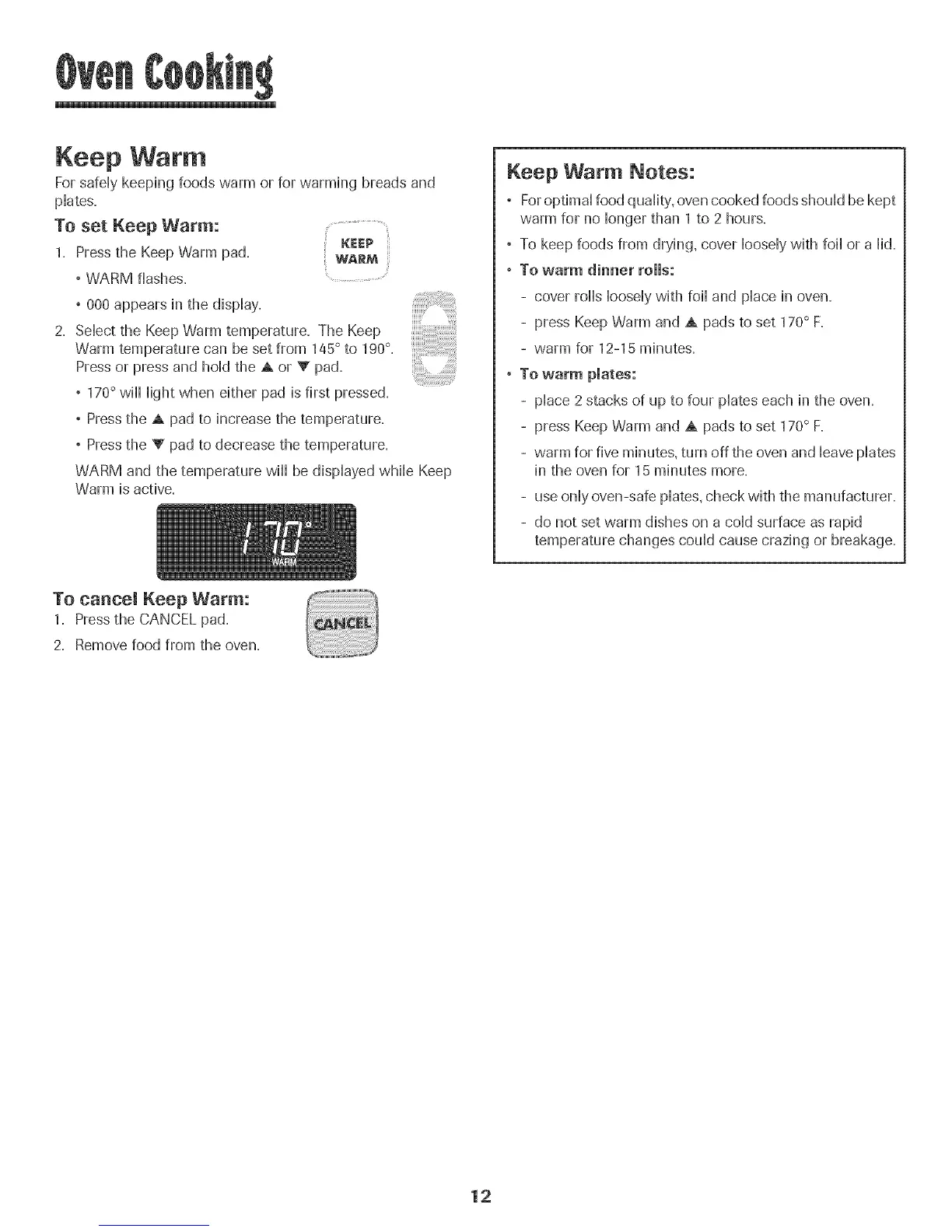
Keep War
ForsafeHykeeping foods warm or for warming breads and
pHates.
To set Keep Warm: ........................
" WARM
, WARM flashes. ..............
,000 appears in the dispHay.
2. SeHectthe Keep Warm temperature. The Keep
Warm temperature can be set from 145° to 190°.
Press or press and hoHdthe A or V pad.
° 170° wiHHHightwhen either pad is first pressed.
° Press the A pad to increase the temperature.
° Press the V pad to decrease the temperature.
WARM and the temperature wiHHbe dispHayedwhiHeKeep
Warm is active.
Keep Warm Notes:
° For optimaHfood quaHity,oven cooked foods shouHdbe kept
warm for no Hongerthan 1 to 2 hours.
° To keep foods from drying, cover HooseHywith foiHor a Hid.
, To warm dinner rolls:
- cover roHHsHooseHywith foiHand pHacein oven.
- press Keep Warm and A pads to set 170° F.
- warm for 12-15 minutes.
, To warm plates:
- pHace2 stacks of up to four pHateseach in the oven.
- press Keep Warm and A pads to set 170° F.
- warm for five minutes, turn off the oven and HeavepHates
in the oven for 15 minutes more.
- use onHyoven-safe pHates,check with the manufacturer.
- do not set warm dishes on a coHdsurface as rapid
temperature changes couHdcause crazing or breakage.
To cancel Keep Warm:
1. Pressthe CANCEL pad.
2. Remove food from the oven.
12




 To Next Page