EasyManua.ls Logo

Magic Chef MCSRG24S - User Manual

Magic Chef MCSRG24S
44 pages
Print Icon
To Next Page IconTo Next Page
Loading...
1
PLEASE READ THIS MANUAL CAREFULLY BEFORE USING YOUR
GAS RANGE AND KEEP IT FOR FUTURE REFERENCE.
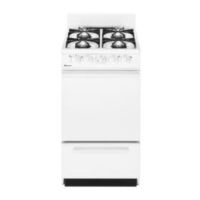
Model MCSRG24S
24-Inch Freestanding
Gas Range
User’s Manual

Other manuals for Magic Chef MCSRG24S

Questions and Answers

  • S
    Samantha LiuAug 15, 2025
    What to do if the oven display is off on my Magic Chef Ranges?
    • H
      hensleymichelleAug 15, 2025
      If your Magic Chef range oven display is off, try turning off the power at the main supply (fuse or breaker box), and then turn the breaker back on. If the condition persists, it may require professional service.
  • J
    joyceburnettAug 18, 2025
    What to do if the burner does not operate on my Magic Chef Ranges?
    • E
      Elizabeth CunninghamAug 18, 2025
      If the burner on your Magic Chef range isn't working, several factors could be at play. First, air might be trapped in the gas line; try turning on any of the surface burner knobs to release it. Second, ensure the control knob is correctly set by pushing it in before turning it to your desired setting. Finally, the burner ports might be blocked. Inspect them and, if clogged, gently clean them using a toothbrush or paper clip.
  • D
    Dr. Kelly HansenAug 21, 2025
    Why are the burner flames uneven, yellow, or noisy on my Magic Chef Ranges?
    • R
      Ricky MoralesAug 21, 2025
      If the flames on your Magic Chef range burner are uneven, yellow, and/or noisy, start by checking the burner ports to ensure they are clean; if clogged, use a toothbrush or paper clip to clear them. Also, make sure the burner caps are correctly positioned so that the alignment pins align with the slots. Finally, if you're using liquid propane, have a qualified technician convert the range to LP gas.
  • W
    William TannerAug 25, 2025
    Why are the burner flames too high or too low on my Magic Chef MCSRG24S Ranges?
    • D
      Douglas VasquezAug 25, 2025
      If the flames on your Magic Chef range burner are too high or too low, first check if the range is set up for the correct gas type, as it comes set for natural gas. If you need to set it up for LP, contact a qualified technician. Also, verify that the pressure regulator is installed correctly and that the gas line pressure is correct.
  • M
    michelejacksonAug 27, 2025
    Why does my Magic Chef Ranges burner make popping noises?
    • O
      olivererinAug 27, 2025
      If your Magic Chef range burner is making popping noises, ensure the burner is dry before use. Additionally, check that the burner cap and/or gas spreader are correctly positioned, with the alignment pins properly aligned to the slots.
  • C
    Chad OliverAug 30, 2025
    How to prevent excessive heat around cookware on Magic Chef Ranges?
    • D
      Deborah HughesAug 30, 2025
      If you notice excessive heat around the cookware on your Magic Chef range, it might be because the cookware is not the proper size for the burner. The cookware's bottom surface should be about the same size as the cooking area and burner, and should not extend more than 1” outside this area. Adjust the flame to prevent it from coming up around the cookware.
  • T
    toddjeremiahSep 2, 2025
    Why does the cooling fan continue to run after the oven is turned off on my Magic Chef MCSRG24S Ranges?
    • G
      Gavin McleanSep 2, 2025
      If the cooling fan continues to run after the oven is turned off in your Magic Chef range, it is because the electronic components have not yet cooled sufficiently. The fan will automatically turn off once they have cooled down.
  • A
    Ashley NguyenSep 5, 2025
    How to fix the oven light if it does not turn on in my Magic Chef MCSRG24S Ranges?
    • J
      John ParrishSep 5, 2025
      If the oven light in your Magic Chef range does not turn on, the bulb may be loose or burned out. Remove the bulb to inspect it; replace it if it is burned out, and then re-insert it.
  • S
    Sophia LeSep 8, 2025
    Why does the oven light stay on in my Magic Chef MCSRG24S?
    • D
      davidsmithSep 8, 2025
      If the oven light stays on in your Magic Chef range, check for any obstructions in the oven door that may prevent it from closing properly. Also, check to see if the hinge is bent or the door switch is broken.
  • V
    Victoria ReyesSep 12, 2025
    How to deal with excessive moisture in my Magic Chef MCSRG24S Ranges?
    • J
      Jimmy SolisSep 12, 2025
      When utilizing bake mode on your Magic Chef range, pre-heat the oven. Convection Bake and Convection Roast modes will help eliminate any excessive moisture in the oven.

Summary

Precautions

Tip Over Hazard and Gas Leak Safety

Addresses risks of tipping and actions to take in case of a gas leak.

Important Safety Instructions

General Safety Precautions

Covers essential safety rules to prevent fire, shock, and injury during oven use.

Fire Safety and Prevention

Details handling grease fires, oven fires, and flammable materials near the appliance.

Safe Operation and Handling

Guidelines for safe oven operation, handling hot surfaces, and avoiding steam burns.

Parts and Features

Before Use

Operation Instructions - Gas Burner

How to Light Surface Burners

Igniting Burners During Power Failure

Procedures for lighting the gas burners manually in case of a power outage.

Operation Instructions - Oven

Baking and Broiling Instructions

Clock & Timer

Troubleshooting

Cooktop Problems and Solutions

Addresses common issues with burners not igniting, uneven flames, and noise, with corrective actions.

Oven Operation Issues

Solutions for oven not heating, display off, cooling fan operation, and oven light problems.

Oven Baking Performance Issues

Magic Chef MCSRG24S Specifications

General IconGeneral
TypeFreestanding
Number of Burners4
ColorStainless Steel
Fuel TypeGas
Burner TypeSealed
Ignition TypeElectronic
Width24 in.

Related product manuals