EasyManua.ls Logo

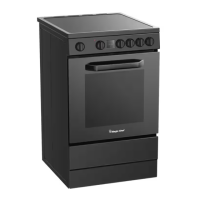
Magic Chef MCSBRE24W - User Manual

Magic Chef MCSBRE24W
51 pages
Print Icon
To Next Page IconTo Next Page
Loading...
1
PLEASE READ THIS MANUAL CAREFULLY BEFORE USING YOUR
ELECTRIC RANGE AND KEEP IT FOR FUTURE REFERENCE.
Model MCSBRE24W / MCSBRE24B
24-Inch Freestanding
Electric Range
User’s Manual
\

Questions and Answers

  • R
    Ronald HallAug 12, 2025
    Why is the oven temperature too high or too low in my Magic Chef MCSBRE24W?
    • J
      Jo WatkinsAug 12, 2025
      If the oven temperature in your Magic Chef Ranges is too high or too low, consider these potential causes: Make sure to preheat the oven before use. Adjust the rack position. Ensure the batter is evenly distributed in the pan. Adjust the cook time. Avoid opening the oven door frequently during cooking, as this releases heat and can affect cooking times.
  • M
    Melissa BellAug 16, 2025
    Why is the display flashing on my Magic Chef MCSBRE24W?
    • D
      Diane ScottAug 16, 2025
      If the display on your Magic Chef Ranges is flashing, it might be due to a power outage or surge. Reset the clock. If the oven was in use, reset it as well.
  • N
    Nicole SmithAug 20, 2025
    How to troubleshoot an oven light that does not work in Magic Chef MCSBRE24W?
    • Z
      zmillsAug 20, 2025
      If the oven light in your Magic Chef Ranges isn't working, first check if the light bulb is loose or defective; tighten or replace it. If the issue persists, the switch operating the light might be broken.
  • B
    Brandon HicksAug 25, 2025
    What to do if my Magic Chef Ranges will not turn on?
    • E
      Edward McdanielAug 25, 2025
      If your Magic Chef Ranges won't turn on, first, ensure the electrical wires are properly connected to the mains. Secondly, check your household fuse or circuit breaker; replace the fuse or reset the circuit breaker if needed.
  • J
    Joe SullivanAug 27, 2025
    What to do if cooking results are not what was expected with my Magic Chef Ranges?
    • D
      Diane FosterAug 27, 2025
      If your cooking results aren't as expected with your Magic Chef Ranges, it may be due to improper cookware. Also check that the control knob is set to the correct heat level. Ensure the range is level.
  • C
    charlesrogersAug 31, 2025
    Why are baked items too brown on the bottom in my Magic Chef MCSBRE24W?
    • K
      Kelly BowmanAug 31, 2025
      If baked items are browning too quickly on the bottom in your Magic Chef Ranges, the oven rack may be positioned too low. Try moving the rack to a higher position in the oven.
  • M
    Marcus FarleySep 4, 2025
    Why are pie crust edges browning early in my Magic Chef MCSBRE24W?
    • M
      Michelle MaynardSep 4, 2025
      If the edges of your pie crust are browning too early in your Magic Chef Ranges, it could be due to the temperature being too high. Consider using aluminum foil to cover the edge of the crust and/or reduce the baking temperature.
  • R
    Richard PinedaSep 7, 2025
    Why is there excess heat around cookware on the cooking surface of my Magic Chef MCSBRE24W?
    • A
      Andrea BellSep 7, 2025
      If there's excessive heat around cookware on the cooking surface of your Magic Chef Ranges, the cookware might be the wrong size. Use cookware about the same size as the surface cooking area, element, or surface burner. Cookware should extend 20 mm.

Summary

Product Registration

Precautions

Explanation of Symbols

Defines warning and caution symbols used throughout the manual.

Household Use Only

Statement indicating the product is designed and intended solely for residential household use.

Important Safety Instructions

Specifications

Parts and Features

Installation Requirements

Ventilation

Guidelines for proper airflow and clearance for safe operation and cabinet protection.

Mobile Home Requirements

Installation Instructions

Unpacking and Installing Leveling Feet and Back Panel

Steps for removing packaging, installing adjustable feet, and attaching the back panel.

Anti-Tip Bracket

Instructions for installing the anti-tip bracket to prevent accidental tipping.

Electrical Connection

Electrical Connection Steps

Procedure for connecting the range to the power supply, including wire and terminal block details.

Before Use

Before First Use

Initial cleaning and calibration steps for the ceramic glass cooktop before the first cooking session.

Range Cooking Utensils

Guidelines for selecting appropriate cookware for electric ranges to ensure safety and efficiency.

Operation Instructions

Oven Controller

Description of the oven's control panel, knobs, and buttons for operation.

Cooking Modes

Explanation of various cooking functions available on the oven.

Digital Clock

Instructions for setting and using the oven's digital clock.

Timer Functions

Burner Locations and Controls

Care and Maintenance

Control Knobs and Stainless Steel Maintenance

Cleaning instructions for control knobs and stainless steel surfaces.

Interior Oven and Storage Drawer Cleaning

Procedures for cleaning the oven interior, grill element, and storage drawer.

Oven Door and Light Bulb Maintenance

Troubleshooting

Limited Warranty

Magic Chef MCSBRE24W Specifications

General IconGeneral
TypeFreestanding Electric Range
Number of Burners4
ColorWhite
Oven TypeConventional
Voltage240 V
Width24 inches
Dimensions24 x 28.5 x 36 inches

Related product manuals