EasyManua.ls Logo

Magic Chef MCSTCW16W4 - User Manual

Magic Chef MCSTCW16W4
46 pages
Print Icon
To Next Page IconTo Next Page
Loading...
1
PLEASE READ THIS MANUAL CAREFULLY BEFORE USING YOUR WASHER
AND KEEP IT FOR FUTURE REFERENCE.
Model MCSTCW16W4 / MCSTCW16S4 / MCSTCW20W4 / MCSTCW20S4 / MCSTCW30W4
1.6/2.0/3.0 Cu. Ft.
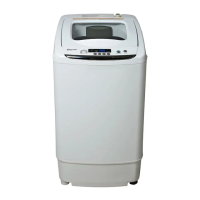
Portable Washer
User’s Manual

Questions and Answers

  • L
    lisa07Aug 20, 2025
    What to do if my Magic Chef MCSTCW16W4 Washer will not drain water?
    • L
      Laura AndersonAug 20, 2025
      If your Magic Chef Washer is not draining water, first, make sure that the drain hose is not kinked. Also, ensure that the drain is not located higher than 39 inches above the floor and is no more than 5 feet away from the washer.
  • R
    Randy HoffmanAug 22, 2025
    How to keep clothes from wrinkling in my Magic Chef MCSTCW16W4?
    • M
      misty19Aug 22, 2025
      To prevent clothing from getting wrinkled in your Magic Chef Washer: * Remove items from the washer as soon as the cycle is complete. * Avoid overloading the washer; the tub should not be tightly packed, and the lid should close easily. * Check that the hot and cold water inlet hoses are connected correctly.
  • D
    Dustin WeissAug 25, 2025
    Why Magic Chef MCSTCW16W4 will not turn on?
    • R
      richardhansonAug 25, 2025
      If your Magic Chef Washer won't turn on, ensure the power cord is securely plugged into a grounded, 3-prong, 120-VAC, 60-Hz outlet. Also, check your house fuse or circuit breaker and reset it if necessary. If multiple appliances are on the same outlet, consider having an electrician install an additional circuit.
  • W
    woodsbryanAug 26, 2025
    Why my Magic Chef MCSTCW16W4 will not operate?
    • H
      haynesjosephAug 26, 2025
      If your Magic Chef Washer isn't operating, ensure that both the hot and cold water faucets are fully turned on. If the control panel has powered off due to inactivity, press the POWER button to turn the washer on. Make sure the cord is plugged securely into a working outlet. Ensure the cycle was set correctly, close the lid, and press the START/PAUSE button. Also, confirm that the lid is closed completely.
  • P
    patrickholdenAug 27, 2025
    How to prevent excessive suds in my Magic Chef Washer?
    • A
      aaronbrownAug 27, 2025
      To address excessive suds in your Magic Chef Washer, be sure to use only HE detergents, which are designed for High-Efficiency washers and contain suds-reducing agents. Check the water inlet hose connections at the faucet and washer for any leaks, cracks, or splits, and tighten them if necessary. Inspect your house drain pipes for clogs, looking for water backing up during the drain cycle.
  • K
    Kristi FloydAug 29, 2025
    How to fix vibrating noise in Magic Chef Washer?
    • D
      Diana YoungAug 29, 2025
      To resolve a vibrating noise in your Magic Chef Washer, first, ensure all packaging materials have been removed. If the load is unevenly distributed, pause the cycle and redistribute it. Check that all leveling feet are resting firmly and evenly on the floor. Also, make sure the floor is solid and does not flex.
  • D
    Daniel JamesAug 31, 2025
    How to prevent staining in my Magic Chef Washer?
    • J
      justin79Aug 31, 2025
      To address staining issues with your Magic Chef Washer, always remove items from the washer as soon as possible after the cycle is complete. Also, always wash dark colors separately from light colors and whites to prevent discoloration, and never wash heavily soiled items with lightly soiled ones.
  • M
    Melissa GutierrezSep 2, 2025
    How to get rid of musty smell in Magic Chef Washer?
    • R
      rodriguezloganSep 2, 2025
      To eliminate musty or mildew odors in your Magic Chef Washer, use only High-Efficiency (HE) detergent in accordance with the manufacturer’s instructions. Also, run an Express cycle with bleach once a month to clean the tub and remove any mold from inside the washer.
  • M
    michael16Sep 4, 2025
    How to stop rattling noise in Magic Chef MCSTCW16W4?
    • S
      Samantha BrownSep 4, 2025
      To address a rattling and clanking noise in your Magic Chef Washer, stop the washer and check the tub and drain filter for foreign objects like keys or coins. Ensure the washer is completely drained before removing the drain filter. If the noise continues after restarting, call for service.
  • T
    Timothy MckinneySep 6, 2025
    What to do if Magic Chef MCSTCW16W4 Washer shows E4 error?
    • X
      Xavier CarrollSep 6, 2025
      If your Magic Chef Washer displays error code E4, it means the washer is unbalanced. To fix this, simply redistribute the load.

Summary

Important Safety Instructions

Installation Instructions

Removing Packaging and Set Up

Steps for unpacking and preparing the washer for installation.

Installing the Washer

Guidance on choosing the location and positioning the washer.

Connect the Water Hose

Detailed steps for connecting the water supply hoses.

Connect the Drain Hose

Instructions for properly connecting the drain hose.

Operation Instructions

Using the Washer

Step-by-step guide on operating the washer.

Care and Maintenance

Troubleshooting

Error Codes

Explains error codes and their solutions.

List of Problems and Possible Solutions

Common problems and their resolutions.

Limited Warranty

Magic Chef MCSTCW16W4 Specifications

General IconGeneral
BrandMagic Chef
ModelMCSTCW16W4
Capacity1.6 cu. ft.
ColorWhite
Voltage120V
Water Level Selections3
Control TypeElectronic
Maximum Spin Speed700 RPM

Related product manuals