Page 18
Joystick forward/reverse or the accessory buttons accepts the new setting and returns to the
main OBP menu.
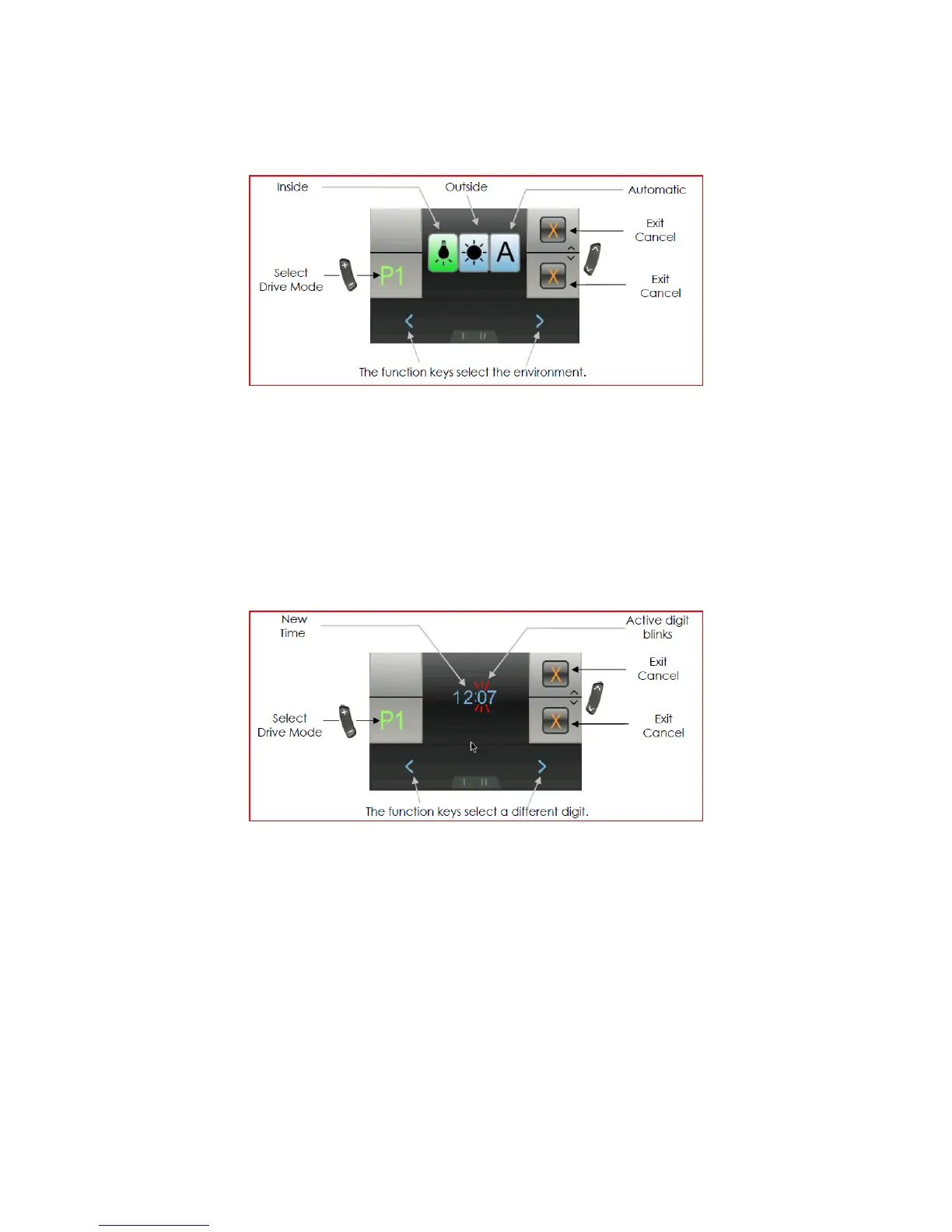
Screen Environment Setting (Inside/Outside):
There are 3 options:
• Inside – The screen has a black background
• Outside – The screen has a white background
• Automatic – The background is set automatically depending on the ambient light
Use either the function buttons or joystick left/right to select the environment
Joystick forward accepts the new settings and returns to the main OBP menu
Joystick reverse or the accessory buttons cancel the new settings and returns to the main
OBP menu
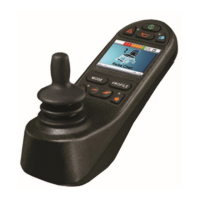
Adjust the time of the clock:
Use either the function buttons or joystick left/right to select a different digit
Joystick forward increases the value of a digit
Joystick reverse accepts the new settings and returns to the main OBP menu
The accessory buttons cancel the new settings and returns to the main OBP menu


 To Next Page