DESCRIPTION OF CONTROLS AND FUNCTION
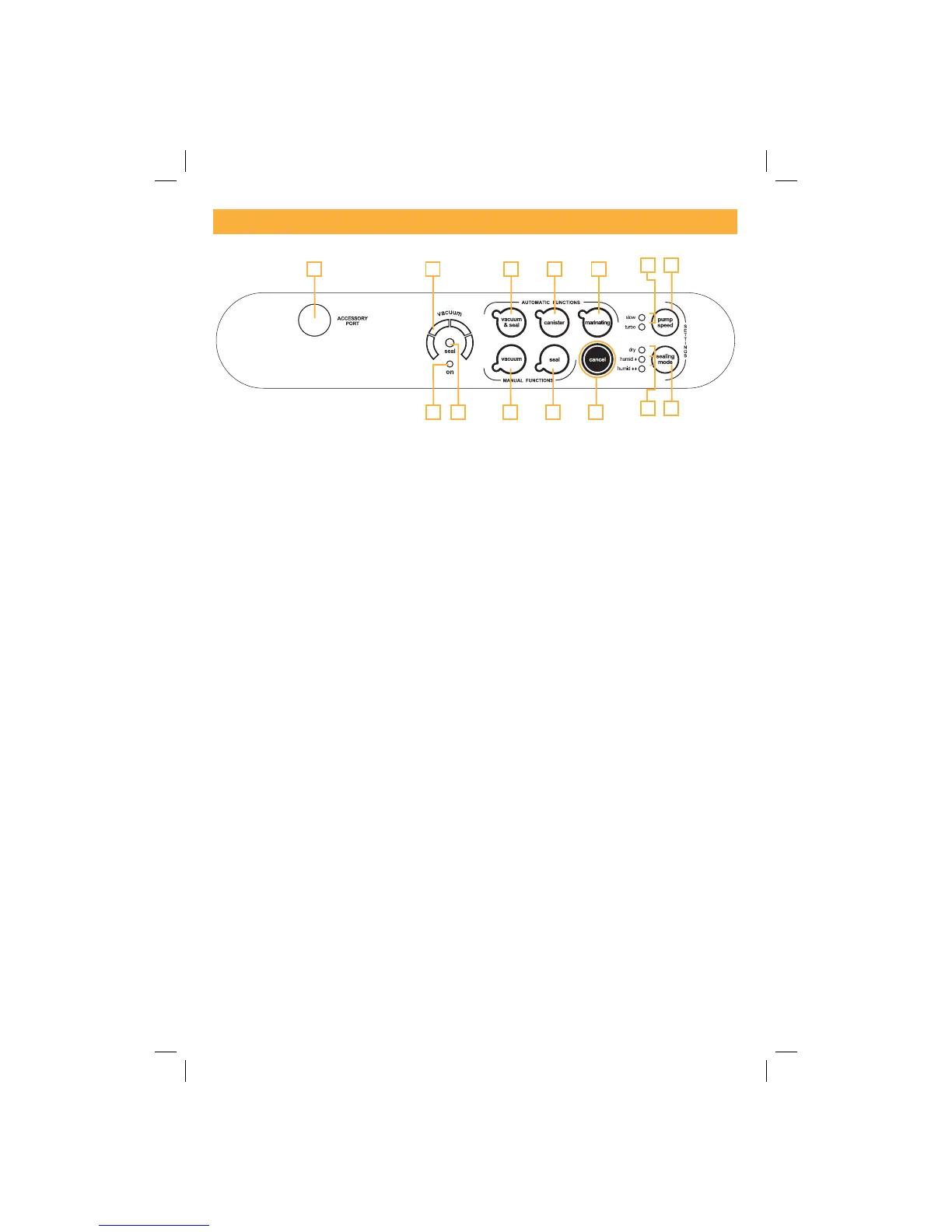
(2A) ON LED - GREEN, it is activated when the Handles (1) are in the START position.
(2B) SEAL LED - Flashing RED when Sealing.
(2C) Progress Display - Indicates the air extraction phases during the packing cycle.
(2D) Auto Vacuum & Seal Button - Start button for the automatic bag packing cycle, including final
sealing.
(2E) Canister Button - Start button for the automatic cycle for canisters and MAGIC VAC
®
accessories.
(2F) Marinating Button - Start button for the special “Rapid Marinating” cycle to be used only
with the square 2.5 litre MAGIC VAC
®
Executive Canisters.
(2G) Vacuum Button - Start button for the manual cycle; the machine will continue to extract air
until manual sealing is performed using the “Seal” button (2H).
(2H) Seal Button - Start button for manual Sealing.
(2I) CANCEL Button - Stops the machine at any time.
(2L) Sealing Mode RED LEDs - indicate the sealing mode selected.
(2M) Sealing Mode Button - Selects from the 3 sealing modes.
(2N) Pump Speed Button - Selects from the 2 Pump Speeds.
(2O) Pump Speed BLUE LEDs - indicate the Pump speed selected.
(4) ACCESSORY PORT - Air intake for inserting the Tube in order to vacuum pack Canisters and
MAGIC VAC
®
accessories.
26
42C2D2E2F
2O 2N
2M
2H2G2B2A 2I
2L


 To Next Page