Page 22
Magic Mobility accepts no liability for losses of any kind arising from unexpected stopping of
the wheelchair or improper programming of the control system, improper use of the
wheelchair, improper use of the control system or if any of the criteria detailed in this
document are not met.
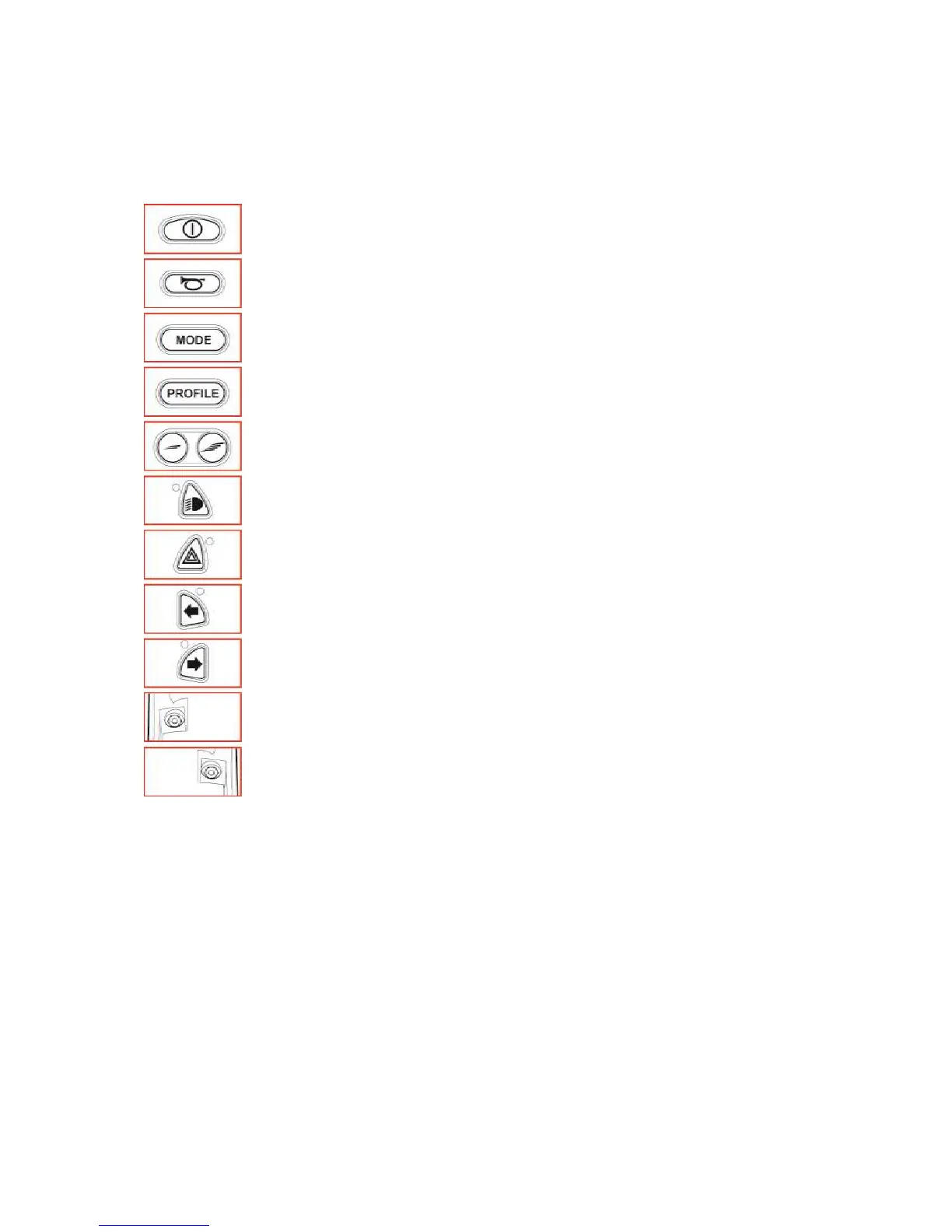
6.6 Control Panel
On/Off Button: This button turns the R-net on and off. Do not use this button to
stop the wheelchair, except in an emergency.
Horn Button: This button operates the wheelchair’s horn.
The Mode button allows the user to navigate through the available operating
Modes for the control system.
The Profile button allows the user to navigate through the available operating
Profiles for the control system.
Speed Decrease Button - decreases the maximum speed setting.
Speed Increase Button - increases the maximum speed setting.
This button activates and de-activates the wheelchairs Lights. When activated the
LED will illuminate.
This button activates and de-activates the wheelchairs Hazard lights. When
activated the LED will flash.
This button activates and de-activates the wheelchairs Left Indicators lights. When
activated the LED will flash.
This button activates and de-activates the wheelchairs Right Indicators lights.
When activated the LED will flash.
External On/off Switch Jack. This allows the user to turn the control system on and
off using an external device, such as a Buddy Button.
External Profile Switch Jack. This allows the user to select Profiles using an external
device, such as a Buddy Button.
The Joystick Module is supplied with rubber bungs which must be inserted into the Jack
Sockets when no external device is connected.
6.7 Joystick
This controls the speed and direction of the wheelchair. Push the joystick in the direction you wish to
go. The further you push it, the faster the speed. Releasing the joystick stops the wheelchair and
automatically applies the brakes.



 To Next Page