Page 24
Mounting: Make sure the controller is securely fixed to your wheelchair. Do not over tighten
any screws.
6.12 Diagnostics and trouble shooting
Diagnostics should only be conducted by healthcare professionals with in-depth knowledge of PGDT
electronic control systems. An incorrect or badly effected repair could result in an unsafe set-up of a
wheelchair. Magic Mobility accepts no liability for losses of any kind arising from an incorrect or
badly effected repair.
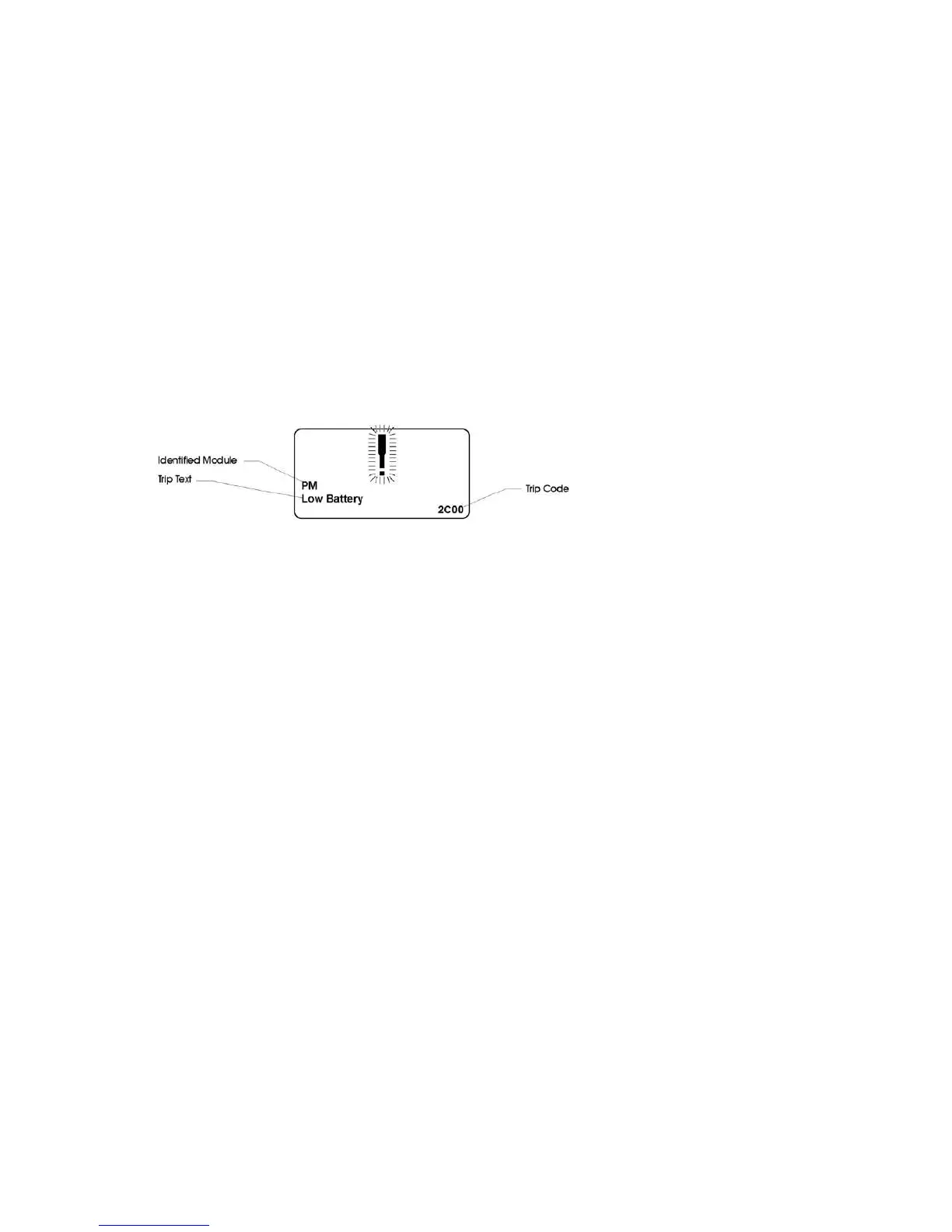
Diagnostic Screen
When the control system safety circuits have operated and the control system has been prevented
from moving the wheelchair a diagnostics screen will be displayed.
Contact your service agent and give them the information from the Diagnostic screen. This will help
them to identify how to fix the problem.
Diagnostic Procedure
To diagnose a trip please follow this procedure:
Read and note the Trip Text displayed, the Identified Module and the Trip Code.
Switch off the control system.
Make sure that all connectors on the listed Module and the wheelchair are mated securely.
Check the condition of the battery.
Find the definition of the Trip Text, and if possible take the required action.
Switch on the control system again and try to drive the wheelchair. If the safety circuits operate
again, switch off and do not try to use the wheelchair.
Contact your service agent.
Penny and Giles have a comprehensive website that helps you to look up Trip codes. If you
have access to a PC, you may find this information is helpful to pass on to your service
agent.
http://support.pgdt.com/Online-Diagnostics/Trip-Codes/R-net-Trip-Code-Database.aspx
NOTE: If you do not have a trip code on your screen, then the problem is most likely to be related to
the operation of the wheelchair. For example, if the wheelchair won’t drive, or is driving slowly, then
it may be that one of the inhibit switches is activated. There are several inhibit switches that may be
fitted to your wheelchair. They are:
- Seat lift
- Transfer tilt
- Rocker switch on rear of wheelchair (with Magic logo on)
If any of these switches are activated it will effect the driving performance. Make sure you return the
wheelchair to it’s full upright position, with seat fully lowered (if fitted) and check for improvement.
Check for any items that could interfere with the switches (for example a coat or bag may be resting
on the switch at the rear of the backrest)
6.13 Common troubleshooting


 To Next Page