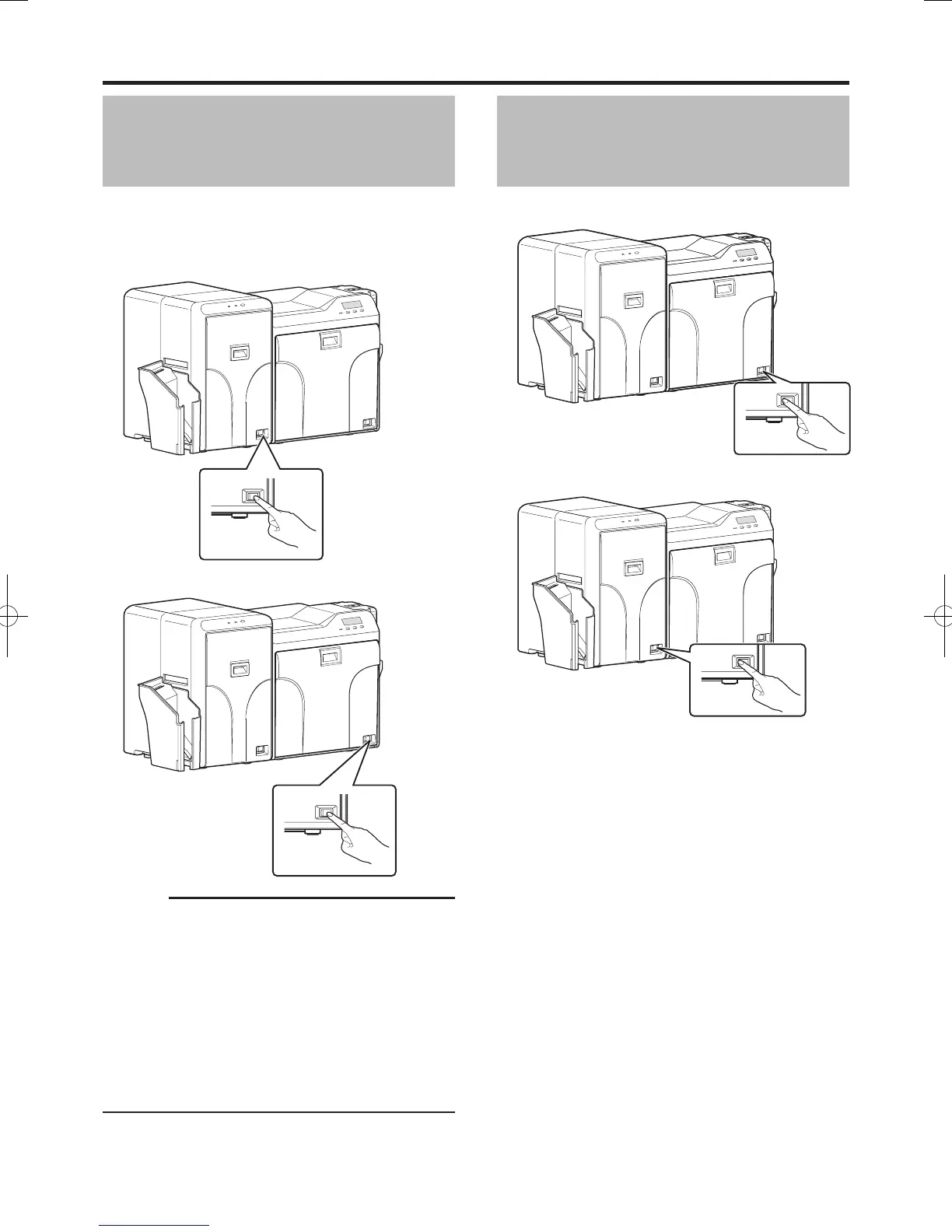
Turning On the Power
1
Check to ensure that the card printer and laminator
are properly connected
2
Turn on the power of the laminator
3
Turn on the power of the card printer
Cautions:
Turn on the power for the laminator first. If the power for
the card printer is turned on first, the card printer may not
recognize the laminator.
Do not interrupt the laminator when laminating is in
progress. Doing so may cause cards to adhere to the
interior of the laminator, thus causing it to malfunction.
Make sure to observe the following.
Do not open the laminator door
Do not turn off the power
Do not unplug the power cord
Check the laminator settings before printing.
●
●
●
●
●
●
Turning Off the Power
1
Turn off the power of the card printer
2
Turn off the power of the laminator
Turn on the power again only after both LED displays of
the laminator have been turned off.
●


 To Next Page