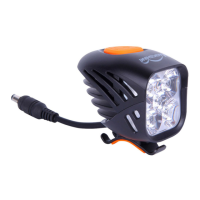
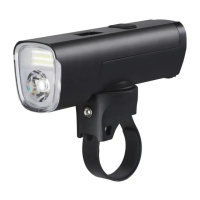
The device described in the manual is the ALLTY 1500S by Magicshine, a lighting system primarily designed for bicycles, featuring a headlight and remote control.
Function Description:
The ALLTY 1500S is a versatile bike light offering various lighting modes and smart features. It functions as a headlight with adjustable brightness and different flash modes. A key feature is its smart mode, which automatically adjusts the main light based on ambient light conditions: the Daytime Running Light (DRL) is always on during the day while the main light is off, and both the DRL and main light illuminate at night. The device also includes a "Sleep Mode" that activates after 5 minutes of inactivity and reactivates upon detecting vibrations, helping to conserve battery. For user convenience, it can be controlled via a dedicated remote control or through a smartphone application (APP), allowing for customized lighting modes and settings. The light unit also has a lockout mode to prevent accidental activation during transport or storage.
Important Technical Specifications:
- Model: ALLTY 1500S
- Light Output:
- Constant Mode:
- LOW: 300LM (12H runtime)
- MEDIUM: 750LM (10H runtime)
- HIGH: 1500LM (3.5H runtime)
- Flash Mode:
- SLOW FLASH: 500~0LM (10.5H runtime)
- QUICK FLASH: 500~0LM (31H runtime)
- Battery Indicator: Displays remaining battery percentage (0%-100%) in 5 equal parts on an OLED screen. A click on the switch displays the percentage for 2 seconds.
- Charging: Standard charging time is approximately 3 hours (5V, 2A). The OLED screen displays a dynamic charging icon and power percentage during charging. When fully charged, it shows a static 100% power icon for 3 minutes. The light can operate during charging, but it's recommended not to use it to extend battery life.
- Remote Control: MJ-6508 remote control (included).
- Connectivity: Bluetooth for APP connection.
- Sensors: Light sensor and vibration sensor (can be enabled/disabled via APP).
Usage Features:
- Installation: Designed for handlebar mounting. The manual provides clear steps for installation and battery removal.
- Headlight Button Instructions:
- Lockout/Unlock: Press and hold the switch for 3 seconds when off to enter lockout mode. In lockout mode, a click displays a "LOCKOUT" icon for 3 seconds. To unlock, press and hold for 3 seconds again or charge the light.
- ON/OFF: Press and hold the switch. The default output is the last mode used.
- Adjust Brightness: Click the switch when on to cycle through LOW→MEDIUM→HIGH in constant mode, or SLOW FLASH→QUICK FLASH in flash mode.
- Change Mode: Double click the switch to toggle between constant and flash modes.
- Smart Mode: DRL always on during the day, main light off. Both DRL and main light on at night. This mode is off by default and can be activated via the APP. The OLED screen displays a smart mode icon when the light sensor is on in factory default mode.
- Sleep Mode: Enters sleep mode after 5 minutes of inaction, reactivates on vibration. Off by default, activated via APP.
- Low Power Mode: Automatically switches to LOW mode when battery is below 10% and cannot be adjusted. Requires charging.
- Remote Control Instructions:
- Pairing: Turn on the light, press and hold "O" and "□" buttons on the remote for ~10 seconds until the indicator flashes blue. Then, bring the remote close to the light button until a "⇌" icon appears on the OLED screen for 2 seconds and the remote's indicator is constantly blue for 2 seconds.
- Operation:
- ON/OFF: Press and hold "O" or "□" for 1 second.
- Adjust Brightness: Click "O" button.
- Change Mode: Double click "O" button.
- Full Output Mode (1500LM): Click "□" button. Click "O" or "□" to return to previous mode.
- Check Battery Level: Click "O" or "□" button.
- In lockout mode, pressing "O" or "□" displays the LOCKOUT icon, and the light will not turn on.
- APP Connection and Settings:
- Connection: iOS users scan a QR code; Android users download the APP from the Magicshine website. Turn on Bluetooth, open the APP, click "Add New Devices," find "M1-B3," click "Add," then "Connect the device."
- Settings: Customize "Constant mode," "SOS," "Slow flash," and "Quick flash" with corresponding brightness levels. Supports up to 20 customized modes. Deleting all customized modes in the APP reverts the light to factory default.
Maintenance Features:
- Battery Life: To extend battery life, it is recommended not to use the light while charging.
- Warranty: The Magicshine lighting system has a 24-month warranty from the date of purchase. Registering on the Magicshine website provides an additional 6-month bonus warranty. Battery packs and AC adapters have a 6-month warranty, but no bonus warranty is available for these components. The warranty covers material and workmanship defects, provided parts have not been tampered with and there is no intentional damage. Proof of purchase is required for any claim.

 Need help?
 General


 To Next Page