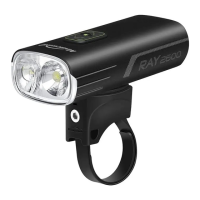
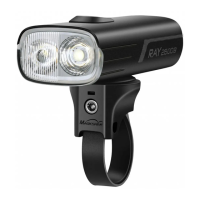
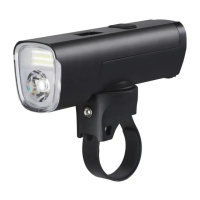
The Magicshine RAY 1600B/2600B is a versatile bicycle headlight designed to provide illumination and enhance safety for cyclists. This device offers a range of lighting modes and smart features, making it suitable for various riding conditions, from daytime visibility to nighttime adventures.
Function Description
The primary function of the RAY 1600B/2600B is to provide powerful and adaptable lighting for bicycles. It features both floodlight and hybrid modes, allowing users to choose between a wide, even beam for general visibility or a combination of flood and spot lighting for more focused illumination. The device also includes flash modes, such as Day Flash and Night Flash, which are crucial for increasing a cyclist's visibility to others, especially in traffic or low-light conditions. The light is equipped with intelligent sensors, including a brightness sensor and a vibration sensor, to automate its operation and conserve battery life. It can be controlled directly via a button on the headlight or remotely using an MJ-6508 remote control, offering convenience and flexibility during rides. Furthermore, the RAY 1600B/2600B is designed to connect with a smartphone application, enabling advanced customization of lighting modes and settings.
Usage Features
The RAY 1600B/2600B offers a user-friendly experience with multiple ways to control and customize its operation.
Installation:
The light unit is designed for easy installation on a handlebar using the provided handlebar mount. The process involves securing the mount to the handlebar, then attaching the light unit to the mount. A 3mm hex key is included for tightening the mount securely.
- ON/OFF: Press and hold the button to turn the light on or off. The light will default to the last mode used when turned off.
- ADJUST BRIGHTNESS: Click the button to increase brightness. Click the button again to decrease brightness.
- CHANGE MODE: Double-click the button to switch between floodlight mode and hybrid mode.
- LOCKOUT: When the light is off, press and hold the button for 3 seconds to enter lockout mode. In this mode, the light will not illuminate, and the indicator will flash red quickly, preventing accidental activation during transport or storage.
- UNLOCK: To exit lockout mode, press and hold the button for 3 seconds.
Remote Control Pairing and Operation:
The MJ-6508 remote control provides an additional layer of convenience.
- Pairing: Before first use, remove the insulating spacer from the remote's battery compartment. To pair, turn on the light, then press and hold the "O" and "□" buttons on the remote for approximately 10 seconds until the indicator flashes blue. Bring the remote close to the light unit until both the remote and light indicators show a constant blue light for 2 seconds, confirming successful pairing.
- ON/OFF: Press and hold the "O" or "□" button on the remote for 1 second.
- ADJUST BRIGHTNESS: Click the "O" button.
- CHANGE MODE: Double-click the "O" button.
- FLASH MODE: Double-click the "□" button.
- FULL OUTPUT MODE (1600LM/2600LM): Click the "□" button to enter full output mode. Click the "O" or "□" button to return to the previous mode.
- Sleep Mode: The remote control will enter sleep mode if the light is turned off for 48 hours without operation. To reactivate, click the light's button or long-press it to turn it on, and the remote will function normally.
Smart Sensor Features:
- Vibration Sensor: This sensor automatically turns off the light after 2 minutes of inactivity and turns it back on upon detecting any vibrations. If no vibration is detected for 30 minutes, the light will turn off completely. This feature is off by default and can be activated via the smartphone app.
- Brightness Sensor: During the daytime, the light will automatically switch to a low brightness setting in floodlight mode. At nighttime, it will revert to the brightness level it was set to when turned on. This sensor is also off by default and can be activated through the app.
Smartphone App Connectivity:
The RAY 1600B/2600B can be connected to a dedicated smartphone app for enhanced control and customization.
- Connection: iOS users can scan the QR code in the manual, while Android users can download the app from the Magicshine website. Once installed, turn on Bluetooth on your smartphone, open the app, click "Add New Devices," find "M2-B3," and then click "Add" and "Connect the device."
- App Settings: The app allows users to customize various lighting modes. By clicking "Add" at the bottom of the "Device Settings" interface, users can modify "Constant mode," "SOS," "Slow flash," and "Quick flash," along with their corresponding brightness levels. Up to 20 customized modes are supported. Deleting all customized modes in the app will restore the light to its factory default settings.
Battery Indicator:
- Headlight: When the light is off, a single click of the power button will display the remaining battery level for 3 seconds. A constant green light indicates 21%-100% charge, constant red indicates 11%-20%, and flashing red indicates 0%-10%. During charging, the indicator flashes red, and it turns constant green when fully charged.
- Remote Control: Pressing the "O" or "□" button on the remote will display the light unit's battery level: green for 100%-21%, red for 20%-11%, and flashing red for 10%-1%.
Maintenance Features
The RAY 1600B/2600B is designed for durability and ease of use, with minimal specific maintenance instructions beyond general care.
- Battery Management: The device uses a rechargeable battery, and its charging status is clearly indicated. Proper charging practices, as indicated by the flashing red (charging) and constant green (fully charged) lights, help maintain battery health.
- Lockout Mode: The lockout mode is a key maintenance feature for preventing accidental discharge or damage during transport or storage. By engaging this mode, users ensure the light remains off, preserving battery life and preventing unintended operation.
- Cleaning: While not explicitly detailed, general care for electronic devices applies. Keeping the light unit clean from dirt and debris, especially around the lens and button, will ensure optimal performance and longevity.
- Warranty: Magicshine offers a 24-month warranty on the lighting system, with an additional 6-month bonus warranty if the product is registered on their website. This warranty covers defects in material and workmanship, provided the parts have not been tampered with or intentionally damaged. This highlights the manufacturer's commitment to product quality and provides a framework for addressing potential issues. Users are advised to keep their proof of purchase and contact the retailer or Magicshine directly for warranty claims.

 Need help?
 General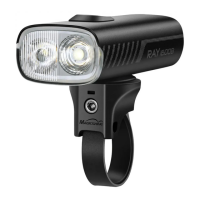



 To Next Page