EasyManua.ls Logo

Magicshine RAY 2600 - User Manual

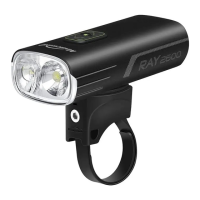
Magicshine RAY 2600
2 pages
Print Icon
To Next Page IconTo Next Page
Loading...
ACCESSORY/STRUCTURE
HOW TO INSTALL
BATTERY INDICATOR
When the device is power-on, the power button light will indicatethe battery level.
When the device is power-off, short press the power button to activate the indicator light
(light will shut down automatically after 2 seconds).
PHONE CHARGING INSTRUCTION
*External charging cable needs to be purchased additionally
To prevent potential damage from high heat or even fire, it is very important to put the bicycle
light in lock mode and protect the switch from being pressed.
MAGICSHINE will not be held responsible for damages to person or property resulting from a
failure to follow the 'lock' mode instructions.
To lock -
When the light is off, press and hold the power button down for 5 seconds until the indicator
light flashes red.
To unlock -
When the light is locked, press and hold down the power button for 5 seconds until the
indicator light constant red.
MODE MEMORY FUNCTION : When you turn the light on, it lights up in the last lighting
mode you used.
MODE SELECTION : In standby mode, press the up/down button at the same time to enter
mode selection. Press the up button to select smart mode(constant blue) or press the down
button to select normal mode(flash blue).
Press the up/down button at the same time to confirm the selection mode.
SMART MODE-LIGHT SENSOR : The light sensor monitors ambient light to adjust light
output accordingly. During daytime, light's output automatically switches to dual beam with
40lumens.When entering a tunnel or shortly after sun down, light's output automatically
switches to original setting within seconds.
SMART MODE-VIBRATION SENSOR : An integrated vibration sensor detects the end of a ride
and automatically turns off the light after 3 minutes. Any further movement will turn the light
back on.
Hold 1s power button to turn on/off
SWITCHING THE LIGHTING MODE
LOCK MODE
RAY 2600 USER MANUAL
3mm HexType-C USB CableAero bar compatible strap
Gopro mount
1
4
2
3
5
RED
11%-20%
FLASH RED
0%-10%
GREEN
21%-100%
HOW TO RECHARGE
Charging
FLASH RED
Fully charged
GREEN
Standard charging time
Approx.2.5hrs (18W)
RAY 2600 Remote control Handlebar mount
1 x click 1 x click 1 x click
1 x click
1 x click
1 x click 1 x click
Long press to power on/off
Double-click
Double-clickDouble-clickDouble-click
Question and Answer IconNeed help?

Do you have a question about the Magicshine RAY 2600 and is the answer not in the manual?

Summary

How to Recharge

Phone Charging Instruction

External charging cable needs to be purchased additionally.

Lock Mode

To Lock

When the light is off, press and hold the power button down for 5 seconds until the indicator light flashes red.

To Unlock

When the light is locked, press and hold down the power button for 5 seconds until the indicator light constant red.

Switching Lighting Modes

Mode Memory Function

When you turn the light on, it lights up in the last lighting mode you used.

Mode Selection

In standby mode, press the up/down button at the same time to enter mode selection.

Smart Mode - Light Sensor

The light sensor monitors ambient light to adjust light output accordingly.

Smart Mode - Vibration Sensor

An integrated vibration sensor detects the end of a ride and automatically turns off the light after 3 minutes.

Warranty Information

Standard Warranty

The Magicshine lighting system is warrantied for 24 months from the date of purchase.

Bonus Warranty

Register on the website to receive a bonus 6 month warranty.

Battery Pack and AC Adapter Warranty

Battery packs and AC adapters have a 6 month warranty, with no bonus.

Warranty Limitations

Limited to defects in material and workmanship on the lighting system, battery pack, and AC adapter.

Warranty Validity and Claims

Valid if parts not tampered with; contact retailer for claims.

Overview

The Magicshine RAY 2600 is a high-performance bicycle light designed for various cycling conditions, offering advanced lighting modes, robust construction, and convenient features for users.

Function Description

The RAY 2600 serves as a primary bicycle light, providing illumination for cycling in diverse environments, from daytime visibility to nighttime trails. It features multiple lighting modes, including ECO, LOW, MID, and HIGH, with varying lumen outputs and run times. A key feature is its "Smart Mode," which integrates both a light sensor and a vibration sensor to optimize light output and battery life. The light sensor automatically adjusts brightness based on ambient light conditions, while the vibration sensor detects the end of a ride to automatically turn off the light after 3 minutes of inactivity, turning it back on with further movement.

Beyond illumination, the RAY 2600 also functions as a power bank, allowing users to charge external devices like smartphones via its Type-C USB port. This dual functionality makes it a versatile accessory for cyclists on longer rides.

Important Technical Specifications

The RAY 2600 boasts impressive specifications compliant with ANSI FL 1 Standard:

  • Light Output: Up to 2600 Lumens, providing powerful illumination.
  • Beam Distance: 183 meters, ensuring a wide and far-reaching beam.
  • Peak Beam Intensity: 8400 candela (cd), indicating a concentrated and bright hotspot.
  • Impact Resistance: Rated for 1 meter, suggesting durability against drops.
  • Waterproof Rating: IPX6, meaning it is protected against powerful water jets, suitable for use in various weather conditions.
  • Battery: The manual indicates a standard charging time of approximately 2.5 hours with an 18W charger. The battery level is indicated by the power button light: Flash Red (0%-10%), Red (11%-20%), and Green (21%-100%).
  • Run Time:
    • Single Beam (170-1300 Lumens): Ranging from 22 hours 56 minutes (ECO) to 2 hours 12 minutes (HIGH).
    • Single Beam (330-1300 Lumens): Ranging from 22 hours 56 minutes (ECO) to 2 hours 12 minutes (HIGH).
    • Dual Beam (330-2600 Lumens): Ranging from 11 hours 34 minutes (ECO) to 1 hour 34 minutes (HIGH).
    • Dual Beam (330 Lumens): Constant 330 Lumens with unspecified run time.

Usage Features

The RAY 2600 is designed for intuitive and flexible use:

  • Mounting Options: It comes with various accessories for versatile mounting, including a handlebar mount, GoPro mount, and an aero bar compatible strap. Optional accessories like a helmet mount and TTA front mount are also available.
  • Operation:
    • Power On/Off: Hold the power button for 1 second.
    • Mode Selection: In standby mode, press the up/down buttons simultaneously to enter mode selection. Press the up button for Smart Mode (constant blue) or the down button for Normal Mode (flash blue), then press both buttons simultaneously to confirm.
    • Lighting Mode Cycling: Once a mode (Smart or Normal) is selected, single clicks of the up/down buttons cycle through the brightness levels.
    • Memory Function: The light remembers the last used lighting mode and turns on in that mode.
  • Smart Mode Functionality:
    • Light Sensor: During the daytime, output automatically switches to a dual beam with 40 lumens. When entering a tunnel or after sundown, output automatically switches to the original setting within seconds.
    • Vibration Sensor: Detects the end of a ride and automatically turns off the light after 3 minutes. Any further movement will turn the light back on.
  • Lock Mode: To prevent accidental activation and potential damage from heat, the light can be locked. When the light is off, press and hold the power button for 5 seconds until the indicator light flashes red to lock. To unlock, press and hold the power button for 5 seconds until the indicator light shows a constant red.
  • Phone Charging: The device can charge external devices. An external charging cable needs to be purchased separately.

Maintenance Features

  • Battery Indicator: The power button light serves as a battery indicator. When the device is powered on, it shows the current battery level. When powered off, a short press of the power button activates the indicator for 2 seconds.
  • Warranty: The Magicshine lighting system is warrantied for 24 months from the date of purchase. Registering the system on the Magicshine website provides a bonus 6-month warranty. Battery packs and AC adapters have a 6-month warranty without the bonus. The warranty covers defects in material and workmanship, provided parts have not been tampered with and there is no intentional damage. Proof of purchase is required for claims.
  • Safety Warning: Users are advised not to cover the light screen when the power is on to prevent overheating.

Magicshine RAY 2600 Specifications

General IconGeneral
BrandMagicshine
ModelRAY 2600
CategoryBicycle Accessories
LanguageEnglish

Related product manuals