EasyManua.ls Logo

Magmaweld ID 65 P - User Manual

Magmaweld ID 65 P
116 pages
Print Icon
To Next Page IconTo Next Page
Loading...
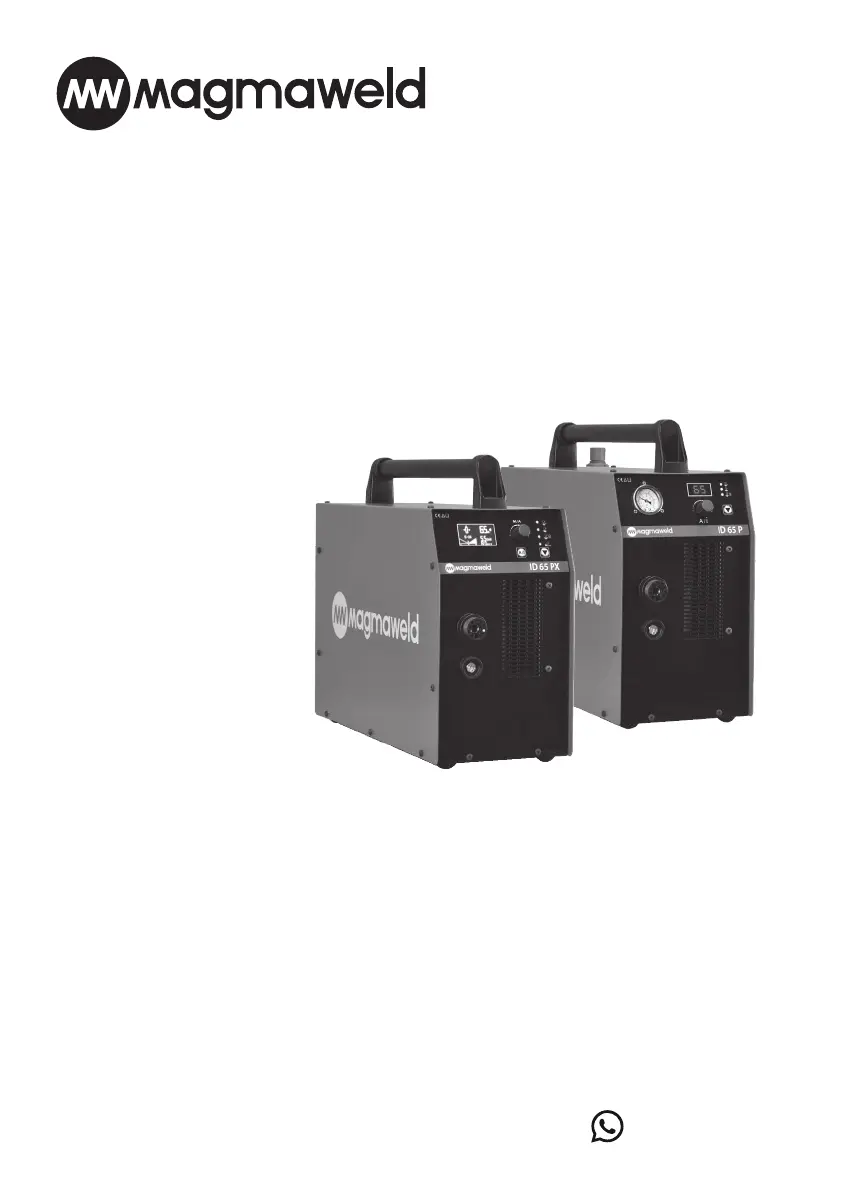
ID 65 PX
ID 65 P
(+90) 444 93 53
magmaweld.com
info@magmaweld.com
(+90) 538 927 12 62
USER MANUAL

Table of Contents

Questions and Answers

  • M
    Mark JohnstonAug 5, 2025
    How to troubleshoot a Magmaweld ID 65 P Welding System that is not operating?
    • K
      kterryAug 6, 2025
      If your Magmaweld Welding System isn't operating, start by ensuring it's properly connected to a power source. Then, check the mains supply fuses, the mains cable, and the plug for any damage. Verify the on/off switch is functioning correctly. Incorrect grid connections can also prevent operation, so ensure these are properly configured.
  • M
    morgan80Aug 16, 2025
    What to do if Magmaweld ID 65 P is working but not cutting?
    • E
      Emily HamiltonAug 17, 2025
      If your Magmaweld Welding System is working but not cutting, consider these potential issues: * Ensure the grounding pliers are securely attached to both the workpiece and the machine, cleaning the contact area if necessary. * Verify that the air pressure and flow are suitable, with dry and clean air. * Confirm the mains voltage is appropriate for the machine. * Check the torch and consumables for wear or damage, replacing them if needed. * Make sure the workpiece surface is clean and unpainted, and that the torch is at the correct distance.
  • J
    jjohnsonAug 26, 2025
    Why is my Magmaweld Welding System working, but not cutting well?
    • G
      Gerald SparksAug 27, 2025
      If your Magmaweld Welding System is working but the cut quality is poor, try the following: 1. Check the air pressure and quality, ensuring proper flow, dryness, and cleanliness. 2. Inspect the torch and consumables for wear or damage, replacing if necessary. Also, confirm they are correctly selected and installed. 3. Verify that the correct cut mode is selected. 4. Ensure the amperage is appropriate for the material's thickness and type. 5. Adjust the cutting speed and thickness to suit the machine's capabilities. 6. Correct the torch height and angle relative to the workpiece. 7. Confirm the cutting direction is correct.

Summary

Safety Precautions

General Safety Information and Symbols

Explains safety symbols and general precautions for safe operation.

Electrical Safety Precautions

Details precautions against electric shocks, including proper grounding and insulation.

Physical Hazard Warnings

Covers risks from moving parts, hot surfaces, arc light, sparks, noise, and fire hazards.

Health and Environmental Safety

Addresses inhalation of fumes, gases, and proper waste disposal.

Transport and Handling Safety

Guidelines for safe movement and positioning of the machine to prevent accidents.

Electromagnetic Compatibility (EMC;EMF)

Information on managing electromagnetic interference and fields during operation.

Technical Information

General Information

Overview of ID 65 PX/P plasma cutting machines and their features.

Machine Components Identification

Identifies and describes the front and back panel components of the machines.

Product Label Details

Explains the information found on the machine's product label, including specifications.

Technical Specifications

Lists detailed technical specifications for the ID 65 PX and ID 65 P models.

Standard Accessories List

Details the standard accessories included with the machines and their product codes.

Installation

Delivery Control and Inspection

Instructions for checking received materials and reporting damages.

Installation and Operation Recommendations

Guidance on proper placement, environment, and operating conditions for the machine.

Power Connection Procedures

Steps and safety precautions for connecting the machine to the power supply.

Plasma Cutting Connections

Detailed instructions for gas, grounding, and torch connections.

Torch Consumables Installation

Guidance on preparing and installing torch consumables in the correct order.

Remote Control and Automation Setup

Information on connecting and using the remote control for automated operations.

Operation

User Interface and Controls

Covers the digital display, cutting modes, adjustment pot, and indicator functions.

Torch Usage and Safety

Provides guidance on correct torch operation and essential safety measures during cutting.

Maintenance and Service

Routine Maintenance Schedule

Daily and periodic checks and replacements for consumables and general condition.

Troubleshooting Common Issues

Identifies common machine failures and provides solutions.

Understanding Error Codes

Lists specific error codes, their causes, and recommended solutions.

Annex

Automation Connection Diagram

Illustrates the wiring connections for automated plasma cutting systems.

Torch Consumables and Spare Parts

Lists and identifies consumable parts for manual plasma torches.

Machine Spare Parts List

Provides a comprehensive list of spare parts for the ID 65 PX and ID 65 P machines.

Technical Diagrams

Block Diagrams

Visual representation of the machine's functional blocks and their interconnections.

Circuit and Connection Diagrams

Detailed electrical schematics and wiring diagrams for the machine.

Authorized Services

Central Service Contact Information

Contact details and location for the main service center.

Finding Authorized Service Providers

Information on how to find an updated list of authorized service providers.

Magmaweld ID 65 P Specifications

General IconGeneral
BrandMagmaweld
ModelID 65 P
CategoryWelding System
LanguageEnglish

Related product manuals