EasyManua.ls Logo

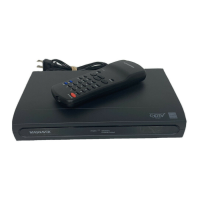
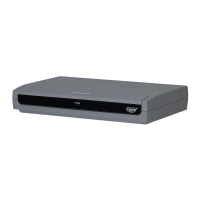
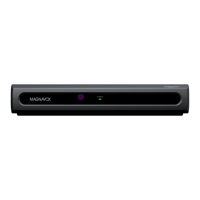
Magnavox TB110MW9 - User Manual

Magnavox TB110MW9
32 pages
Print Icon
To Next Page IconTo Next Page
Loading...
Owner's Manual
TB110MW9
DTV Digital to Analog Converter
(Set Top Box)
© 2008 Funai Electric Co., Ltd.
THANK YOU FOR CHOOSING MAGNAVOX.
NEED HELP FAST?
READ YOUR OWNER'S MANUAL FIRST FOR QUICK TIPS
THAT MAKE USING YOUR MAGNAVOX PRODUCT MORE ENJOYABLE.
IF YOU HAVE READ YOUR INSTRUCTIONS AND STILL NEED ASSISTANCE,
YOU MAY ACCESS OUR ONLINE HELP AT HTTP://WWW.FUNAI-CORP.COM
OR CALL 1-800-605-8610 WHILE WITH YOUR PRODUCT.
INSTRUCCIONES EN ESPAÑOL INCLUIDAS.
X6043UD_TB110MW.indd 1X6043UD_TB110MW.indd 1 2008/05/29 14:28:252008/05/29 14:28:25

Questions and Answers

  • I
    igreenAug 14, 2025
    Why is there no audio or picture on my Magnavox TB110MW9?
    • J
      Joshua RileyAug 14, 2025
      If you're experiencing a lack of audio or picture on your Magnavox TV Converter Box, ensure the audio/video cables are correctly connected and undamaged. Also, verify that your TV is turned on and set to the correct viewing channel (ch3 or external input channel). Finally, confirm that the “RF OUT” setting is correct.
  • M
    Melanie SandersAug 17, 2025
    What to do if there is no reception on Magnavox TV Converter Box?
    • J
      Jordan GilbertAug 17, 2025
      If you're not getting any reception on your Magnavox TV Converter Box, be sure to complete the autoscan in the “SETUP WIZARD” or “SETUP” menu. Failing to do so may prevent some channels from being received. Also, the selected channel may not exist at that time, as not all sub-channels are always being broadcast. Keep in mind that channels with weak signals may not be received properly, and this isn't a malfunction.
  • J
    Justin RamseyAug 20, 2025
    Why is my Magnavox TB110MW9 TV Converter Box not responding to the remote?
    • J
      johnsonjasonAug 20, 2025
      If your Magnavox TV Converter Box (STB) isn't responding to the remote control, ensure you're pointing the remote directly at the remote control sensor and that you're not too far away. Remove any obstructions between the remote and the sensor. Also, check that the batteries are correctly installed (+ and –) and are not depleted; replace them if necessary.
  • J
    james10Aug 25, 2025
    How to troubleshoot no power on Magnavox TV Converter Box?
    • K
      Kara RoseAug 25, 2025
      If your Magnavox TV Converter Box has no power, make sure that the AC power cord is securely plugged into the power outlet.
  • R
    redwardsAug 27, 2025
    What causes blocked noise on picture with Magnavox TB110MW9 TV Converter Box?
    • C
      Claudia WaltersAug 27, 2025
      If you're seeing blocked noise on the picture with your Magnavox TV Converter Box, make sure that the RF cable is connected correctly.
  • L
    Linda SmithAug 30, 2025
    How to fix no EPG or wrong information on Magnavox TV Converter Box?
    • J
      Joel CrawfordAug 30, 2025
      If the EPG (Electronic Program Guide) on your Magnavox TV Converter Box is missing or incorrect, make sure that “D.S.T” (Daylight Saving Time) and “TIME ZONE” are set correctly.
  • P
    Peter BallSep 3, 2025
    How to increase low volume on Magnavox TB110MW9 TV Converter Box?
    • R
      Rebecca ThomasSep 3, 2025
      If you're experiencing low volume with your Magnavox TV Converter Box, the sound volume differs depending on the audio out setting. Select “RF OUT” at step 5 in the “Initial Setup (Setup Wizard)”.
  • E
    Evelyn Lin DDSSep 6, 2025
    What to do if closed captioning won't turn off on Magnavox TB110MW9 TV Converter Box?
    • P
      Phillip PriceSep 6, 2025
      If closed captioning (TEXT mode) doesn't turn off after changing channels on your Magnavox TV Converter Box, try changing the channel on your TV. If that doesn't work, turn the TV off and then on again.
  • B
    Brett DaughertySep 10, 2025
    Why does the TV screen go blank after turning on Magnavox TB110MW9 TV Converter Box?
    • F
      ffowlerSep 10, 2025
      The TV screen going blank briefly after turning on the Magnavox TV Converter Box (STB) is a normal part of the start-up process and isn't a malfunction.

Summary

Before Using

Important Safeguards

Detailed safety instructions for operating the appliance.

Precautions

Guidelines for safe operation, avoiding hazards, and environmental considerations.

Overview

General introduction to the product, including connections and setup.

Connections

Instructions for connecting the STB to various devices like TVs and cable boxes.

Initial Setup (Setup Wizard)

Step-by-step guide for the initial configuration of the STB.

Basic Operation

How to use the STB for everyday functions like channel selection and audio.

Channel Banner and EPG

Displaying channel information and accessing the program guide.

Advanced Operation

Autoscan and Channel Management

Scanning for channels and managing the channel list.

Antenna and Display Settings

Adjusting antenna reception and display modes for optimal viewing.

Time Zone and V-Chip Settings

Configuring time zone, DST, and parental control settings.

Closed Caption Options

Customizing settings for displaying closed captions on screen.

Auto Power Down

Setting the STB to automatically shut off after a period of inactivity.

Analog TV Viewing

Instructions for viewing analog TV channels through the STB.

Others

Troubleshooting

Solutions for common problems encountered with the STB.

Specifications

Technical details and physical characteristics of the STB.

Limited Warranty

Magnavox TB110MW9 Specifications

General IconGeneral
TypeDigital TV Converter Box
InputRF Antenna Input
OutputComposite Video
FeaturesParental Controls
Power SupplyAC 120V, 60Hz
Output Video Format480i
Tuner TypeATSC
Remote ControlIncluded
TunerDigital

Related product manuals