EasyManua.ls Logo

Magnavox TB100MW9 - User Manual

Magnavox TB100MW9
32 pages
Print Icon
To Next Page IconTo Next Page
Loading...
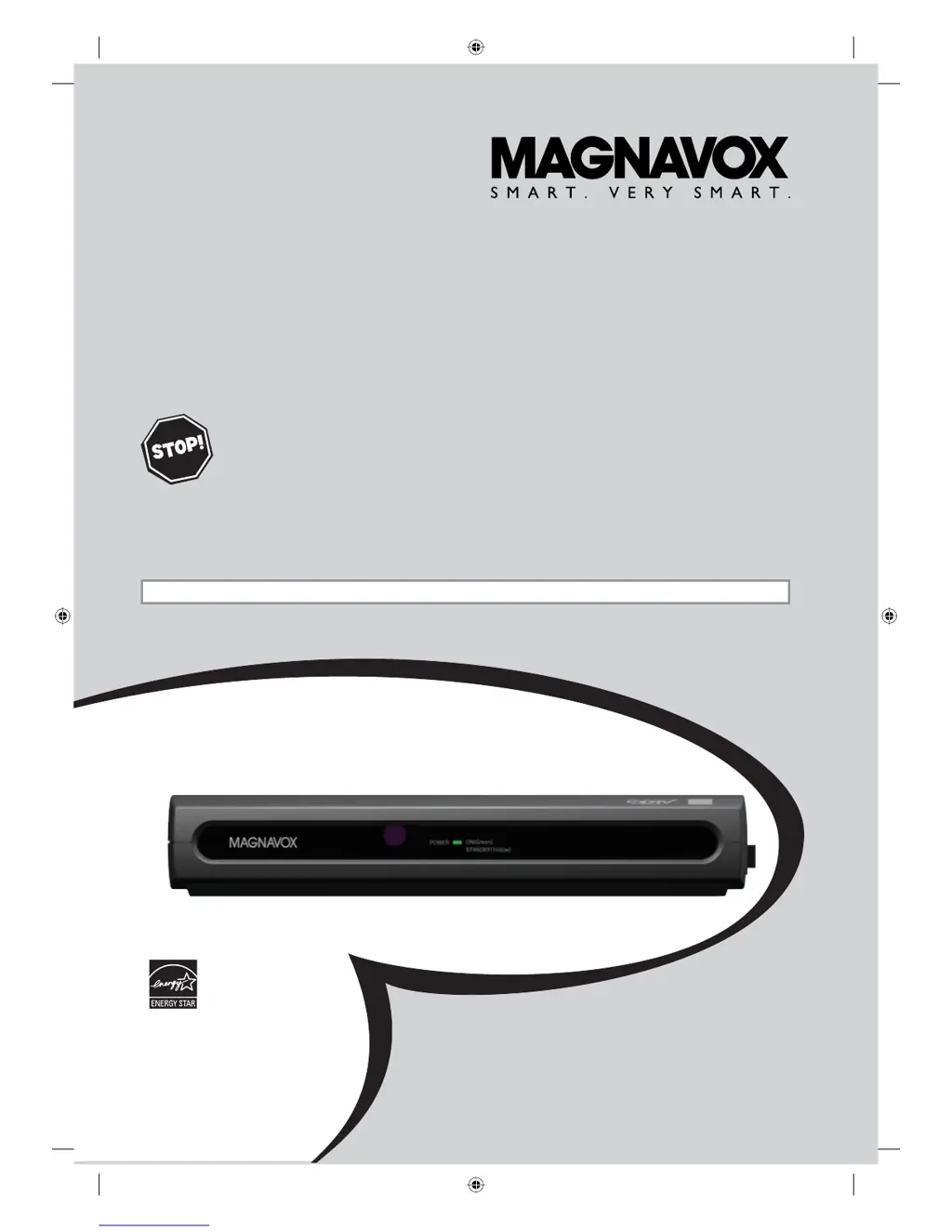
Owner's Manual
TB100MW9
DTV Digital to Analog Converter
(Set Top Box)
THANK YOU FOR CHOOSING MAGNAVOX.
N
EED HELP FAST?
READ YOUR QUICK GUIDE AND/OR OWNER'S MANUAL FIRST FOR QUICK TIPS
THAT MAKE USING YOUR MAGNAVOX PRODUCT MORE ENJOYABLE.
IF YOU HAVE READ YOUR INSTRUCTIONS AND STILL NEED ASSISTANCE,
YOU MAY ACCESS OUR ONLINE HELP AT HTTP://WWW.FUNAI-CORP.COM
OR CALL 1-800-605-8610 WHILE WITH YOUR PRODUCT.
INSTRUCCIONES EN ESPAÑOL INCLUIDAS.
© 2007 Funai Electric Co., Ltd.
X6040UD_Book.indb 1X6040UD_Book.indb 1 10/22/2007 5:08:52 PM10/22/2007 5:08:52 PM

Questions and Answers

  • J
    Joshua MartinSep 8, 2025
    How to solve no reception issue on Magnavox Set-top boxes?
    • A
      ayersnicholasSep 8, 2025
      If you're experiencing a 'no reception' issue on your Magnavox Set-top boxes, make sure to complete autoscan in the “SETUP WIZARD” or in the “SETUP” menu. This is required when setting up the STB for the first time or when it's moved to a new location. Also, the selected channel may not exist at that time, as sub-channels are not always being broadcast. Remember that if autoscan is interrupted, some channels won't be received.
  • B
    Brad OconnorAug 23, 2025
    What to do if there is no audio or picture on my Magnavox TB100MW9?
    • L
      Laura ParksAug 23, 2025
      If your Magnavox TV Converter Box displays no audio or picture, ensure the audio/video cables are correctly connected and undamaged. Also, verify that your TV is on and set to the correct viewing channel (ch3 or external input channel).
  • D
    Danielle MillerAug 25, 2025
    Why is my Magnavox TB100MW9 remote not working?
    • R
      Robin AyalaAug 25, 2025
      If your Magnavox TV Converter Box is not responding to the remote control, ensure you're pointing the remote at the sensor and are close enough to the STB. Remove any obstructions between the remote and the sensor. Check that the batteries are correctly installed (+ and -) and replace them if depleted.
  • A
    Alexandria EvansAug 26, 2025
    How to fix a Magnavox TB100MW9 TV Converter Box with no power?
    • S
      Sarah SloanAug 27, 2025
      If your Magnavox TV Converter Box has no power, make sure the AC power cord is securely plugged into the power outlet and that the STB’s main power is on.
  • P
    Paige GravesAug 27, 2025
    Why is the volume so low on my Magnavox TB100MW9?
    • N
      Nicole Howe DDSAug 28, 2025
      If you are experiencing low volume on your Magnavox TV Converter Box, select “RF OUT” at step 6 in the “Initial Setup (Setup Wizard)”. Also, make sure to complete autoscan in “SETUP WIZARD” or in “SETUP” menu. Note that the selected channel may not exist at that time or some channels with a weak signal may not be received properly.
  • B
    Brenda PerezSep 22, 2025
    Why does the screen go blank after turning on my Magnavox Set-top boxes?
    • R
      Robert MaynardSep 22, 2025
      If the screen goes blank just after turning on your Magnavox Set-top boxes, this is a normal part of the start-up process and is not a malfunction.
  • S
    sleeSep 16, 2025
    What to do if closed captioning won't turn off on Magnavox Set-top boxes?
    • R
      Rachel OlsonSep 16, 2025
      If closed captioning (TEXT mode) doesn't turn off even after changing channels on your Magnavox Set-top boxes, try changing the TV setting to a mode other than VIDEO. Alternatively, change channels through the TV or turn the TV off and then on again.
  • B
    Beth SolisSep 18, 2025
    Why can't my Magnavox Set-top boxes receive channels with weak signal during autoscan?
    • S
      smithkathleenSep 18, 2025
      Some channels with a weak signal may not be received properly by your Magnavox Set-top boxes during autoscan. This is not a malfunction.
  • M
    martinbrianSep 7, 2025
    How to troubleshoot Magnavox Set-top boxes with no power?
    • T
      Tiffany AllisonSep 7, 2025
      If your Magnavox Set-top boxes has no power, ensure that the AC power cord is securely plugged into the power outlet and that the POWER indicator is lit.
  • M
    micheal42Sep 4, 2025
    How to fix no sound on Magnavox Set-top boxes?
    • M
      Matthew RamirezSep 4, 2025
      If you're not getting any sound from your Magnavox Set-top boxes, verify that the audio cable is correctly connected and that your audio devices (stereo, TV, or decoder) are turned on. Also, ensure these devices are correctly set to the STB audio output channel. If your TV has only one audio input jack, use a standard audio cable (white) to connect the audio output jack (white) on the STB to the audio input jack on the TV.

Summary

Important Safeguards

Location and Precautions

Regulatory Information

Digital Broadcasting Overview

STB Major Features

Location of Controls

Remote Control

Detailed explanation of remote control buttons and functions.

STB Panel Descriptions

Descriptions of the STB's front and rear panel controls and connections.

Accessories and Battery Installation

Connecting an Antenna

Connecting to Cable Box

Connecting to TV

STB Connection to Stereo System

Connecting to Video Devices

Initial Setup Wizard

Setup Wizard Steps

Setting language, audio output, time zone, DST, and display mode.

Automatic Channel Scan (AUTOSCAN)

Channel Selection and Banner

Audio Language, Picture Still, and EPG

Channel Management: Adding;Deleting

Antenna Adjustment and Autoscan

Display Mode Selection

Time Zone and Display Information

V-Chip Parental Controls

MPAA Rating System

Explains the MPAA rating system for movie classification.

TV Ratings and Password Management

Closed Captioning Options

CC Style Editing and Auto Power Down

Troubleshooting

Power, Remote, and Picture Issues

Diagnosing and fixing power, remote control, and no picture problems.

Sound and Reception Problems

Troubleshooting sound output and signal reception issues.

Channel and EPG Issues

Resolving channel scan, automatic changes, and EPG data problems.

Specifications and Glossary

Limited Warranty Information

Magnavox TB100MW9 Specifications

General IconGeneral
TypeDigital TV Converter Box
Supported Resolutions480i, 480p
InputRF Antenna Input
OutputComposite Video
FeaturesParental Controls
Power SupplyAC Adapter (120V, 60Hz)
TunerATSC

Related product manuals