Magner175V/175FF USER Guide
Magner INT 29
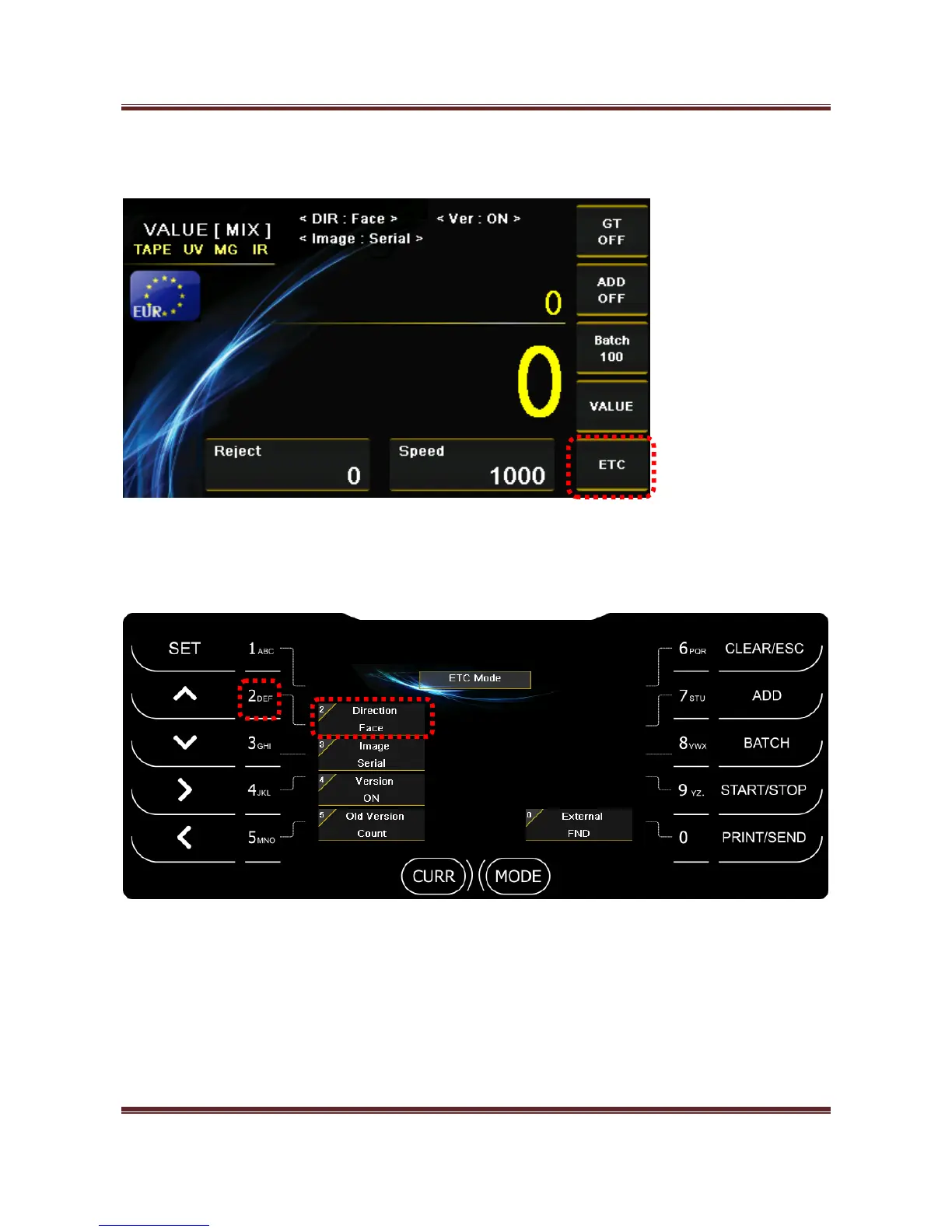
4-4. ETC – Select Direction, Serial and Version Mode by pressing “0” key.
1) Direction (NONE, Face, ORG)
Press “2” key and select Direction mode.
- Face
Sort the notes by face of the notes.
- ORG
Sort the notes by face and orientation together.



 To Next Page