Magner175V/175FF USER Guide
Magner INT 48
6) Operation
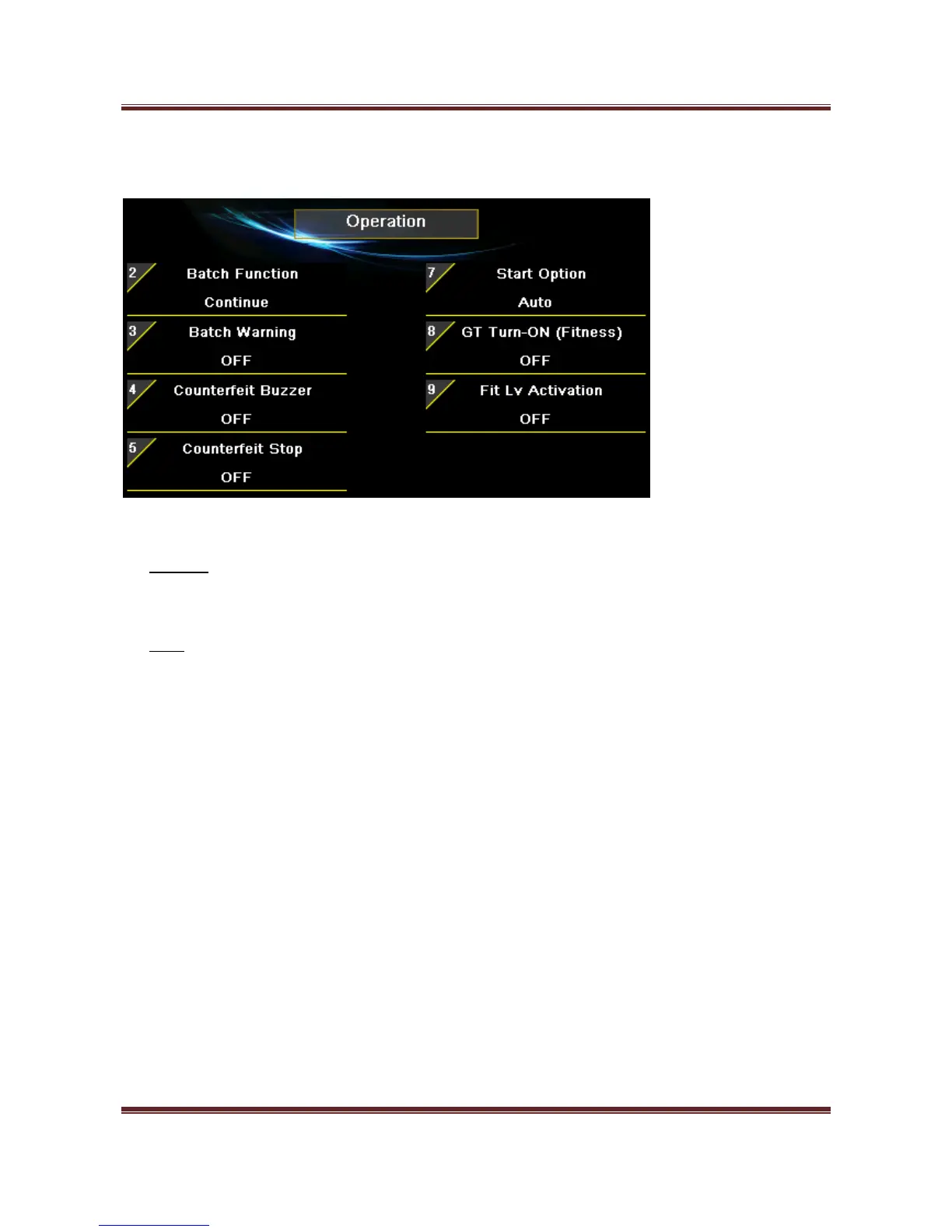
Batch Function
Continue – When next Batch is started, the displayed value is started from the previous
counting result..
Clear – When next Batch is started, the displayed value is started from 0.
Batch Warning
When Batch is not complete and the user removes the notes from Stackers then error message will show.
Counterfeit Stop
When counterfeit is sent to Reject Pocket, the machine makes the warning sound.
Start Option
By pressing Start/Stop icon or key, machine will start or stop counting.
GT Turn-ON (Fitness)
When enter FIT or ATM mode, GT is turned on automatically.



 To Next Page