Magner175V/175FF USER Guide
Magner INT 30
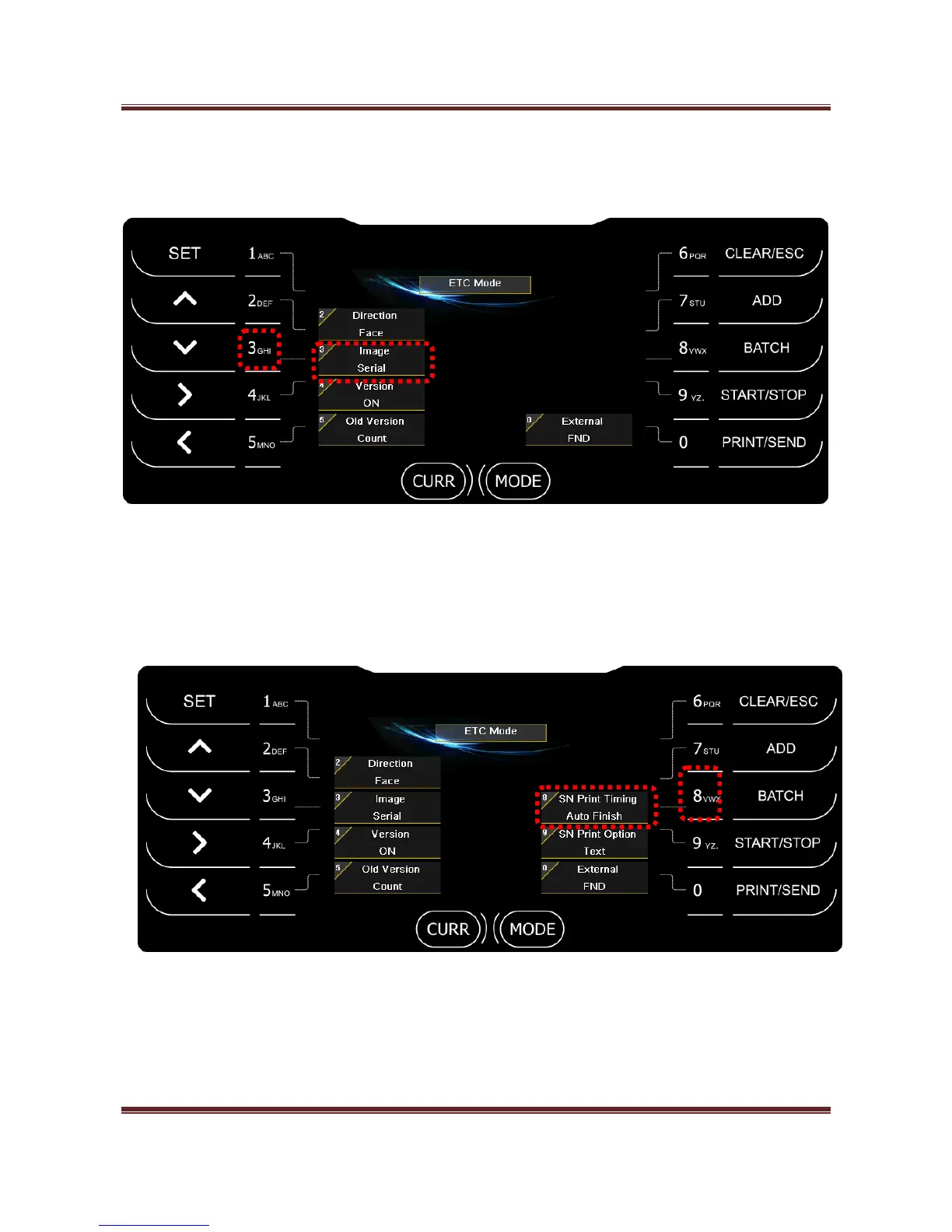
2) Image (NONE, Serial)
Press “3” key and select the scanned image data for transferring it to PC.
- Serial: Send serial image to PC.
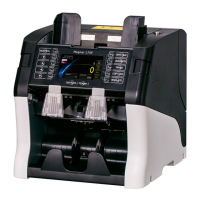
When you select Serial function, 2 menus appear.
2-1) SN Print Timing
- Auto Batch
When Batch is full, print the counting result via Printer automatically.



 To Next Page