EasyManua.ls Logo

Magner M2000 Series - User Manual

Magner M2000 Series
30 pages
Print Icon
To Next Page IconTo Next Page
Loading...
2POCKETS BANKNOTE SORTER
Version
V1.0.1
DATE
March 16, 2022
MAGNER M2000 SERIES
USER MANUAL
Question and Answer IconNeed help?

Do you have a question about the Magner M2000 Series and is the answer not in the manual?

Summary

Main Display

Machine Operation

2-1. Total

User can check the detail of the count result, serial number, and error of the banknote by touching the screen.

2-2. Currency

User can select the currency by touching the CURRENCY icon. The maximum number of currencies is 50 currencies.

2-3. Value;Fitness;ATM

User can select the Value/Fitness/ATM by touching the icon. User can set the detail of Fitness/ATM.

2-4 Mode

User can set the various mode for banknote count in Mode menu. Count mode, Direction, ADD, Serial reading, Version separation, Manual ADD.

2-5 User Setting

Dual, Operation. User can select the USER mode by touching the icon. Dual: Two user can use the machine.

2-6 Manual ADD

User can add the amount, denom and coin in Manual ADD menu. Operate Manual ADD by touching Manual ADD.

2-7 Batch

Set the batch of stacker and the other related functions. Enter the Batch menu by touching Batch icon.

Setting

3-1 Function

Configure various operational functions. This section details general settings and parameters.

3-2 Printer

Configure printer settings for receipts, including serial, size, copy, time, name, bank, auto print, and branch.

3-3 LCD

Customize LCD settings such as screen saver, report format, show report, brightness, and display color.

3-4 Pocket Capacity

Set the stacker capacity and reject capacity for banknotes.

3-5 CF Level

Set the sensor for counterfeit detection (UV, MG, IR) ON/OFF.

3-6 Date

Set the date, time, and format for the machine.

3-7 LAN

Configure network settings for LAN operation, including IP, MASK, GATE, and connection testing.

3-8 Record

Access and view count history information, including Grand Total, Daily Total, Monthly Total, and SN Search.

Multi-Currency

4-1 Multi-currency(MIX)

Count all currencies and denominations. Display changes based on the number of counted banknotes.

4-2 Multi-currency(SC;SP)

SC: Displays only the first recognized currency. SP: Displays only the first recognized denomination.

Pocket (Stacker;Reject)

5-1 Stacker

Indicates when the stacker pocket is full of banknotes.

5-2 Reject

Indicates the status of the reject pocket, such as reject count or full.

5-3 ETC

Indicates Batch Full status, and remaining banknotes in Stacker or Reject pockets.

Overview

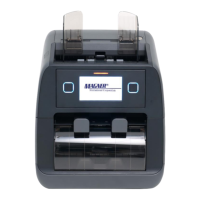
The MAGNER M2000 Series is a 2-pocket banknote sorter designed for efficient and accurate processing of banknotes. This user manual provides comprehensive instructions for its operation, setting, and maintenance.

Function Description:

The MAGNER M2000 Series offers a variety of counting and sorting modes to meet diverse operational needs. Its primary function is to count and sort banknotes, with capabilities for multi-currency handling, fitness sorting, and serial number reading.

  • Main Display: The device features a main display that shows the current mode (MIX, SP, SG), currency, and count results. It provides real-time information on the amount and quantity of counted banknotes. When in ADD mode, it displays both current count information and accumulated totals. Users can touch the display to check detailed count information.

  • Machine Operation:

    • Total: Users can view detailed count results, serial numbers (if the serial number reading function is enabled), and error information by touching the screen. The total screen displays a breakdown by denomination, showing the number of pieces (PCS) and the total amount for each.
    • Currency Selection: The device supports up to 50 currencies, allowing users to select the desired currency by touching the currency icon on the display.
    • Value/Fitness/ATM Mode: This mode allows users to select between Value, Fitness, and ATM sorting. In Fitness mode, users can set detailed parameters for detecting various conditions such as tear, dogear, soil, hole, deinked, stain, tape, composed, and graffiti.
    • Mode Settings: The "Mode" menu provides options for various banknote counting modes:
      • MIX: Counts all denominations and versions of banknotes.
      • SP (Single Denomination): Counts only the first recognized denomination.
      • SG (Selected Denomination): Allows users to select specific denominations and versions for counting.
      • Face Direction: Counts banknotes based on their face direction.
      • Orient Direction: Counts banknotes based on their first recognized orientation.
      • ADD: Accumulates count results after each operation.
      • Serial Reading (SN): Reads and records the serial numbers of banknotes.
      • Serial Number Compare (SNC): Compares serial numbers of banknotes.
      • Version Separation (VER): Counts banknotes based on their first recognized version (e.g., Old/New/Very New).
      • Manual ADD: Allows users to manually add amounts, denominations, and coins.
    • User Setting: The device supports a "Dual" operation mode, allowing two users to operate the machine (Left and Right side). Users can be switched by pressing the Left and Right buttons. Up to 10 users can be registered, and the selected user is displayed on the main screen. If the machine is idle for a period during user operation, a "USER SELECT" message is displayed.
    • Manual ADD: This feature allows users to manually input amounts, denominations, and coins. The manual ADD icon is displayed on the main screen when active.
    • Batch Setting: Users can set batch quantities for the stacker, either by value or by denomination. The "BatchADD" function accumulates count results only when the batch is full, while "BatchClear" resets the count information on the main display.
  • Setting Menu: The "Setting" menu provides access to various configuration options:

    • Function:
      • Count Start: Selects between "Auto" (automatic start when banknotes are placed in the hopper) and "Manual" (press button to start).
      • Delay: Sets the timing for count start when banknotes are on the hopper.
      • Speed: Adjusts the counting speed (800, 1000, 1200 notes per minute).
      • Buzzer: Toggles sound alerts on/off.
      • Batch Warning: Activates a warning when banknotes are taken from the stacker without the batch being full.
      • CF (Counterfeit) Sound: Enables a sound alert when a counterfeit banknote is rejected.
      • Door: Selects whether to use the stacker cover.
      • Info: Displays machine serial number and software version.
    • Printer: Configures printer settings for receipts.
      • Serial/OCR/Image: Selects the print type (text print for OCR, image print for Image).
      • Size: Selects the printer size (2inch, 3inch).
      • Copy: Sets the number of receipt copies.
      • Time: Includes time in the receipt.
      • Name: Includes the user's name in the receipt (requires user operation).
      • Bank: Includes the bank's name in the receipt.
      • Auto Print: Automatically prints the receipt after counting.
      • Branch: Includes the branch name in the receipt.
    • LCD: Configures display settings.
      • Screen Saver: Sets the time for the screen saver to activate (30s, 3m, 10m).
      • Report Format: Selects the display order of detailed count results (Ascending or Descending).
      • Show Report: Configures how detailed count results are displayed (Click, Move, Always).
      • Brightness: Adjusts the display brightness (L, M, H).
      • Display Color: Selects the color of quantity and amount on the main display.
      • Language: Selects the foreign language for the interface.
    • Pocket Capacity: Sets the capacity for the stacker (Range 10-250) and reject pocket (Range 10-40).
    • CF Level (Counterfeit Level): Configures the counterfeit detection sensors (UV, MG, IR, DOUBLE).
    • Date: Sets the date, time, and date format.
    • LAN: Configures network settings (IP, MASK, GATE, SERVER, PORT) and allows testing the connection.
    • Record: Accesses count history information.
      • Grand Total: Total count information from Grand Total On to Grand Total Off.
      • Daily Total: Daily count information.
      • Monthly Total: Monthly count information.
      • SN Search: Searches for specific serial numbers of banknotes.
      • Export: Sends counting information and serial number data to an SD card as a CSV file.
  • Multi-currency: The device can count up to 50 currencies in multi-currency mode.

    • Multi-currency (MIX): Counts all currencies and denominations. The display changes based on the number of counted banknotes.
    • Multi-currency (SC/SP):
      • SC (Single Currency): Displays only the first recognized currency from multiple currencies.
      • SP (Single Denomination/Currency): Displays only the first recognized denomination from multiple currencies.
  • Pocket (Stacker/Reject): After counting, if banknotes remain in the pocket, a message is displayed.

    • Stacker Full: Indicates that the stacker is full.
    • Reject Full: Indicates that the reject pocket is full.
    • Batch Full: Indicates that the batch quantity has been reached.
    • Stacker Remain/Reject Remain: When banknotes are taken from one pocket (Stacker or Reject), the other pocket will display "Remain" if banknotes are still present.

Important Technical Specifications:

  • Currency Support: Up to 50 currencies.
  • Counting Speed: Adjustable (800, 1000, 1200 notes per minute).
  • Pockets: 2 pockets (Stacker and Reject).
  • Stacker Capacity: Adjustable from 10 to 250 notes.
  • Reject Capacity: Adjustable up to 40 notes.
  • Connectivity: LAN for network settings.
  • Data Export: SD card support for exporting count and serial number data in CSV format.
  • Display: Full-color LCD with adjustable brightness and display color options.
  • Sensors: UV, MG, IR, DOUBLE for counterfeit detection.

Usage Features:

  • Intuitive Touchscreen Interface: The device features a user-friendly touchscreen for easy navigation and operation.
  • Multi-User Support: Allows up to 10 registered users with individual settings.
  • Detailed Reporting: Provides comprehensive count results, including denomination breakdown, serial numbers, and error details.
  • Customizable Settings: Extensive options for customizing counting modes, fitness parameters, printer output, and display preferences.
  • Error Indication: Clearly displays error details, including denomination, direction (BF/FF), and description (e.g., Face, Issue).
  • Serial Number Tracking: Enables reading, comparing, and searching for serial numbers, which can be exported for record-keeping.
  • Network Integration: LAN connectivity allows for network settings and potentially remote management or data transfer.
  • Manual Input Capability: Facilitates manual addition of amounts, denominations, and coins for specific tasks.

Maintenance Features:

  • Warning System: Provides warnings for conditions like "Batch Warning" (banknotes taken without batch full) and "CF" (counterfeit detection).
  • Error Logging: Records detailed error information for troubleshooting.
  • Software Version Display: Allows users to check the current software version for updates or support.
  • Clear Instructions: The manual emphasizes following instructions to prevent serious injury or death, particularly regarding installation, power, and general use.
  • Safety Guidelines:
    • Installation: Ensure sufficient space, avoid water/fire exposure, unstable surfaces, and extreme humidity/temperature.
    • Power: Avoid wet power cables, do not unplug to turn off, do not pull the power cable strongly, and keep children away.
    • Use: Operate in specified environments, do not open the cover during operation, and turn off power before checking inside for cleaning or part replacement.

Magner M2000 Series Specifications

General IconGeneral
BrandMagner
ModelM2000 Series
CategoryCash Counters & Coin Sorters
LanguageEnglish

Related product manuals