MAGNER M2000 SERIES
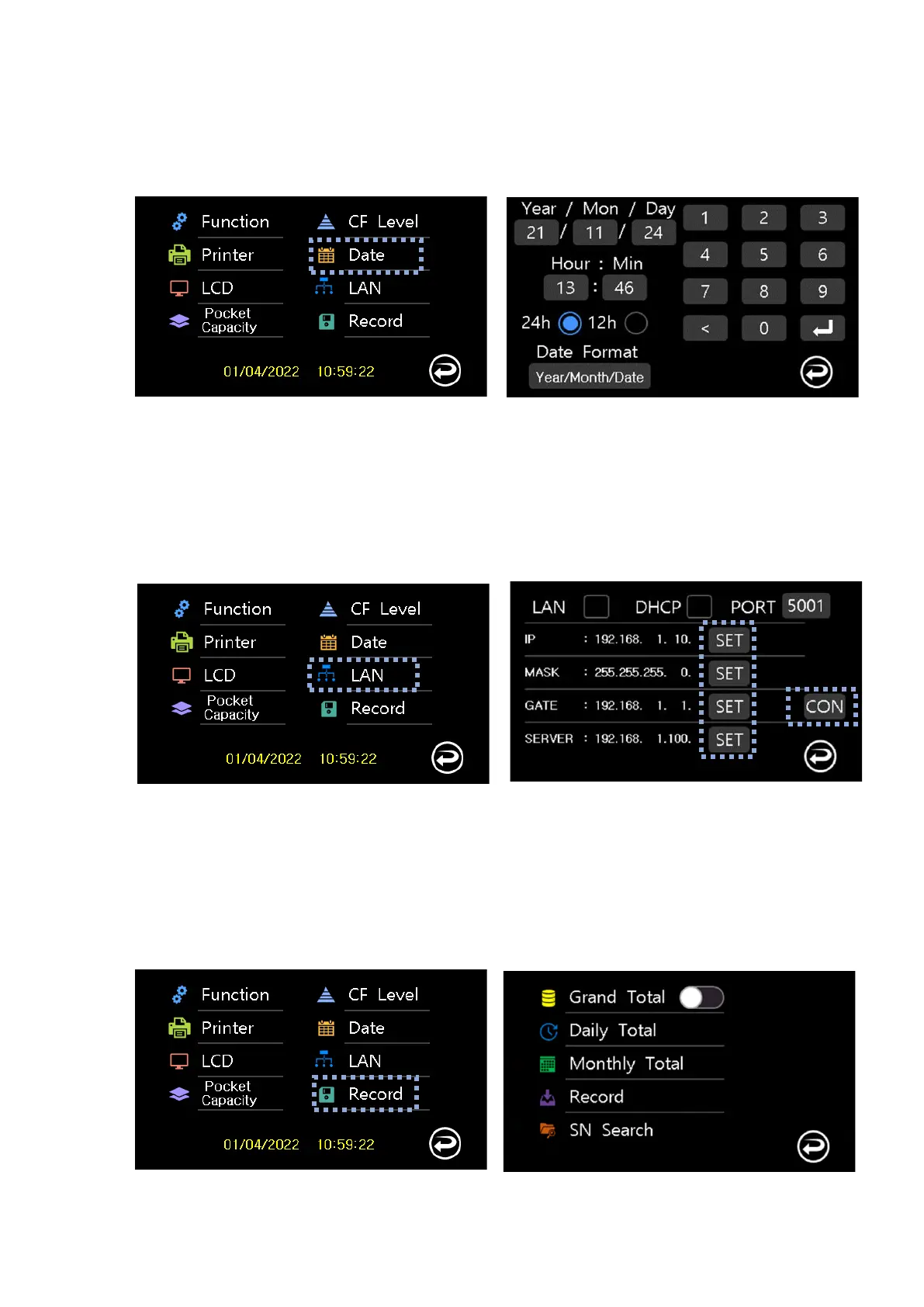
3-6 Date
Set the Date/Time and Format
3-7 LAN
Network setting
Network setting is saved by pressing SET button
User can test the connection by pressing CON button
- LAN : Lan operation
- DHCP : Receive IP, MASK, GATE from HUB
3-8 Record
Count history information


 To Next Page