MAGNER100 USER MANUAL
Magner INT 9
3-2. EURO Mode
COUNT
CNT
DLL:3
L|+
●
++++++|H
UVL:3
L|+
●
++++++| H
0
B100 S 900 --
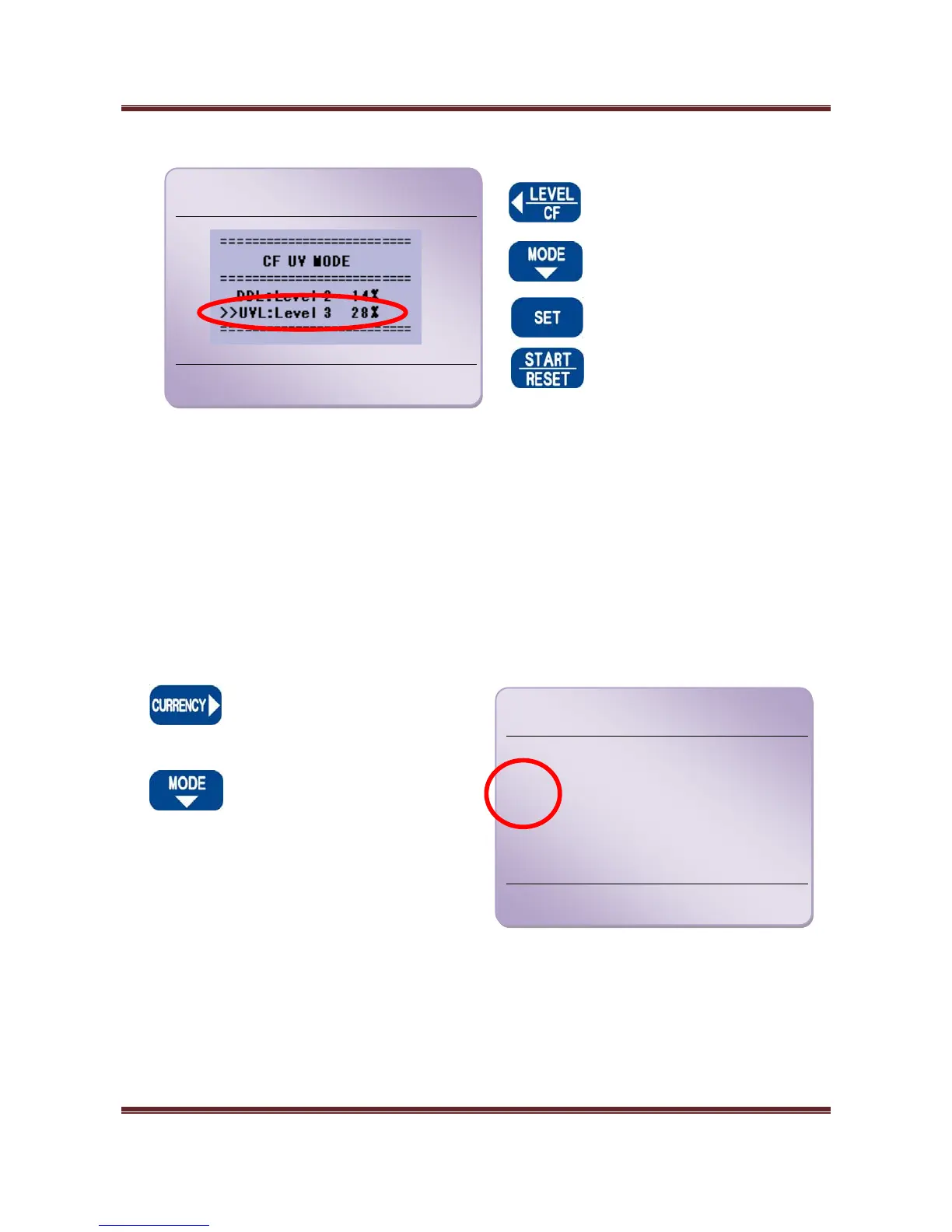
UV Level
When press and hold down
LEVEL Key, you can change
UVL.
Press MODE Key and move
cursor to UVL.
Change UVL.
Save data and exit CF UV
MODE.
In COUNT Mode, machine has adjust UV Level function for detecting white paper.
User can select 1~8 levels.
According to thickness of notes, UV Level is different.
Before counting, please check and adjust Level first.
Display shows as below.
Press CURRENCY Key and
select EURO Mode.
Press MODE Key and select
Operation Mode.
In this Mode, the machine can recognize and
detect EURO currency.
MIX CF
€
0
0
B100 --


 To Next Page